
Disclosure: This review is published by Zarvo TV, which sells its own IPTV service. Zarvo TV and IPTV Schedule share common ownership. It is based on IPTV Schedule’s website pages checked on October 12, 2026 and does not include streaming tests.
This iptv schedule review finds that IPTV Schedule offers several plan lengths, but only one connection at a time. That limit may not fit a household where people watch different screens simultaneously.
The site lists regional bundles, live TV, and video on demand. Zarvo TV offers a 24-hour free trial if you want to compare another option.
What is IPTV Schedule?
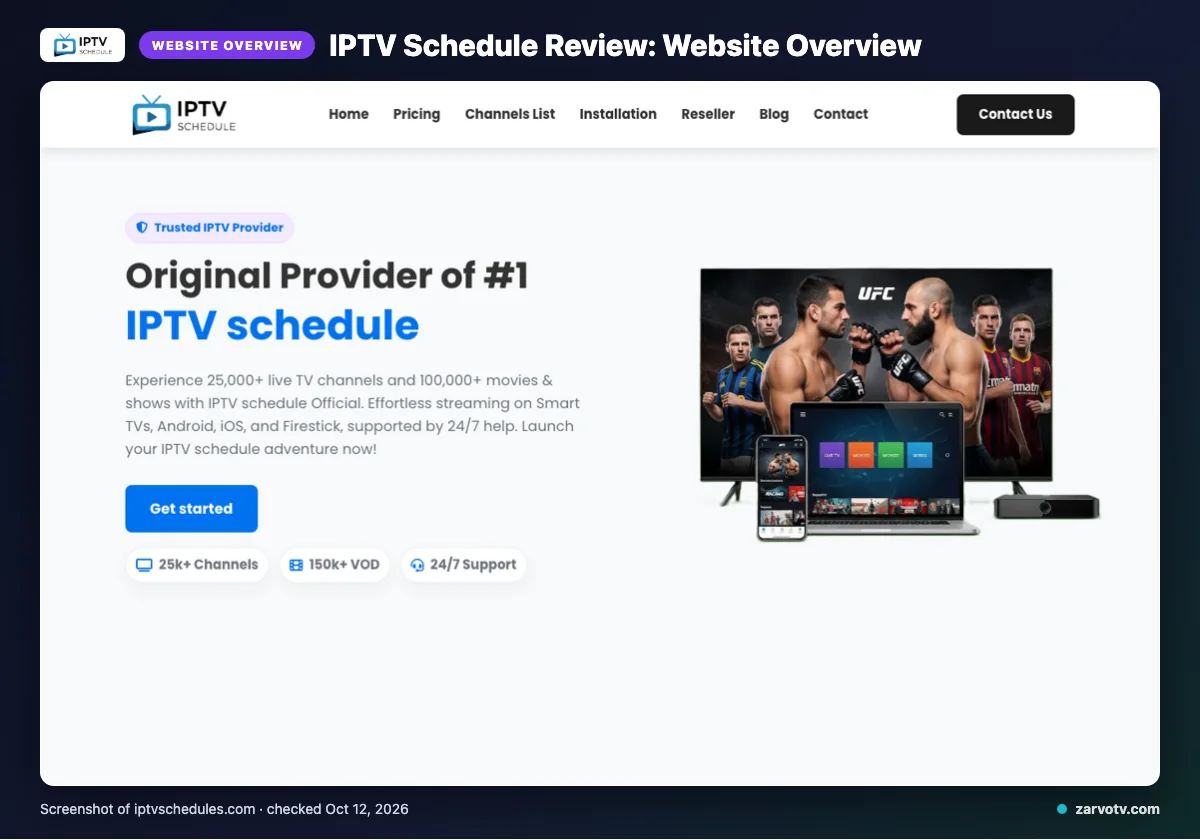
IPTV Schedule is a subscription service for live TV and video on demand. Its website presents regional bundles for the USA, Canada, Europe and MENA, with content from the USA, UK, Canada, Europe and Asia.
The regional options may interest you if your household wants content associated with those places, but they do not promise specific channels. You can review the service on its official website.
This review focuses on whether one-at-a-time viewing fits your home’s screens. If one person watches on the living-room TV while another uses a phone or kids’ tablet, check whether they need to watch at the same time.
Quick tip: Note which household members need simultaneous viewing before comparing subscriptions.
What does IPTV Schedule offer?
IPTV Schedule lists live TV, movies and shows, several video-quality labels, device categories and an EPG. Its website names IPTV Smarters as the app; check the named app and device categories against the screens you plan to use before subscribing.
The site claims 25,000+ live TV channels and 100,000+ movies and shows. It lists 4K, high-definition, Full HD, HD, FHD and 4K Ultra HD, and names Smart TVs, Android boxes, Firestick, MAG devices, iOS, PC and Android.
The EPG is described as updated and simple to use. Catch-up is not listed on the website. Counts vary across pages: a headline says 150k+ VOD, while one channel-list title says 10,000+ channels; other pages state the lower figures above.
IPTV Schedule plans and prices
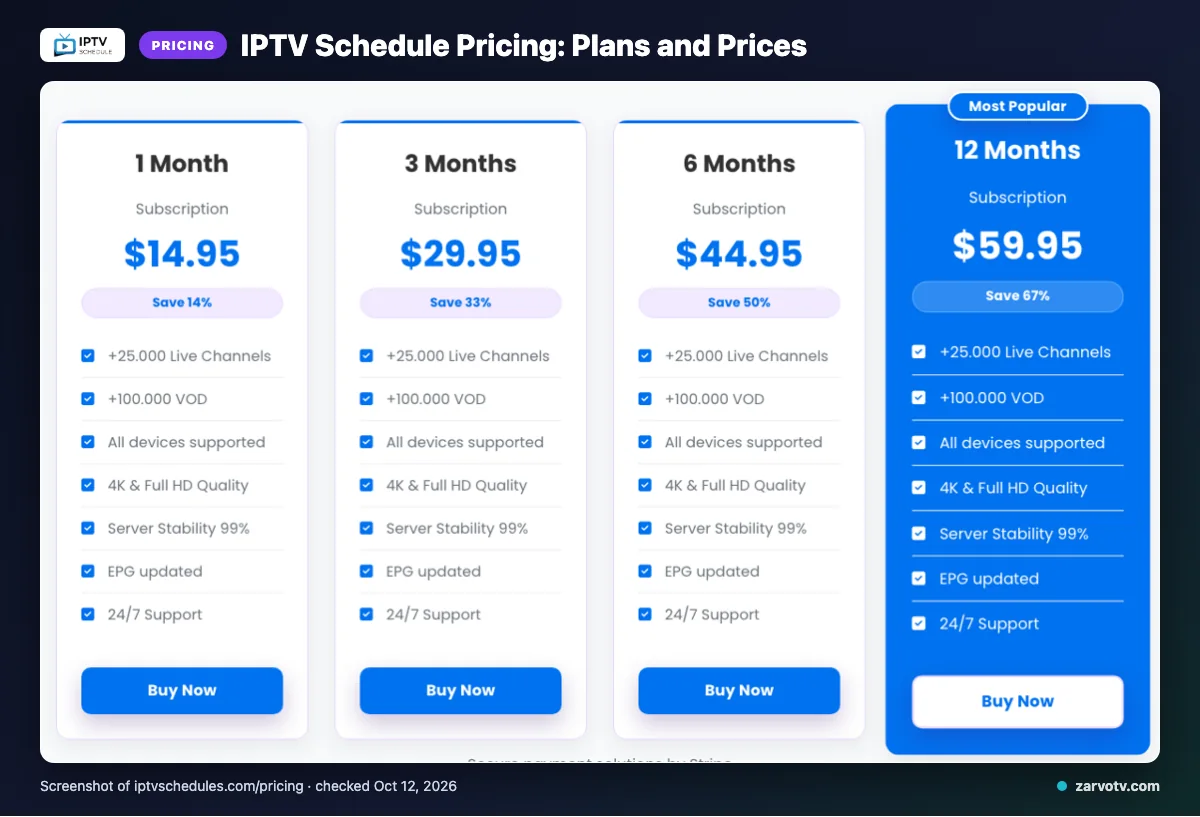
IPTV Schedule lists four plans, from one month to twelve months. Each allows one connection at a time, and add-on connections can be purchased.
| Plan | Duration | Price (USD) | Connections |
|---|---|---|---|
| 1 Month Subscription | 1 Month | $14.95 | one connection at a time |
| 3 Months Subscription | 3 Months | $29.95 | one connection at a time |
| 6 Months Subscription | 6 Months | $44.95 | one connection at a time |
| 12 Months Subscription | 12 Months | $59.95 | one connection at a time |
Website checked: 2026-10-12.
Quick tip: Use the duration column to match the plan to the period you are prepared to pay for. If people in your household want to watch on different screens at the same time, check the connection terms and any add-on options before choosing.
Free trial, refunds and payment at IPTV Schedule
We did not find a free trial on the pages we checked. Listed payment methods are Visa, MasterCard, American Express and PayPal.
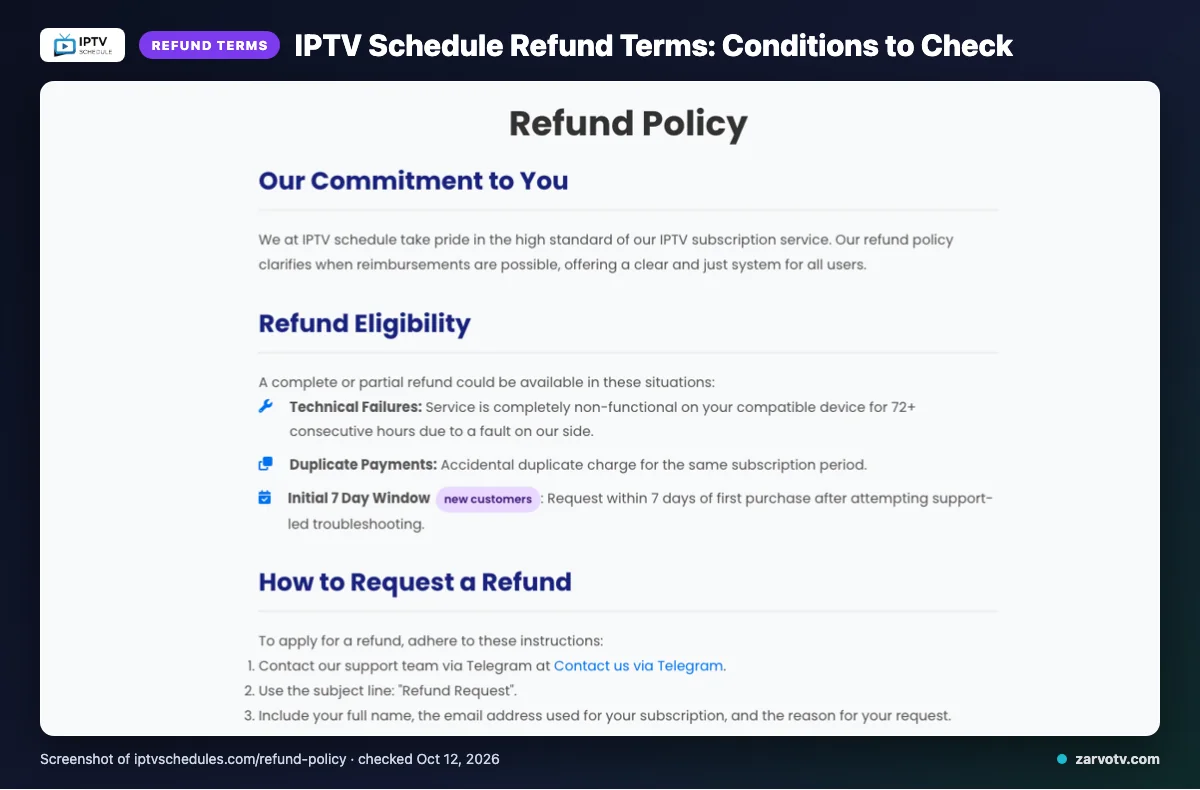
A complete or partial refund could be available for qualifying service faults lasting 72+ consecutive hours, duplicate charges, or a new-customer request within 7 days after support-led troubleshooting. The stated exclusions include content dissatisfaction, slow or unstable internet, Terms of Service violations, and certain geo-blocking issues.
Renewal refund requests are reviewed case-by-case. Subscriptions automatically renew at each billing period’s end, and you can adjust or terminate renewal through the account panel. Keep purchase and support records together in case you need to request a refund.
IPTV Schedule pros and cons
IPTV Schedule lists useful options, but its one-at-a-time limit may not fit every household. These points summarize the listed terms, not stream performance.
Pros:
- Plans are offered in several durations.
- Device categories and IPTV Smarters are named.
- An updated EPG and regional bundles are described.
Cons:
- Each standard plan allows one connection at a time.
- Catch-up details are not listed.
- The content counts conflict, as noted above.
Quick tip: Check whether one screen at a time works for your household, including the living-room TV, bedroom TV, and kids’ tablet. This is a fit check, not a prediction of stream quality.
Is IPTV Schedule legal and safe?
IPTV legality depends on content licensing and the laws where you live. IPTV Schedule’s channel or VOD claims alone do not establish whether it has permission to distribute that content.
Check the rules that apply in your location and look for clear licensing information before subscribing. Verify licensing for your location before entering payment details. If you’re choosing for a household, make that check before adding the service to a living-room TV or phone.
How to sign up and set up IPTV Schedule
To set up IPTV Schedule, review the listed plan and connection terms, then subscribe through the provider’s website. Follow the service’s instructions for receiving access details, then open a compatible player on your first screen.
- Choose a plan after checking its duration and connection terms.
- Complete the subscription through the provider’s website.
- Check the service’s instructions for how to receive and enter your access details.
- Install or open a player compatible with your device, then use the supplied setup details.
- Once the first screen is working, repeat the setup for another household device if needed.
Quick tip: Set up one screen before adding another household device, so you can confirm the supplied instructions are clear. If you need help, use the listed support channels; response times are not specified.
IPTV Schedule vs Zarvo TV
Here is a quick comparison; IPTV Schedule’s full plan and refund terms appear above. Both list one-connection plans, so compare their terms with the screens your household uses.
| Item | IPTV Schedule | Zarvo TV |
|---|---|---|
| Plans | 1 month $14.95; 3 months $29.95; 6 months $44.95; 12 months $59.95. | 1 month $14.95; 3 months $29.95; 6 months $39.95; 12 months $59.95; 24 months $99.95. One connection per plan. |
| Trial | We did not find a free trial on the pages checked. | 24-hour trial. |
| Refund | Conditional refunds may apply for qualifying faults, duplicate charges, or eligible new-customer requests. | 7-day refund period. |
| Devices | Smart TVs, Android boxes, Firestick, MAG devices, iOS, PC, Android. | Fire TV, Android TV, Google TV, Samsung and LG Smart TV, iPhone, iPad, Apple TV, Android phones, Windows, Mac, MAG box. |
Compare the device names with your actual living-room TV and personal screens, such as a phone or kids’ tablet. If you want to try Zarvo TV, we invite you to start with the free trial.
Who should choose IPTV Schedule, and who should look elsewhere?
IPTV Schedule may suit a household that can take turns watching and wants to keep its viewing to one screen at a time. If family members often watch different things simultaneously, look for a service that clearly fits that routine.
Think about an ordinary evening: one person has the living-room TV, while someone else wants a show on a bedroom screen or the kids’ tablet. If that overlap is common, the connection limit described above may not match your home without checking whether an add-on connection suits you.
It may be a better fit for a solo viewer, a couple who usually watch together, or a household that can plan screen use. Before choosing, compare the provider’s connection terms with the number of people likely to watch at the same time, not just the number of devices you own.
Look elsewhere if simultaneous viewing is a priority and you want that option clearly included in your subscription. Ask the provider to confirm how extra connections work before paying, and keep the answer with your order details.
Quick tip: Count how many screens your household uses at the same time on a typical evening.
If you want to compare another option, we invite you to try Zarvo TV’s free trial and see whether it fits your household.
New to Zarvo TV? See the setup guide, compare plans and prices, or check the channel list.
Frequently Asked Questions
Check the connection limit before choosing
IPTV Schedule’s plans range from one month to twelve months, with one connection at a time. Check its renewal and refund terms, and confirm that the service suits your household’s viewing routine.
Review licensing information for your location before subscribing. If you want to compare Zarvo TV, start the free 24-hour trial.