
Disclosure: This review is published by Zarvo TV, which sells its own IPTV service. Zarvo TV and TVNado IPTV share common ownership. It is based on TVNado IPTV’s website pages checked on October 10, 2026 and does not include streaming tests.
This tvnado iptv review finds that TVNado lists several device types, but its standard plans allow one connection. Check its terms and connection options before deciding if they fit your household.
The site shows conflicting channel and VOD counts, and its prices use “$” without naming the currency. Zarvo TV is another option to compare for your household’s screens.
What is TVNado IPTV?
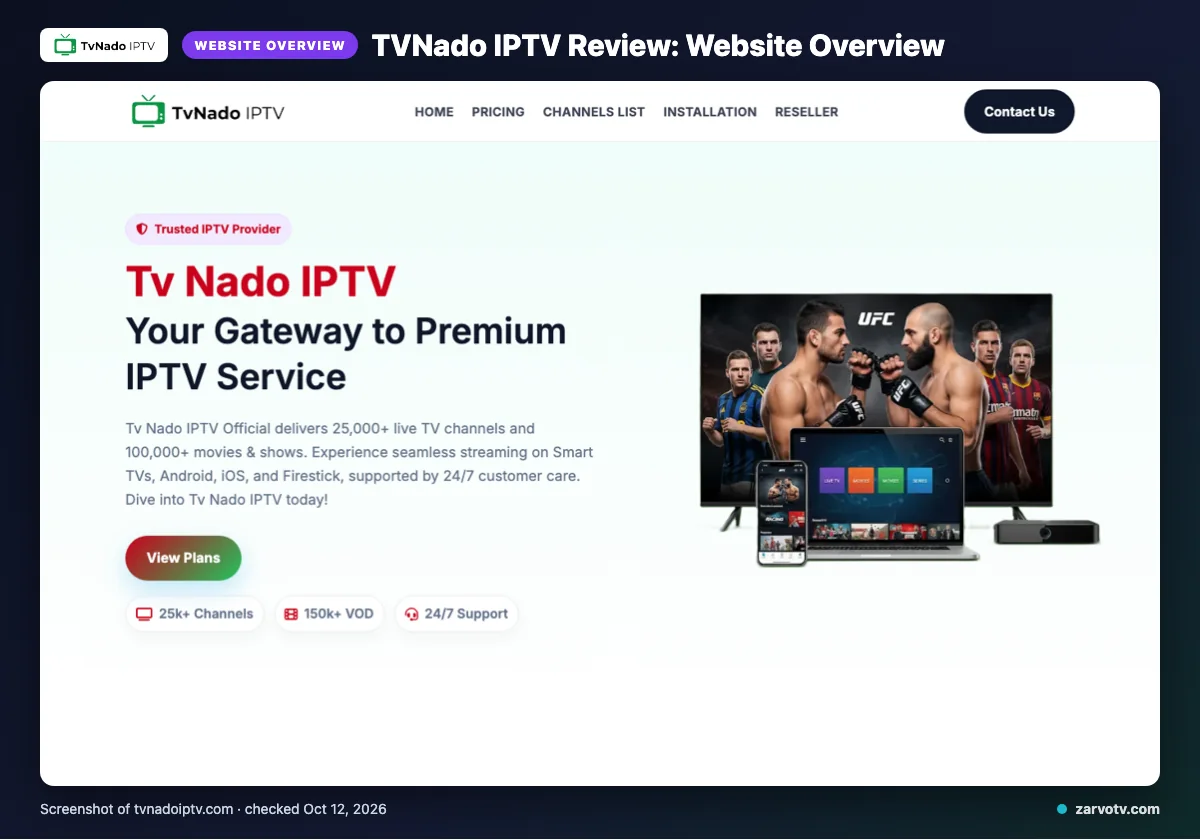
TVNado IPTV is an IPTV service presented on its official website. The site names the USA, UK, Canada, Europe, Asia, and MENA as its regions.
The website does not specify a household type or target audience, so it does not say whether the service is aimed at families, flatmates, or individual viewers. This overview reflects the site’s description; the service has not been independently verified here.
Quick tip: Before reading further, check whether your household’s location is among the regions the site names.
What does TVNado IPTV offer?
TVNado IPTV lists live channels, VOD, video quality options, devices and an EPG. These are website claims, not proof of performance on your TV, tablet or phone.
The channel page title says 10,000+ channels, while repeated claims say 25,000+. VOD is listed as both 100,000+ and 150k+; the site says its library refreshes daily, a claim we have not independently checked.
Quality labels include 4K, Full HD, HD, FHD and 4K Ultra HD. The site claims anti-freeze technology, load balancing, Global CDN, Predictive Content Prefetch and “Server Stability 99%”; these are not test results.
Listed devices include Smart TVs, Android, iOS, Firestick, Android boxes, MAG devices, MAG Box and PC; IPTV Smarters is the named app. The site describes its Electronic Program Guide (EPG) as updated, but catch-up is not listed on its website.
TVNado IPTV plans and prices
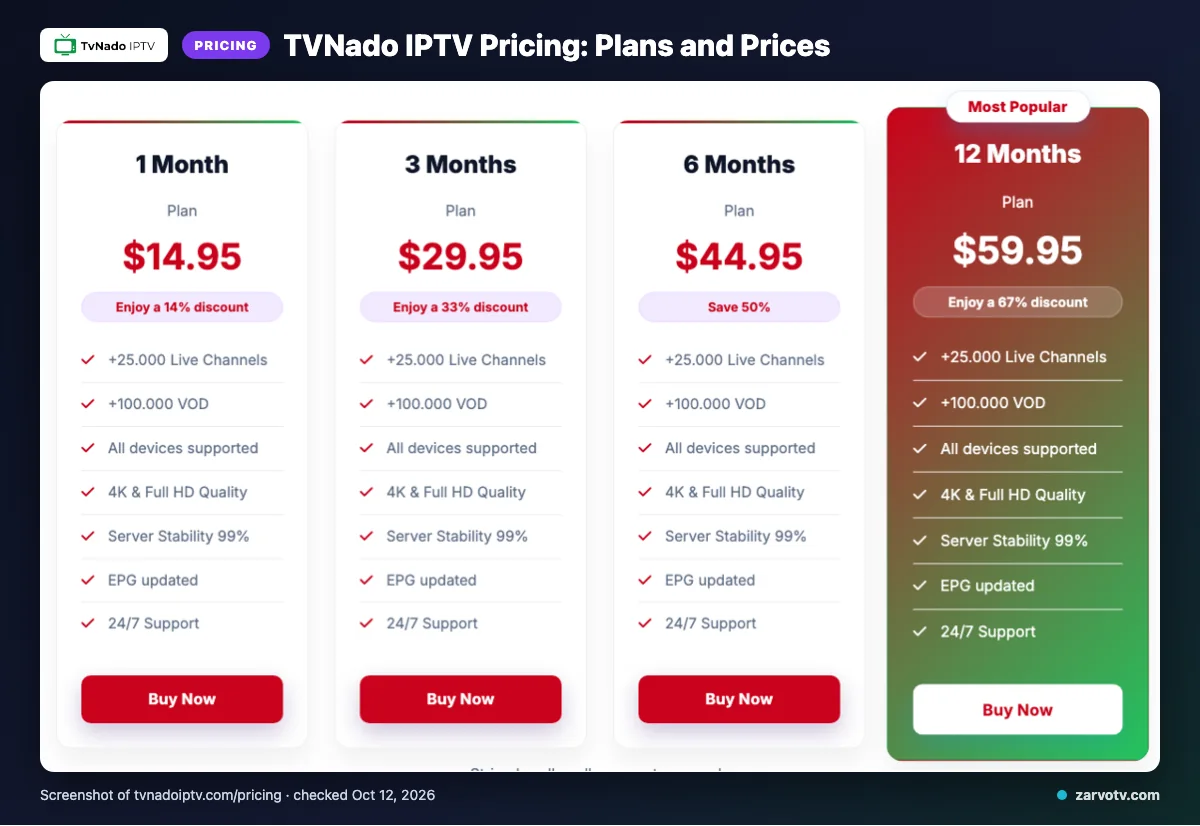
TVNado IPTV lists four standard plans, each with one connection. Its prices use “$,” but the site does not explicitly identify the currency.
| Plan | Price | Connections |
|---|---|---|
| 1 Month | $14.95 | 1 connection |
| 3 Months | $29.95 | 1 connection |
| 6 Months | $44.95 | 1 connection |
| 12 Months | $59.95 | 1 connection |
Plans and prices checked on 2026-10-10.
Quick tip: Confirm the currency shown at checkout before comparing the listed price with another subscription.
Free trial, refunds and payment at TVNado IPTV
A free trial was not listed on the pages checked; that does not confirm whether one is available. The listed payment methods are Visa, MasterCard, American Express and PayPal.
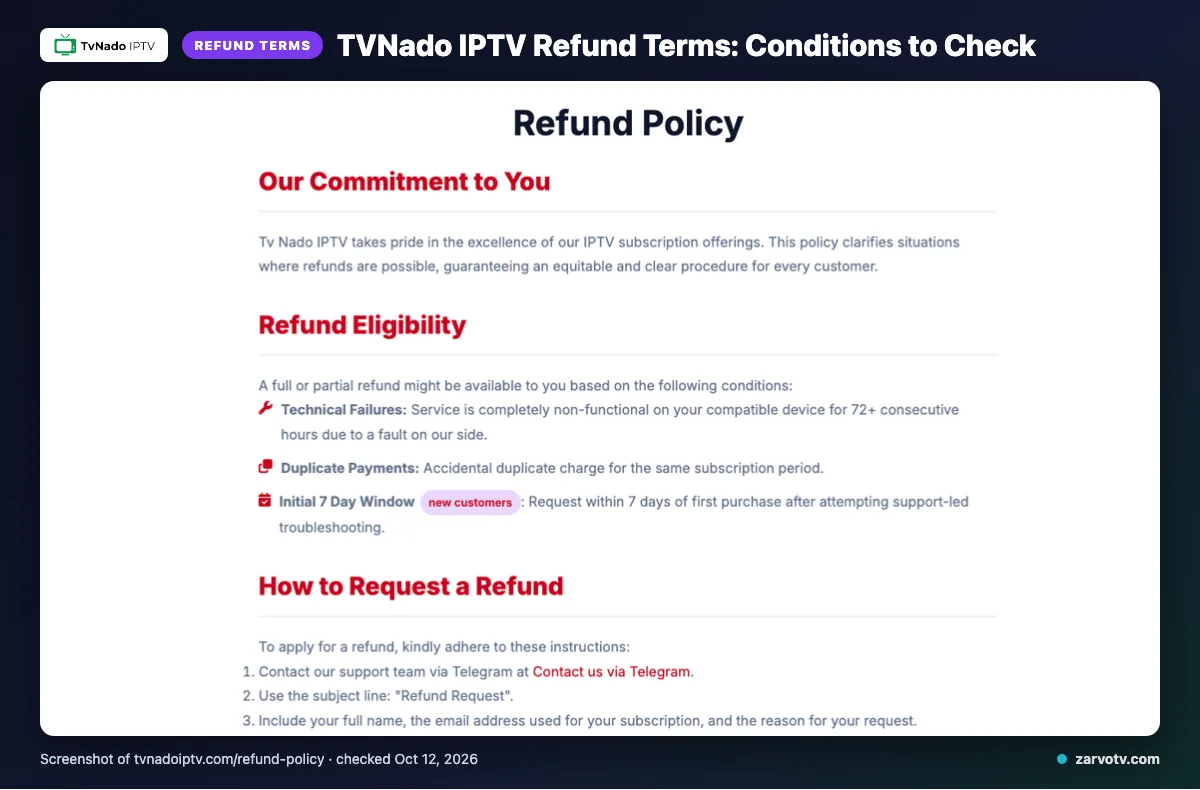
A full or partial refund may be available for a technical failure that leaves service completely non-functional on a compatible device for 72 or more consecutive hours because of a fault on the provider’s side, or for an accidental duplicate payment. New customers may also request a refund within seven days of their first purchase after trying support-led troubleshooting.
Refunds are excluded for dissatisfaction with channels or content, slow or unstable internet, Terms of Service violations, and geo-blocking beyond the provider’s control. Renewal requests are reviewed separately. If you contact support about a refund, keep the exact issue and support-led troubleshooting history together.
TVNado IPTV pros and cons
TVNado IPTV lists several device types, payment options, and support channels for household use. The main consideration for a multi-screen home is that standard plans allow one connection.
Pros
- Smart TVs, phones, Firestick, and PC are listed, giving you options for different screens at home.
- IPTV Smarters is named, which helps if you prefer that app.
- Visa, MasterCard, American Express, and PayPal are listed, alongside email, live chat, and Telegram support.
Cons
- One connection on standard plans may not suit a second screen used at the same time.
- No free trial was listed on the pages checked, and catch-up is not listed.
- The “$” price currency is unspecified, so confirm it before choosing a payment option.
Is TVNado IPTV legal and safe?
TVNado IPTV’s legality depends on the content’s licensing and the laws where you live. A website review cannot conclude that the service is legal or illegal in any country.
A website review also cannot verify licensing or streaming security. Before subscribing, check the rules where you live and read the service’s terms instead of relying on a general IPTV claim. This can help you make an informed choice for every screen at home, from the living-room TV to a child’s tablet.
How to sign up and set up TVNado IPTV
Start at the TVNado IPTV official site and review the plan and its terms before signing up. Choose a listed device, such as a Smart TV, Android or iOS device, Firestick, Android box, MAG device, or PC.
- Select the plan that fits your needs and check the terms shown on the site.
- If relevant to your setup, note that IPTV Smarters is the named app.
- Complete the site’s payment process, then follow its instructions to activate the service on your chosen device.
The site states that activation occurs within minutes of completed payment. Follow the setup guidance it provides rather than assuming a particular installation flow.
Quick tip: Choose the screen you want to set up first, then follow the service’s own instructions for that device.
TVNado IPTV vs Zarvo TV
Compare the plan and terms already listed for TVNado with Zarvo’s options below. For a living-room TV, kids’ tablet and phones, check which devices and simultaneous-use terms fit your household.
| What to compare | TVNado IPTV | Zarvo TV |
|---|---|---|
| Plans | See the plan table above. | 1 month: $14.95; 3 months: $29.95; 6 months: $39.95; 12 months: $59.95; 24 months: $99.95. |
| Trial | See the trial note above. | 24-hour free trial. |
| Refund | See the refund terms above. | 7-day refund policy. |
| Devices | Refer to the device and app details above. | Fire TV, Android and Google TV, Samsung and LG TVs, Apple devices, Android phones, Windows, Mac and MAG boxes. |
Zarvo’s listed devices include screens for the main room, bedroom and phone use. Check the TVNado device details above against the screens your household plans to use, and compare each service’s terms before paying.
Want to see if Zarvo fits your setup? We invite you to try the free trial before choosing a plan.
Who should choose TVNado IPTV, and who should look elsewhere?
TVNado may suit you if your household usually watches one screen at a time and its terms fit your needs. If someone often uses the living-room TV while another watches on a tablet, compare the connection details above before deciding.
Who is TVNado best for?
Consider it if you have a clear primary screen and are comfortable checking the service details before paying. It may be a practical option for a household where viewing is usually shared, rather than split across rooms at once.
Who should look elsewhere?
Look at other options if you need several household members to watch at the same time, or want terms that clearly match your screen-sharing habits. A parent using the TV while a child watches a tablet is a useful example to consider; confirm your setup directly before committing.
Pause if you still have unanswered questions about the service’s terms, payment, or how it would fit your household. Recheck the details already covered in this review, and avoid assuming that a feature or arrangement is included unless the site states it.
If you want another option to compare for every screen at home, we invite you to try Zarvo TV’s 24-hour free trial.
New to Zarvo TV? See the setup guide, compare plans and prices, or check the channel list.
Frequently Asked Questions
What to check before choosing
Review TVNado’s plan terms, especially its one-connection limit and any add-on connection details. Check the listed price and features directly, since the site gives conflicting content counts and does not identify the currency.
Compare the options against how your household watches across its TV, tablets, and phones.
Start the free 24-hour trial with Zarvo TV.