
Disclosure: This review is published by Zarvo TV, which sells its own IPTV service. Zarvo TV and IPTV AM share common ownership. It is based on IPTV AM’s website pages checked on October 12, 2026 and does not include streaming tests.
This iptv am review summarizes IPTV AM’s published plans, content claims, payment options, and device details. Use these details to check whether the service fits your household’s screens.
Compare the listed terms with your setup needs and Zarvo TV before choosing. Pay particular attention to renewal settings and the number of screens you need to use at once.
What is IPTV AM?
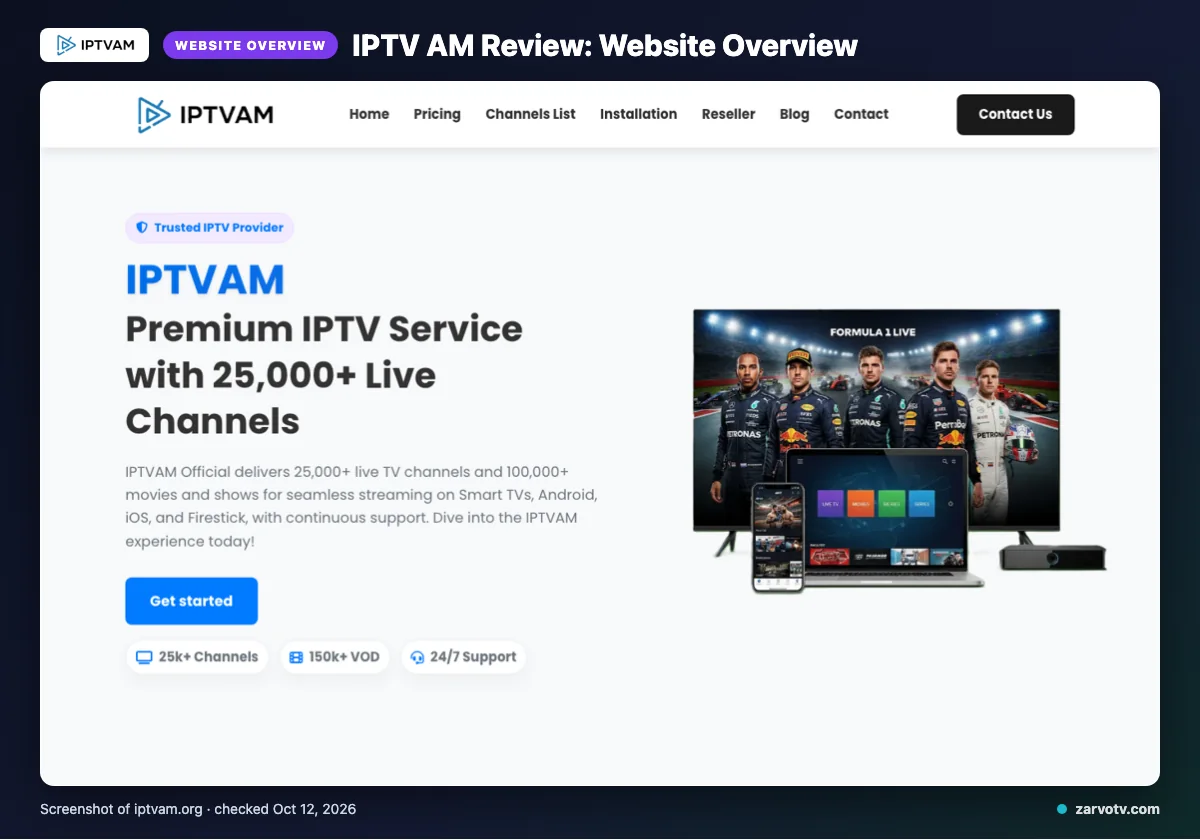
IPTV AM presents itself as a service for live TV and on-demand content. Its website does not name a specific target audience, so this IPTV AM review looks at published details households can compare before choosing a service for their screens.
Quick tip: Open the official site alongside this article to check the current offer before subscribing.
What does IPTV AM offer?
IPTV AM lists 25,000+ live channels and VOD, alongside several quality labels, device categories, and an EPG. Its site also describes anti-freeze, CDN, and prefetch features; these are site claims, not tested results.
The VOD count is inconsistent: the main banner says 150k+ VOD, while other sections say 100,000+ VOD. Listed quality labels are 4K, HD, FHD, Full HD, and 4K Ultra HD.
Device categories include Smart TVs, Android, iOS, Firestick, Android boxes, MAG devices and boxes, and PC. The listed app is IPTV Smarters. Check the list against the exact screen you plan to use, such as the living-room TV or a kids’ tablet; an unlisted device or app is not necessarily unsupported.
The site says its EPG is updated and helps with channel navigation. Catch-up is not listed. It also claims load balancing and adaptive routing, a global CDN, and predictive content prefetch.
IPTV AM plans and prices
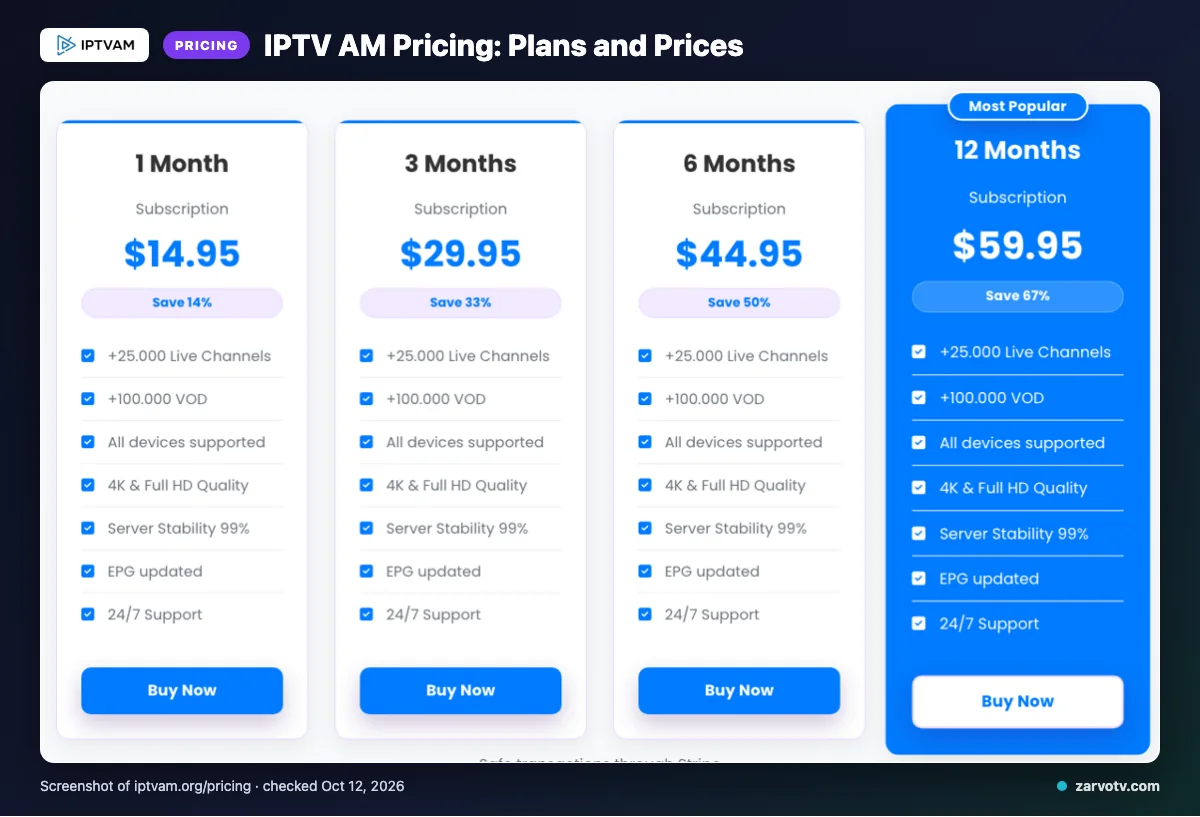
IPTV AM lists four subscription terms, with prices in USD. Each plan uses the same connection wording: “one connection per session.”
| Duration | Price in USD | Connections |
|---|---|---|
| 1 Month Subscription | $14.95 | one connection per session |
| 3 Months Subscription | $29.95 | one connection per session |
| 6 Months Subscription | $44.95 | one connection per session |
| 12 Months Subscription | $59.95 | one connection per session |
Site checked: 2026-10-12.
Quick tip: Compare “one connection per session” with how many household screens you expect to use at once, such as a living-room TV and a kids’ tablet. The wording is the same across all four plans, so consider your household’s viewing habits before choosing a term.
Free trial, refunds and payment at IPTV AM
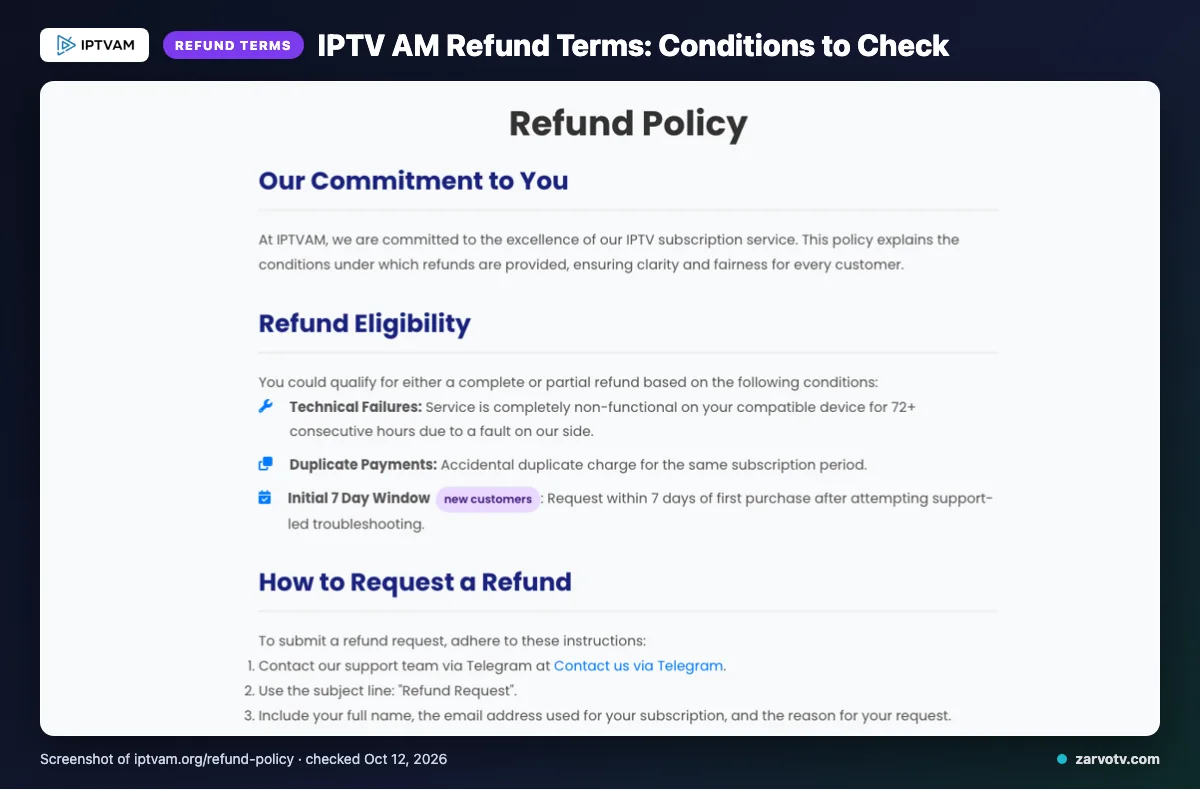
We did not find a free trial stated on the pages checked. Complete or partial refunds may be available under specific conditions, so read the full refund terms before paying.
Eligible cases include a provider-side fault that leaves service completely non-functional on a compatible device for 72 or more consecutive hours, duplicate payments, or new-customer requests within 7 days of first purchase after support-led troubleshooting.
Refunds are not provided for dissatisfaction with channels or content, slow or unstable internet, Terms of Service violations, or geo-blocking beyond the provider’s control. After the first 7 days, change-of-mind refunds are usually not provided; renewal refunds depend on individual circumstances.
Approved refunds are processed within 3 business days, and funds may take 5–10 business days to appear. Listed payment methods are Visa, MasterCard, American Express, PayPal, and Stripe.
IPTV AM pros and cons
IPTV AM’s published feature claims and EPG are positives, while several details remain unclear. Treat the claims as website-listed information, not verified performance.
Pros
- The site lists a broad range of content.
- An EPG is included in its published features.
Cons
- The VOD-count inconsistency noted above makes the published figures harder to compare.
- Catch-up details are not listed.
- The app listing is limited, leaving few documented app options to compare.
For another household option, we invite you to try Zarvo TV’s free trial.
Is IPTV AM legal and safe?
Legality depends on content licensing and the laws where you watch, so this review cannot determine whether IPTV AM’s content is lawful in your location. Check local rules and seek clear information about content licensing before subscribing.
This is a website-based review, and no streaming test was conducted. You should not treat it as verification of safety, reliability, or uninterrupted viewing.
How to sign up and set up IPTV AM
Choose a listed plan and payment method, then follow IPTV AM’s activation and setup instructions after payment. Use its listed app and device details as a starting point, and confirm model-specific requirements with the provider.
- Review the plan and payment options shown by the provider.
- After payment, check the provider’s instructions for activation and setup.
- Match those instructions to the screen you plan to use, such as your living-room TV or phone.
Quick tip: Keep the provider’s setup instructions handy while setting up the living-room TV or another screen.
If you want to compare setup on another service, we invite you to try Zarvo TV’s free trial.
IPTV AM vs Zarvo TV
This comparison puts published plan prices, trial details, refund information, and named devices side by side. For your household, the device lists help you compare setup options for the living-room TV, tablet, or phone.
| Details | IPTV AM | Zarvo TV |
|---|---|---|
| Plans | 1 month: $14.95; 3 months: $29.95; 6 months: $44.95; 12 months: $59.95 | One connection: 1 month $14.95; 3 months $29.95; 6 months $39.95; 12 months $59.95; 24 months $99.95 |
| Trial | Not stated on the pages checked | 24-hour trial |
| Refund | See the eligible conditions and exclusions above | 7-day refund period |
| Named devices | Smart TVs, Android, iOS, Firestick, Android boxes, MAG devices, PC | Fire TV, Android and Google TV, Samsung and LG TVs, Apple devices, Android phones, Windows and Mac, MAG box |
Use the table to see which service publishes the details you need for every screen at home.
Who should choose IPTV AM, and who should look elsewhere?
IPTV AM may suit your household if its published plans, content claims, and setup options match the screens you need. Base your choice on that fit, not on assumed streaming quality.
Look elsewhere or ask the provider first if a specific device, app, or feature needs confirmation. Keep the reviewed terms in mind, including their conditions and renewal details, before subscribing.
Quick tip: Write down every screen and feature your household needs, from the living-room TV to a child’s tablet, then check them against the published details.
If you want to compare another option, we invite you to try Zarvo TV’s 24-hour free trial for your household screens.
New to Zarvo TV? See the setup guide, compare plans and prices, or check the channel list.
Frequently Asked Questions
Can you change or disable IPTV AM auto-renewal?
IPTV AM says subscriptions automatically renew at the end of each billing cycle, and its site says you can modify or disable auto-renewal through the account dashboard. Check the dashboard before renewal and confirm the setting has changed. The pages checked do not explain separate cancellation steps or timing.
Which support methods does IPTV AM list?
IPTV AM lists Telegram, email, and live chat as support methods. If you need help with setup or billing, use one of these channels and keep your plan details available. The pages checked do not state support response times, so ask about timing if you need help before a particular date.
Which regional packages does IPTV AM name?
IPTV AM says its content includes the USA, UK, Canada, Europe, and Asia, with dedicated packages for the USA, Canada, Europe, and MENA. Its channel list also names France, United Kingdom, Turkey, Greece, Belgium, Netherlands, Arabic, Latin America, India, and Germany. Check the current channel list for the region or language you want.
Does IPTV AM state whether taxes are included in its prices?
The pages checked do not state whether listed prices include taxes. Treat the displayed USD amounts as published plan prices, then confirm the final charge at checkout or with IPTV AM support before paying. This lets you compare the total cost without assuming tax is already included.
Does IPTV AM publish how many screens can stream at the same time?
IPTV AM lists each plan as “one connection per session,” but the pages checked do not explain how many screens can stream at the same time. Do not assume this wording means simultaneous use across a living-room TV, phone, and tablet. Ask IPTV AM to confirm the limit for your household before subscribing.
What should you check before choosing?
Compare IPTV AM’s listed plan terms with your household’s device needs, and check the account dashboard details, final price, and simultaneous-screen limit before paying. The published connection wording does not clarify how many devices can stream at once.