
Disclosure: This review is published by Zarvo TV, which sells its own IPTV service. Zarvo TV and Aura 4K share common ownership. It is based on Aura 4K’s website pages checked on October 12, 2026 and does not include streaming tests.
This Aura 4K review finds that the service lists several device categories, but each standard plan includes one active connection. If your household needs several screens at once, check the connection terms before subscribing.
The website names regions and screen types, but those claims do not confirm local availability or content licensing. Compare the listed details with Zarvo TV before choosing for your home.
What is Aura 4K?
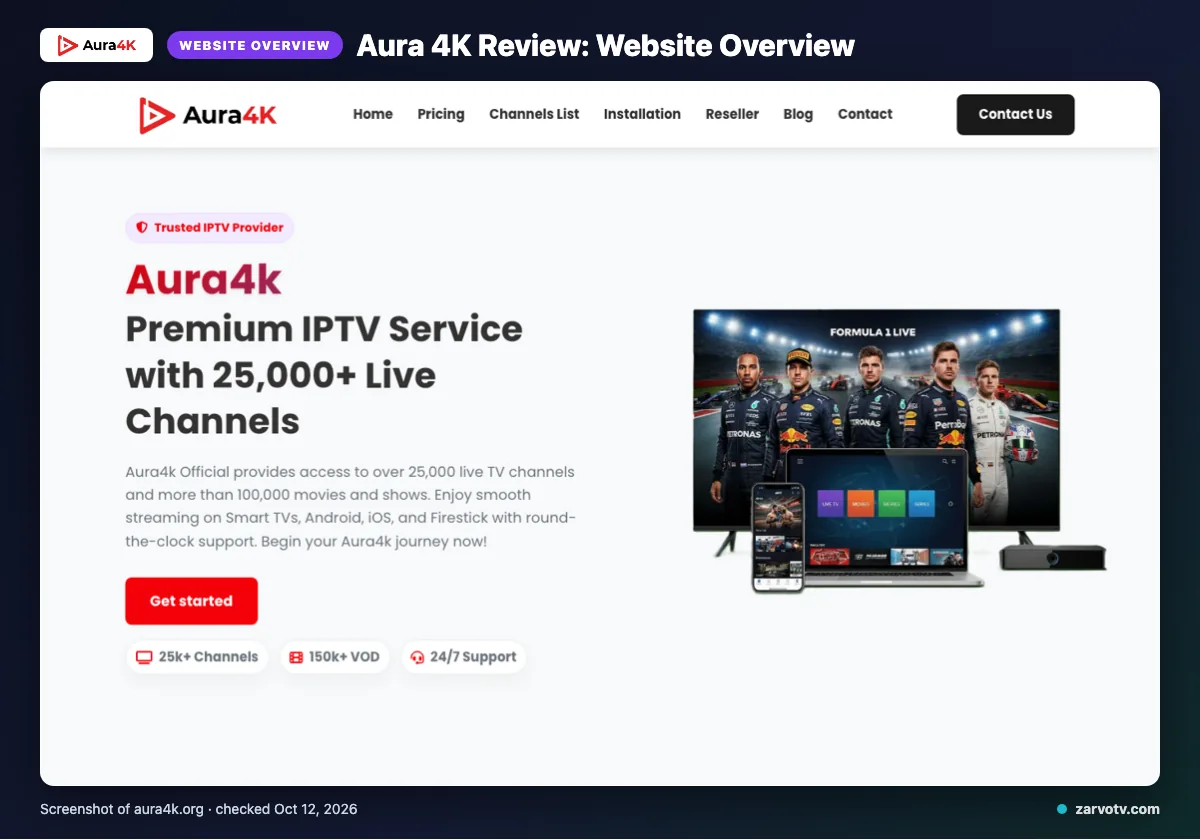
Aura 4K is a service whose official website says it offers live channels. The site names the USA, UK, Canada, Europe, Asia and MENA, but that list does not confirm local availability.
Those named regions may help you decide whether Aura 4K is worth checking for your household. If you share screens across a living-room TV, a bedroom TV and a phone, first check that the site names the regions and languages you need.
Quick tip: Treat the region list as a starting point, not confirmation that service is available where you live.
What does Aura 4K offer?
Aura 4K lists support for several household screens and a user-friendly Electronic Program Guide. Its channel and VOD figures appear earlier; treat them as website claims.
The website lists 4K, HD, Full HD, FHD, 4K Ultra HD and HD/FHD quality labels. These are advertised options, not confirmation that every program is available at each quality.
Listed devices include Smart TVs, Android boxes, Firestick, MAG devices, Android, iOS and PC. IPTV Smarters is the named app; specific TV brands and additional apps are not listed on its website.
Aura describes its EPG as updated and user-friendly. Catch-up is not listed on its website.
Aura 4K plans and prices
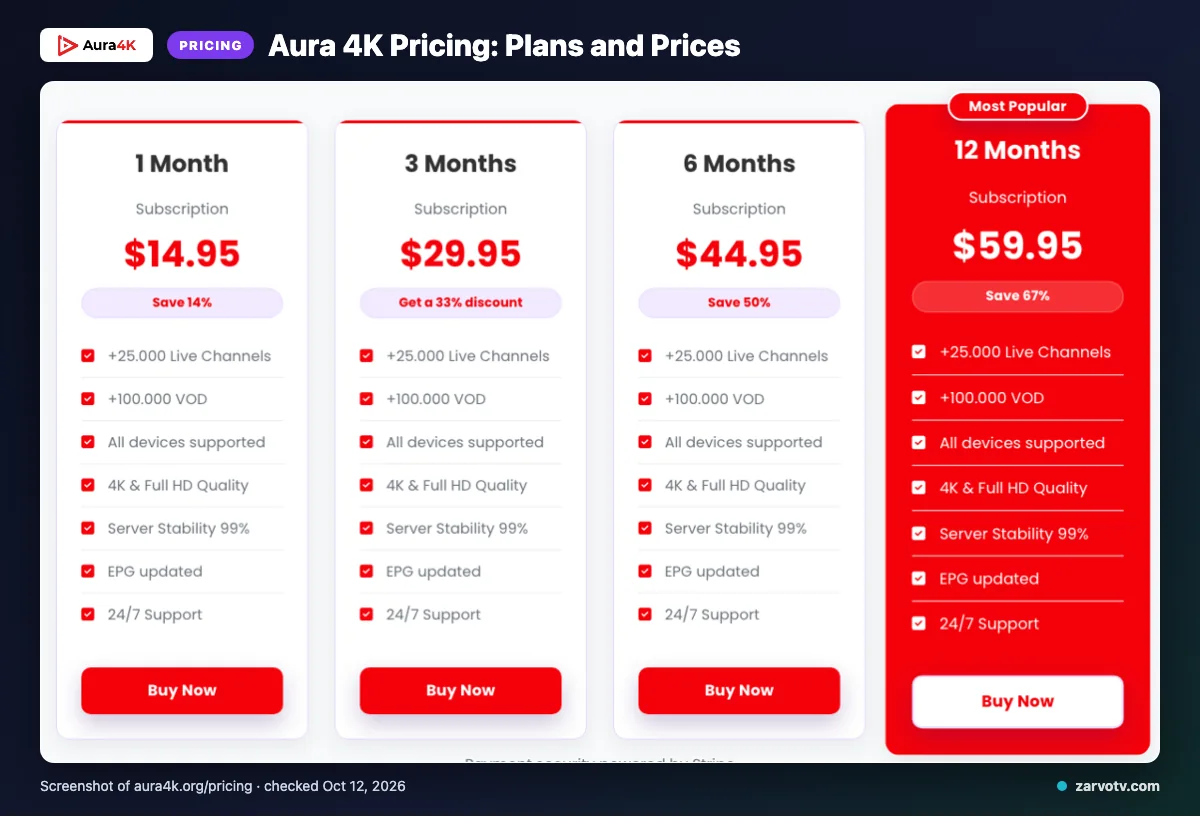
Aura 4K lists four subscription plans, with one active connection on each. The site displays dollar signs but does not specify the currency; we checked these details on 2026-10-12.
| Plan | Duration | Price | Connections |
|---|---|---|---|
| 1 Month Subscription | 1 Month | $14.95 | 1 active connection |
| 3 Months Subscription | 3 Months | $29.95 | 1 active connection |
| 6 Months Subscription | 6 Months | $44.95 | 1 active connection |
| 12 Months Subscription | 12 Months | $59.95 | 1 active connection |
Each listed plan allows one active connection, so the table does not show multiple simultaneous connections for a household’s screens.
Quick tip: Compare the displayed prices in the currency your payment method will use before choosing a plan.
Free trial, refunds and payment at Aura 4K
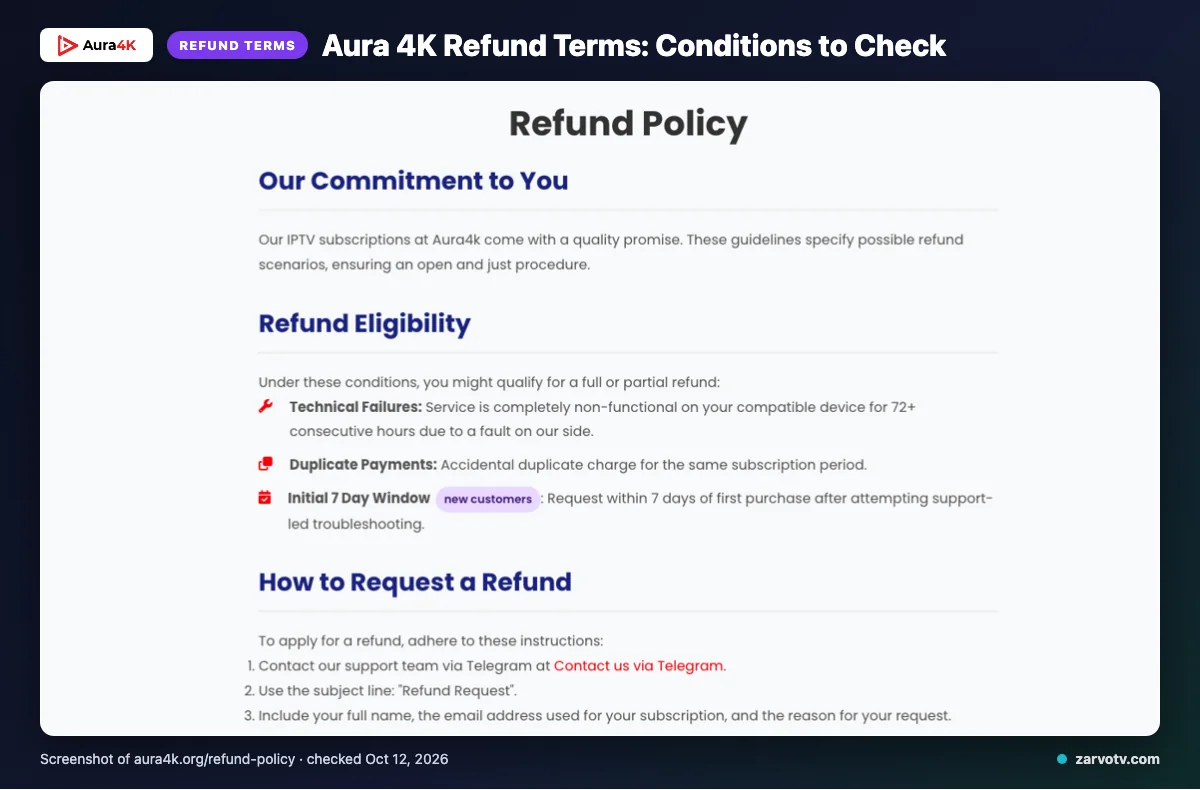
The pages checked did not list a free trial. Aura 4K’s refund terms cover qualifying technical failures, duplicate payments, and eligible new-customer requests.
A technical refund may apply if a compatible device is completely non-functional for 72+ consecutive hours because of a fault on Aura 4K’s side. New customers may request a refund within 7 days of their first purchase after support-led troubleshooting. Refunds exclude content dissatisfaction, slow or unstable internet, Terms of Service violations, and uncontrollable geo-blocking; renewal refunds are assessed individually.
Approved refunds are processed within 3 working days, though banks may take 5–10 business days to show them. Payment methods listed are Visa, MasterCard, American Express, PayPal, and Stripe. Plans renew automatically after the billing cycle. Keep support correspondence and payment records if you request a refund.
Aura 4K pros and cons
For a household comparing screens, Aura 4K’s website lists useful device, app, payment and policy details. Some information still needs checking, and these listed claims are not independent verification.
Pros
- The site names Smart TVs, Android boxes, Firestick, MAG devices, Android, iOS and PC, plus IPTV Smarters and a user-friendly EPG description.
- It lists Visa, MasterCard, American Express, PayPal and Stripe, and sets out specific refund conditions.
Cons
- The previously noted VOD total discrepancy and unspecified currency make comparisons less clear.
- The pages checked do not list a free trial or catch-up feature.
Quick tip: Use the lists as a checklist; an unlisted feature is not proof that a device or option is unavailable.
Is Aura 4K legal and safe?
Whether Aura 4K is lawful for you depends on content licensing and the laws where you live. The website’s channel claims alone do not establish that the content is licensed for your location.
Check the licensing basis for the content you plan to watch in your location, then review local rules and Aura 4K’s terms before subscribing. The pages we checked do not list security safeguards, so we cannot guarantee how your data or devices are protected.
Look for details about data handling and account security before entering payment or household information.
How to sign up and set up Aura 4K
Before buying, compare your intended screen with Aura 4K’s named device categories and review the plan table and connection detail. Then use the website’s sign-up and payment process, and follow its instructions for that device.
- Choose the screen you expect to use first, such as the living-room TV or a kids’ tablet.
- Check that screen against the device categories listed on the site.
- Review the plan details, including the listed connection, before purchase.
- Complete sign-up and payment on the website, then follow its setup instructions. Aura 4K says activation is immediate after payment.
If you need help, the site lists email, live chat and Telegram support.
Quick tip: Check the instructions for your first-use device before paying, so you know what setup involves.
Aura 4K vs Zarvo TV
The main difference is the listed plans and screen options. Aura 4K lists one active connection per plan; Zarvo TV prices below are for one connection.
| Compare | Aura 4K | Zarvo TV |
|---|---|---|
| Plans | $14.95/month; $29.95/3 months; $44.95/6 months; $59.95/12 months | $14.95/month; $29.95/3 months; $39.95/6 months; $59.95/12 months; $99.95/24 months |
| Trial | Not listed on pages checked | 24-hour trial |
| Refund | Conditional terms, as summarized above | 7-day refund |
| Named devices | Smart TVs, Android boxes, Firestick, MAG, Android, iOS, PC | Fire TV, Android and Samsung/LG TVs, Apple devices, Android phones, Windows/Mac, MAG |
Compare your household’s actual screens with each named device list; an unlisted device is not proof of incompatibility. If Zarvo TV fits your screens, we invite you to try the free trial.
Who should choose Aura 4K, and who should look elsewhere?
Aura 4K may suit you if its listed region, device category, and plan match your household. If you plan to watch on several screens, weigh the listed connection limit before deciding.
Look elsewhere if you need confirmed catch-up, a stated free trial, or clear price currency; those details were not confirmed on the pages checked. Review the listing and terms before paying.
Quick tip: Write down each screen and feature your household needs, then compare them with the site’s claims.
Your choice depends on whether the site’s claims and terms fit your household’s needs. We invite you to try Zarvo TV’s free trial if you want to compare another option.
New to Zarvo TV? See the setup guide, compare plans and prices, or check the channel list.
Frequently Asked Questions
Which languages are named on Aura 4K’s channel list?
Aura 4K’s channel list names Arabic, along with places and regions such as France, the United Kingdom, Turkey, Greece, Belgium, the Netherlands, Latin America, the USA, India, Canada, and Germany. Arabic is the only language explicitly named in the details checked. Place names should not be read as a complete language list.
Does Aura 4K say which channels are available in 4K?
Aura 4K lists quality labels including 4K, 4K Ultra HD, HD, Full HD, FHD, and HD/FHD, but the pages checked do not identify which individual channels are available in 4K. Treat these labels as general website claims, not confirmation that a particular channel or program streams in 4K.
Can you use Aura 4K on more than one screen at the same time?
Aura 4K lists one active connection on each standard plan, so you should not assume one plan allows simultaneous viewing on multiple screens. Its FAQ says add-on connections are available. Check the current add-on terms before planning to watch on the living-room TV and a phone at once.
Does Aura 4K list parental controls?
We did not find parental-control details on the Aura 4K pages checked. If you need limits for a child’s tablet or profile, ask support whether controls are available and how they work before subscribing. The listed device and app information does not confirm a parental-control feature.
How can you contact Aura 4K support?
Aura 4K lists email, live chat, and Telegram as support contact options. Use one of those channels for questions about device setup, add-on connections, or the listed refund terms. The pages checked do not provide a response-time promise, so confirm any setup or billing detail before you pay.
Check the connection details before choosing
Before subscribing, compare your intended screens with Aura 4K’s device categories and one-active-connection plan details. Its website displays dollar signs but does not specify the currency.
For another option, start the free 24-hour trial with Zarvo TV.