
Disclosure: This review is published by Zarvo TV, which sells its own IPTV service. Zarvo TV and One Dollar IPTV share common ownership. It is based on One Dollar IPTV’s website pages checked on October 12, 2026 and does not include streaming tests.
This one dollar iptv review finds that every listed plan allows one connection, which may not suit a household watching on several screens at once. The details come from website information checked on October 12, 2026, not a streaming test.
Check the connection and renewal terms against your household’s needs before paying. If you are comparing providers for a shared home, include Zarvo TV in your shortlist.
What is One Dollar IPTV?
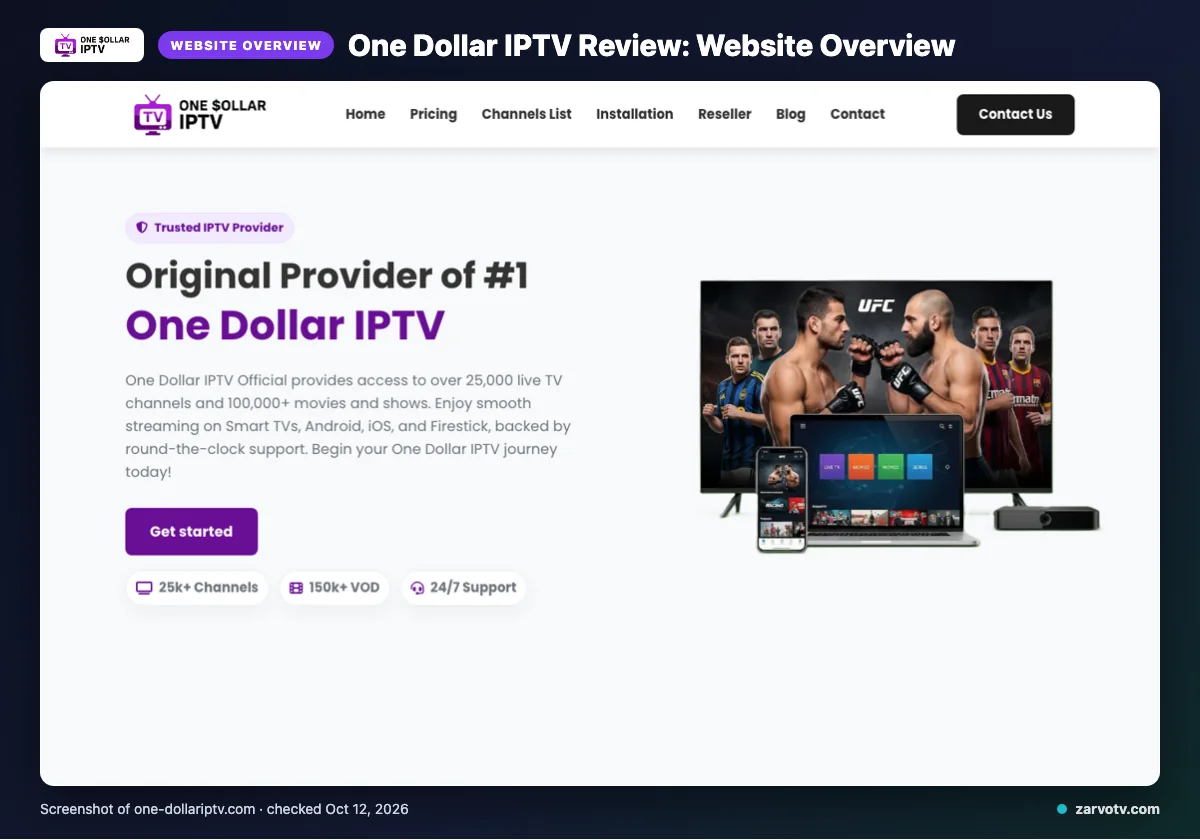
One Dollar IPTV is an IPTV service, based on how its official website describes it. This one dollar iptv review uses website information, not a streaming test.
The website names the USA, UK, Canada, Europe, Asia, and MENA as regions it serves. That stated reach may interest households checking availability across locations, but it does not confirm access at your address.
Quick tip: Check whether your household’s location appears in the provider’s listed regions before comparing services.
What does One Dollar IPTV offer?
One Dollar IPTV’s site advertises 25,000+ live TV channels and 100,000+ VOD options. It says the VOD collection refreshes daily.
Its listed video labels are 4K, HD, Full HD, FHD, and 4K Ultra HD. Treat these as website claims, not confirmation that a particular screen or program will play at that quality.
Listed device categories include Smart TVs, Android, Android boxes, Firestick, MAG devices, MAG Box, iOS, and PC. The site names IPTV Smarters; unlisted models or apps should not be taken as unsupported.
The site describes its EPG as updated and user-friendly, but catch-up is not mentioned. Counts differ across pages: a channel-page title says 10,000+ while other sections claim 25,000+, and a home-page statistic says 150k+ VOD versus 100,000+ elsewhere.
One Dollar IPTV plans and prices
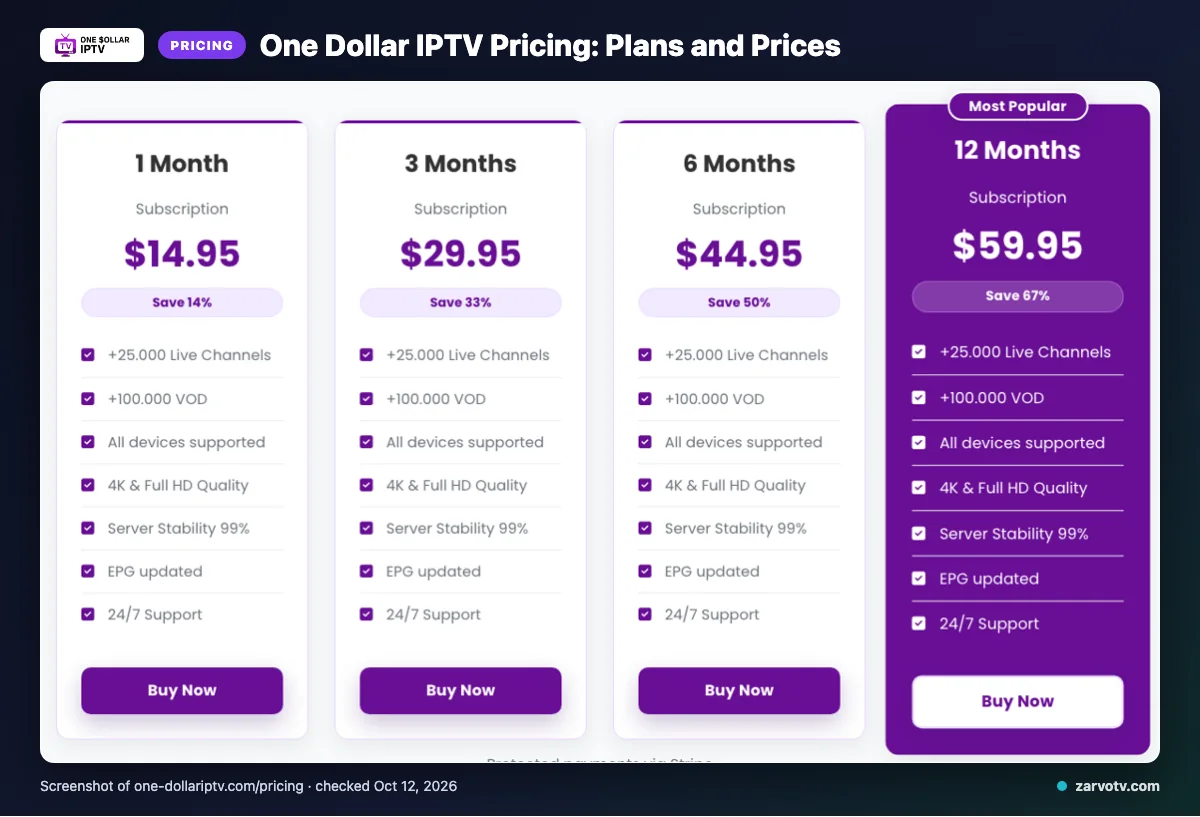
Here are the plans and connection limits listed on the site when checked on 2026-10-12. Prices are in USD.
| Plan | Duration | Price | Connections |
|---|---|---|---|
| 1 Month Membership | 1 Month | $14.95 | only one connection |
| 3 Months Subscription | 3 Months | $29.95 | only one connection |
| 6 Months Subscription | 6 Months | $44.95 | only one connection |
| 12 Months Subscription | 12 Months | $59.95 | only one connection |
The table reflects the plans found on the site on the check date. Each listed plan specifies one connection, so account for that if different household members want to watch on separate screens at the same time.
Quick tip: Compare each plan’s duration with how long you expect to use the service rather than assuming a longer term is cheaper.
Free trial, refunds and payment at One Dollar IPTV
We did not find a free trial on the pages checked, so confirm current options before paying. Plans are described as automatically renewing when the billing cycle concludes; review the renewal wording during checkout so you know what to expect.
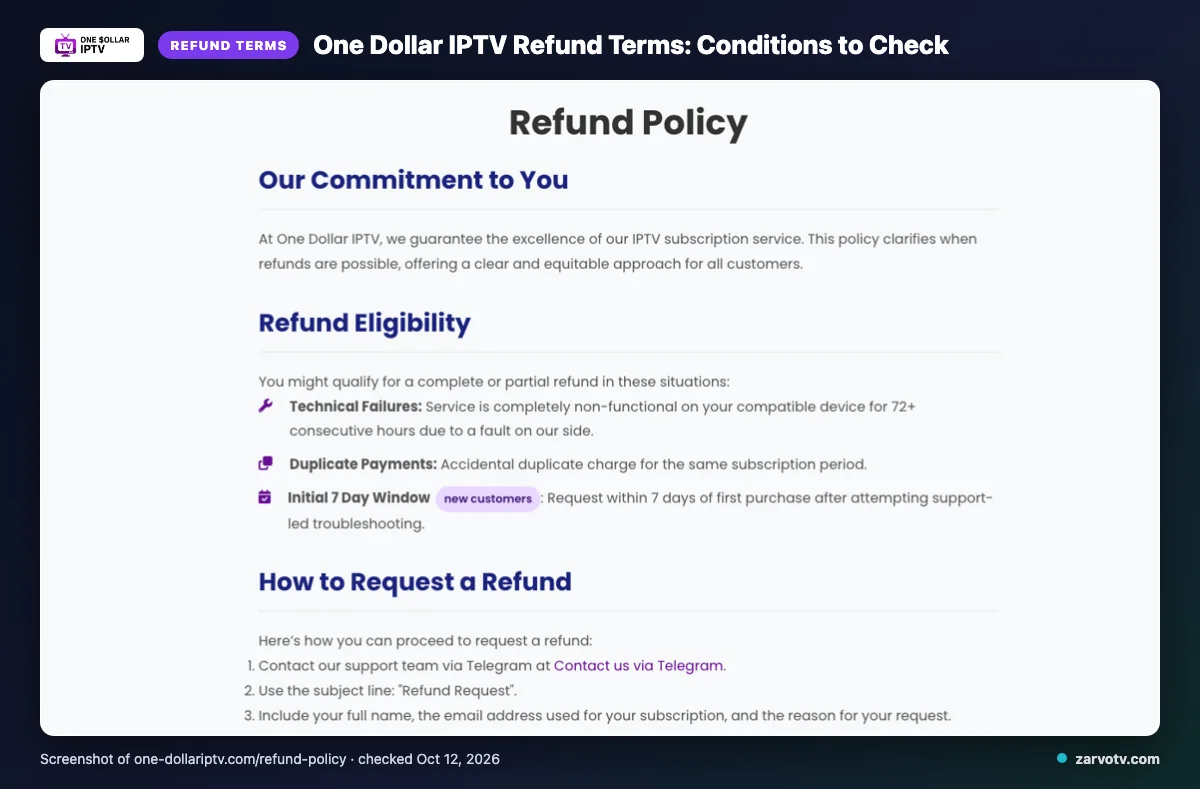
Complete or partial refunds might be available for a provider-side technical failure that leaves service completely non-functional on a compatible device for 72+ consecutive hours, a duplicate payment, or a new-customer request within 7 days of first purchase after support-led troubleshooting.
Refunds are excluded for dissatisfaction with channels or content, slow or unstable internet, Terms of Service violations, or geo-blocking beyond the provider’s control. After the initial 7-day period, change-of-mind refunds are usually not provided. Once approved, a refund is initiated the same day; funds may take 5–10 business days to appear.
The website lists Visa, MasterCard, American Express, PayPal, and Stripe as payment methods.
If you’d like to compare another option, we invite you to try the Zarvo TV free trial.
One Dollar IPTV pros and cons
Pros
- The site describes an updated, user-friendly EPG to help you browse listings.
Cons
- Each listed plan allows only one connection, regardless of how many device types are named.
- Catch-up details are not listed on the site.
- Site counts vary, as noted above, so the figures are not consistent across pages.
Quick tip: For a shared home, weigh the one-connection limit separately from the range of device categories listed. A kids’ tablet and bedroom TV being named does not change the connection wording.
Is One Dollar IPTV legal and safe?
IPTV legality depends on content licensing and the laws where you watch. The website facts reviewed do not establish whether every listed program is licensed for every location.
Before subscribing, check the provider’s terms and your local requirements. Check local rules and licensing information for the content you intend to watch before paying, especially if family members will use it on different screens at home.
How to sign up and set up One Dollar IPTV
Start by reviewing the plan terms and choosing an option shown on the provider’s official site. If you decide to subscribe, use a payment method listed there and follow the provider’s instructions after purchase.
The pages checked do not specify how credentials or setup details are delivered. If setup details are supplied, use them with a listed app, such as IPTV Smarters, and a listed device category, such as a Smart TV or Android device. Then check that the EPG appears on your screen.
Quick tip: Keep the provider’s setup instructions available while configuring the living-room TV or another household screen.
One Dollar IPTV vs Zarvo TV
Both list one-connection plans, but their listed device categories differ. Check the device row against your household screens, then compare subscription choices in the plan row.
| Category | One Dollar IPTV | Zarvo TV |
|---|---|---|
| Plans | $14.95 for 1 month; $29.95 for 3 months; $44.95 for 6 months; $59.95 for 12 months. Each allows only one connection. | One connection: $14.95 for 1 month; $29.95 for 3 months; $39.95 for 6 months; $59.95 for 12 months; $99.95 for 24 months. |
| Trial | We did not find a free trial on the pages checked. | 24-hour free trial. |
| Refund | See the earlier One Dollar IPTV terms section. | 7-day refund period. |
| Devices | Smart TVs, Android devices and boxes, Firestick, MAG devices, iOS, and PC. | Fire TV, Android and Google TV, Samsung and LG TVs, iPhone, iPad, Apple TV, Android phones, Windows, Mac, and MAG box. |
Who should choose One Dollar IPTV, and who should look elsewhere?
It may suit you if its stated regions, device categories, and plan terms fit your household, after you verify the website claims. If you need several connections, look elsewhere or clarify the terms before buying.
If confirmed catch-up details or a trial matter, check directly with the provider before deciding.
Quick tip: List every screen you expect to use, such as the living-room TV, bedroom TV, kids’ tablet, and phone.
Compare the published terms with your household’s screens and viewing needs. If you want another option, we invite you to try Zarvo TV’s free trial.
New to Zarvo TV? See the setup guide, compare plans and prices, or check the channel list.
Frequently Asked Questions
Can more than one person watch One Dollar IPTV at the same time?
Each listed One Dollar IPTV plan allows only one connection, so the stated plan terms do not provide for multiple connections at once. If two people want to watch on the living-room TV and a bedroom screen simultaneously, confirm directly with the provider before subscribing. The website information checked does not list a multi-connection option.
Does One Dollar IPTV renew a subscription automatically?
Yes, the website says plans automatically renew when the billing cycle concludes. Review the renewal terms during checkout so you understand what to expect after your chosen period. If you do not want another billing cycle, check the provider’s instructions for managing or cancelling renewal before the current term ends.
How are One Dollar IPTV setup details provided after purchase?
The pages checked do not specify how setup details or login credentials are provided after purchase. Before paying, check the provider’s current instructions and ask its support team if you need to know what to expect. That can help you plan setup for the screen you want to use at home.
Does One Dollar IPTV offer parental controls?
We did not find parental-control details on the pages checked, so confirm directly with the provider before subscribing if this feature matters for your household. Ask whether controls are available and how they work on your chosen device. The website information reviewed does not establish whether a kids’ tablet or TV can be restricted.
Which specific Smart TV models work with One Dollar IPTV?
The website lists Smart TVs as a device category, but the pages checked do not name specific models. Check with the provider before subscribing if you plan to use a particular living-room or bedroom TV. A general device category does not confirm compatibility with every model or its software.
Check the connection terms first
One Dollar IPTV lists plans with one connection each, and its website says subscriptions renew automatically at the end of the billing cycle. Before choosing a plan, confirm any details your household needs, including compatibility with your screens and how setup information is provided.
For another option to compare, start the free 24-hour trial from Zarvo TV.