
Disclosure: This review is published by Zarvo TV, which sells its own IPTV service. Zarvo TV and Zyro TV share common ownership. It is based on Zyro TV’s website pages checked on October 11, 2026 and does not include streaming tests.
This zyro tv review finds that Zyro TV lists extensive channel and device details, but standard plans allow one device at a time. Its website claims 25,000+ live channels and 100,000+ VOD, though figures differ across its pages.
If your household uses several screens, compare the connection terms with Zarvo TV before choosing. Check which plan and setup fit your living-room TV, kids’ tablet, and phone.
What is Zyro TV?
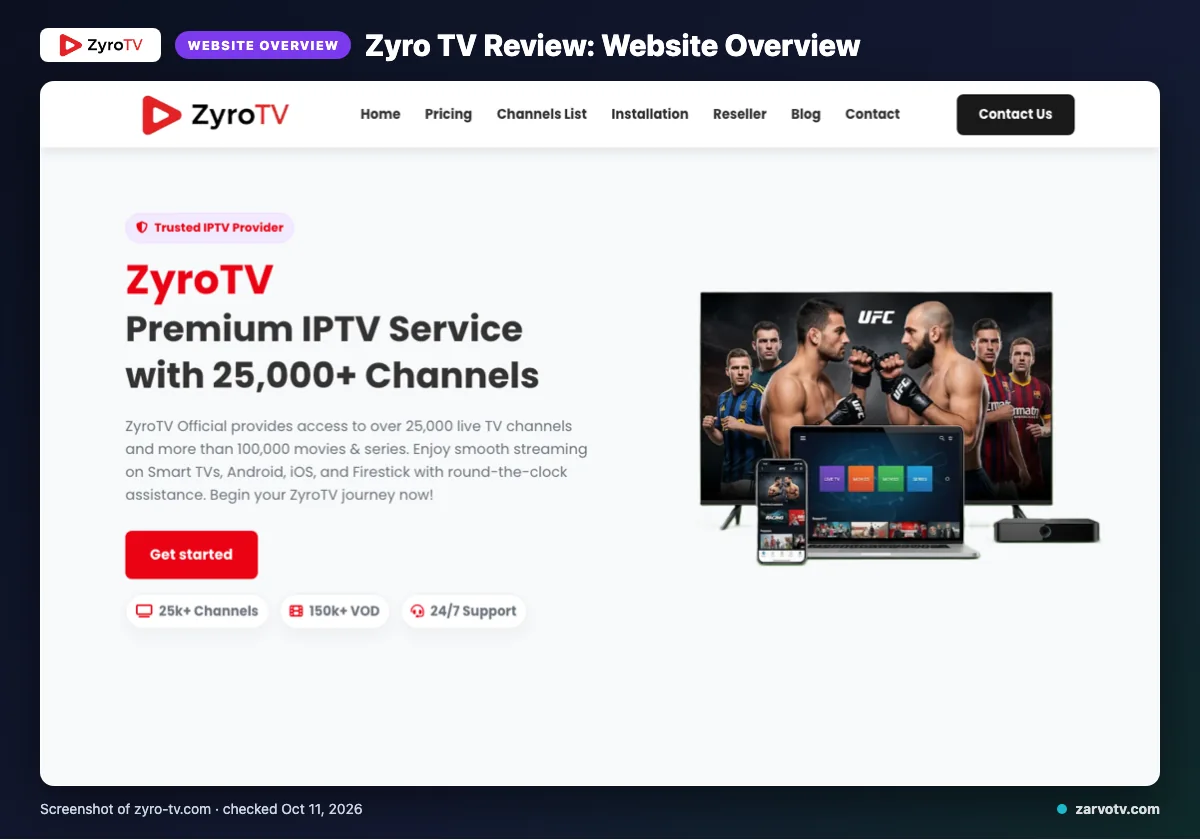
Zyro TV is presented on its official website as an IPTV service. Its website names the USA, UK, Canada, Europe, Asia, and MENA as coverage regions.
The channel list also names France, Turkey, Greece, Belgium, Netherlands, Arabic, Latin America, India, and Germany. The website does not list a defined audience profile, so its coverage alone does not identify who the service is intended for.
Quick tip: Check that your household’s region appears in the listed coverage before comparing plans.
What does Zyro TV offer?
Zyro TV lists 25,000+ live TV channels and 100,000+ VOD, with several video quality labels and device categories. One page title says 10,000+ live channels, while a graphic says 150k+ VOD.
The listed quality labels are 4K, HD, Full HD, FHD, and 4K Ultra HD. Devices include Smart TVs, Android, iOS, Firestick, Android boxes, MAG devices, MAG Box, and PC; IPTV Smarters is the listed app.
The site describes its EPG as user-friendly and updated; catch-up is not stated. It also claims daily VOD refreshes, instant channel switching, anti-freeze load balancing, adaptive routing, a global CDN, predictive content prefetch, and no IP restrictions. These are website claims, not tested results.
Before choosing an app, check the provider’s instructions for your exact screen, such as a bedroom TV or kids’ tablet. The website does not map apps to each device.
What are Zyro TV’s plans and prices?
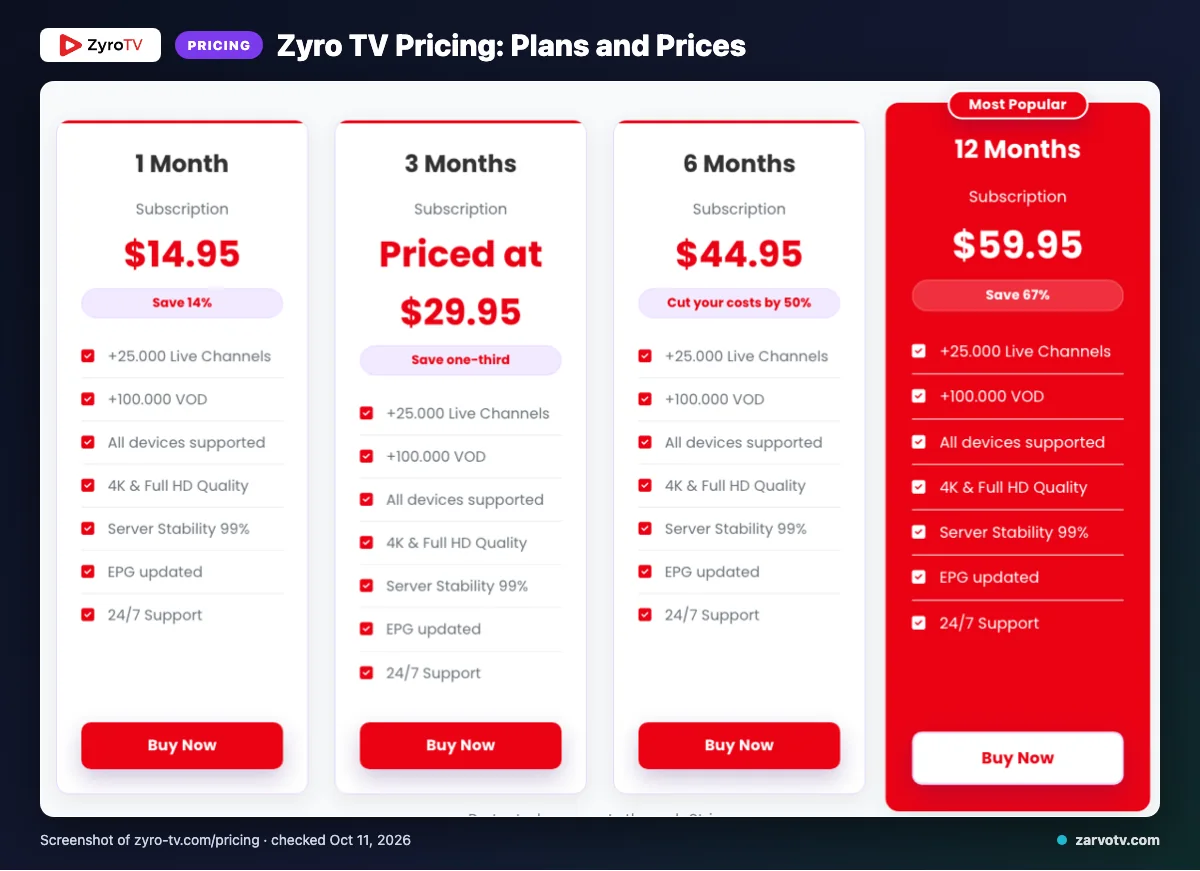
Zyro TV lists four subscription terms, and each allows one device at a time. The website was checked on 2026-10-11; prices are in USD.
| Plan | Duration | Price (USD) | Connections |
|---|---|---|---|
| 1 Month Subscription | 1 month | $14.95 | 1 device at a time |
| 3 Months Subscription | 3 months | $29.95 | 1 device at a time |
| 6 Months Subscription | 6 months | $44.95 | 1 device at a time |
| 12 Months Subscription | 12 months | $59.95 | 1 device at a time |
Extra connections are available for purchase, but their prices are not listed on the website.
Quick tip: Match the subscription term to how long you expect to use the service. A longer plan is not automatically a better fit for your household.
What are Zyro TV’s trial, refund, and payment terms?
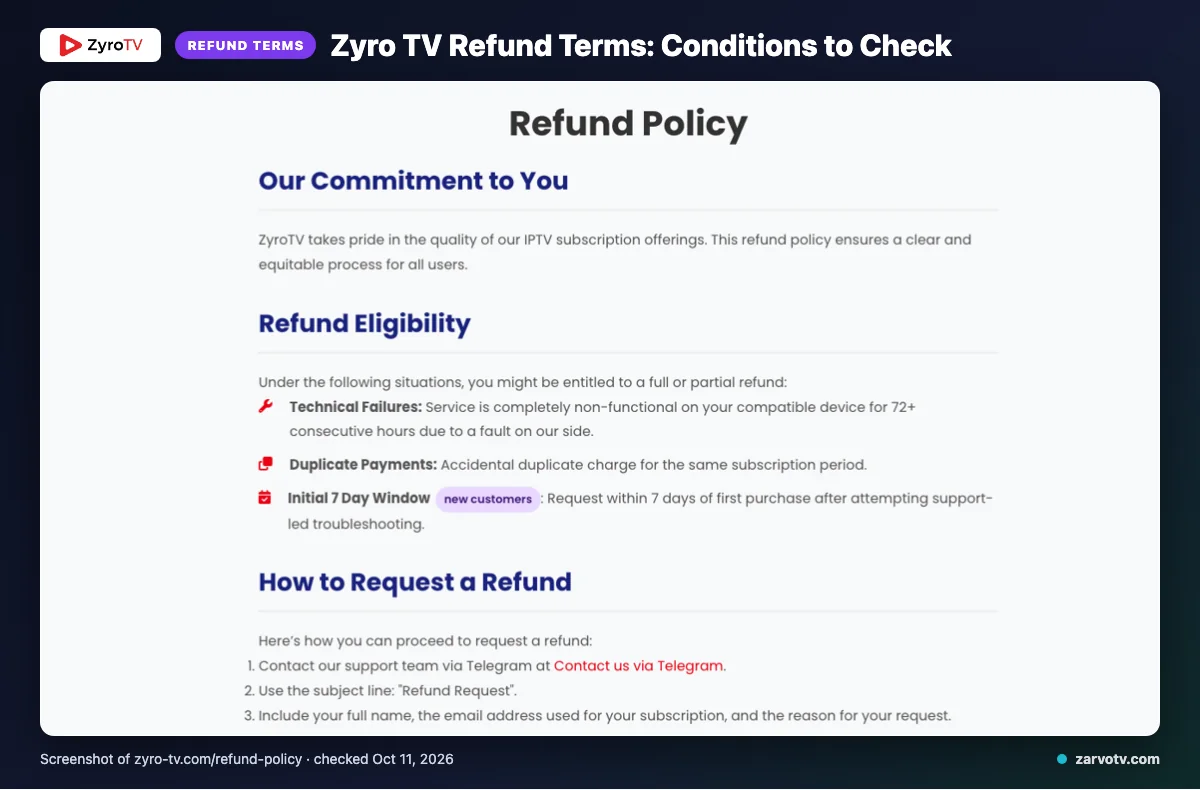
We did not find a free trial stated on the pages checked. Listed refund eligibility may include a service that is completely non-functional on a compatible device for 72+ consecutive hours because of a fault on Zyro TV’s side, duplicate payments, or the initial 7 Day Window for new customers.
For the initial window, you must request a refund within 7 days of your first purchase after trying support-led troubleshooting. Change-of-mind refunds are usually unavailable after the first 7 days. Approved refunds are handled within 3 business days, though funds could take 5–10 business days to appear.
Listed payment methods:
- Visa
- MasterCard
- American Express
- PayPal
- Stripe
Keep your purchase date and any support correspondence together in case you need to refer to the stated refund conditions.
What are Zyro TV’s pros and cons?
Zyro TV’s site provides several useful details for comparing screens and features. Treat its delivery descriptions as claims, not verified performance.
Pros
- The published catalog, quality formats, and device categories give you a broad outline of what the service lists.
- The site describes a user-friendly EPG and delivery features such as routing, a CDN, prefetch, and load balancing.
Cons
- The channel and VOD figures conflict across the site, as noted above.
- Catch-up details and app-to-device mapping are not stated.
Quick tip: Separate clear product details from promotional claims when deciding what matters for your household. A feature description does not confirm how it performs on your living-room TV or kids’ tablet.
Is Zyro TV legal and safe?
IPTV legality depends on content licensing and the laws where you live. Licensing details were not listed in the Zyro TV website information reviewed, so the listed information does not confirm whether its content is licensed.
Check the rules that apply where you live and look for clear licensing information before subscribing. Review the provider’s terms and privacy information before sharing payment or account details, including on a household phone or tablet.
How can you sign up and set up Zyro TV?
Start at Zyro TV’s official site, then check the plan, device, and refund information. Follow the provider’s instructions for the screen you plan to use before entering account details.
- Review the details for your chosen plan and the device you want to set up.
- Select a listed plan and a payment method shown on the site.
- Find the setup instructions for your device and the listed app before adding account details.
- If you need help, use the support options stated on the site, such as email, live chat, or Telegram.
Quick tip: Confirm that the setup instructions match your living-room TV, bedroom screen, or phone before completing checkout.
How does Zyro TV compare with Zarvo TV?
The listed terms differ by plan length, trial and refund details, and device categories. Check the devices row against the screens your household uses.
| Detail | Zyro TV | Zarvo TV |
|---|---|---|
| Plans | See the plan table above. | 1 month $14.95; 3 months $29.95; 6 months $39.95; 12 months $59.95; 24 months $99.95. |
| Trial | No free trial was found on the pages checked. | 24-hour trial. |
| Refund | See the refund terms above. | 7-day refund. |
| Devices | Listed categories include Smart TVs, Android, iOS, Firestick, Android boxes, MAG devices, and PC. | Fire TV; Android and Google TV; Samsung and LG Smart TV; Apple devices; Android phones; Windows and Mac; MAG box. |
Who should choose Zyro TV, and who should look elsewhere?
Choose Zyro TV if its published terms suit how your household watches and you are comfortable with the connection arrangement described above. Look elsewhere if several people need separate streams at once and the available connection option does not meet that need.
For a shared home, picture a normal evening: one person has the living-room TV, someone else wants the bedroom screen, and a child asks for a tablet. Review the connection terms before paying, and confirm they work for the screens you plan to use together.
It may also be a poor fit if you need clear answers about a particular feature before subscribing. Compare the details already covered in this review, and ask support about anything that remains unclear rather than relying on promotional descriptions alone.
Use the same checklist for any service you consider: the household’s screens, the number of people watching at once, and the terms you can confirm in writing. That keeps the decision practical without assuming a listed feature will perform the same way in every home.
If you want another option to compare, we invite you to try Zarvo TV’s 24-hour free trial before deciding.
New to Zarvo TV? See the setup guide, compare plans and prices, or check the channel list.
Frequently Asked Questions
What should you check before subscribing?
Review the plan price, one-device-at-a-time limit, and extra-connection terms before signing up. Zyro TV’s website lists differing catalog figures, so treat those as published claims rather than verified performance.
For a household using several screens, check the connection details against how everyone watches. You can start the free 24-hour trial with Zarvo TV.