
Disclosure: This review is published by Zarvo TV, which sells its own IPTV service. Zarvo TV and XLiveOn IPTV share common ownership. It is based on XLiveOn IPTV’s website pages checked on October 10, 2026 and does not include streaming tests.
This XLiveOn IPTV review covers what the official site promises, based on pages checked on 2026-10-10. It lists four plans from 1 month to 12 months, live channels, an on-demand library and a range of device types. No streaming test was done, so everything below is the site’s own claim.
If you share a home with several screens, the details that matter most are connections, refunds and support. We lay them out plainly, then compare them with Zarvo TV so you can decide with the facts in front of you.
What is XLiveOn IPTV?
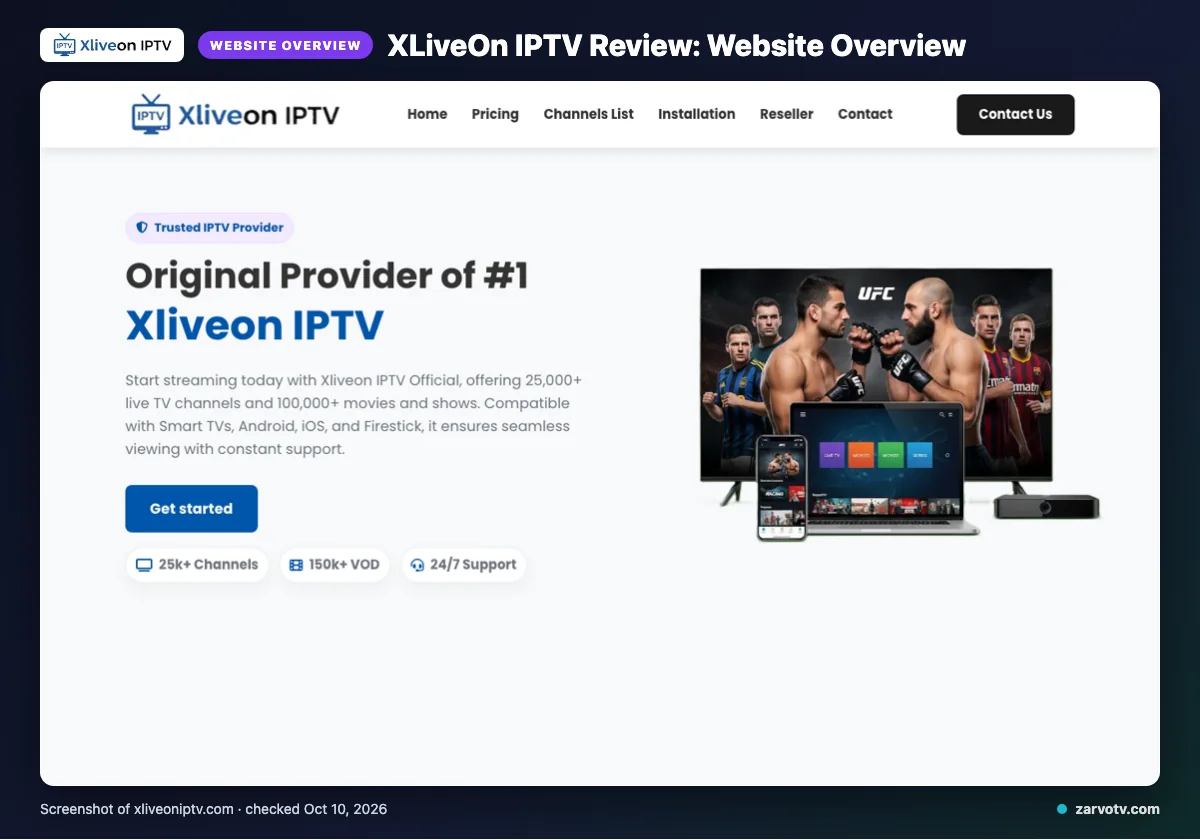
XLiveOn IPTV is an IPTV subscription service. Its website describes live channels plus an on-demand library, for households that want TV over the internet.
The official site lists programming from the USA, UK, Canada, Europe and Asia. It also names tailored packages for the USA, Canada, Europe and MENA.
This review is based on the website, with facts checked on 2026-10-10. We did no streaming test.
Quick tip: Read this review as a checklist of what the site says, then confirm anything that matters to your home before you pay.
What does XLiveOn IPTV offer?
The site promises live channels, an on-demand library, several quality labels and a list of device types. Below, each claim is stated as the site gives it and matched to a screen at home.
Channels and on-demand
The site gives differing figures: 25,000+ and 10,000+ live channels, and 100,000+ and 150k+ VOD titles. Treat any single number with caution. It describes the VOD library as updated daily.
Quality, devices and guide
Quality labels are 4K, 4K Ultra HD, Full HD/FHD and HD. For the living-room TV, the site names Smart TVs, Firestick, Android boxes and MAG devices/MAG Box. For the phone on the go, it names Android and iOS. The kids’ tablet is not named separately, and PC is also listed.
The only app named is IPTV Smarters. Other apps: not listed on its website. The site says the guide (EPG) is updated. Catch-up: not listed on its website.
It also claims anti-freeze load balancing, a global CDN, predictive prefetch and “Server Stability 99%”. These are the site’s claims, not tested results.
XLiveOn IPTV plans and prices
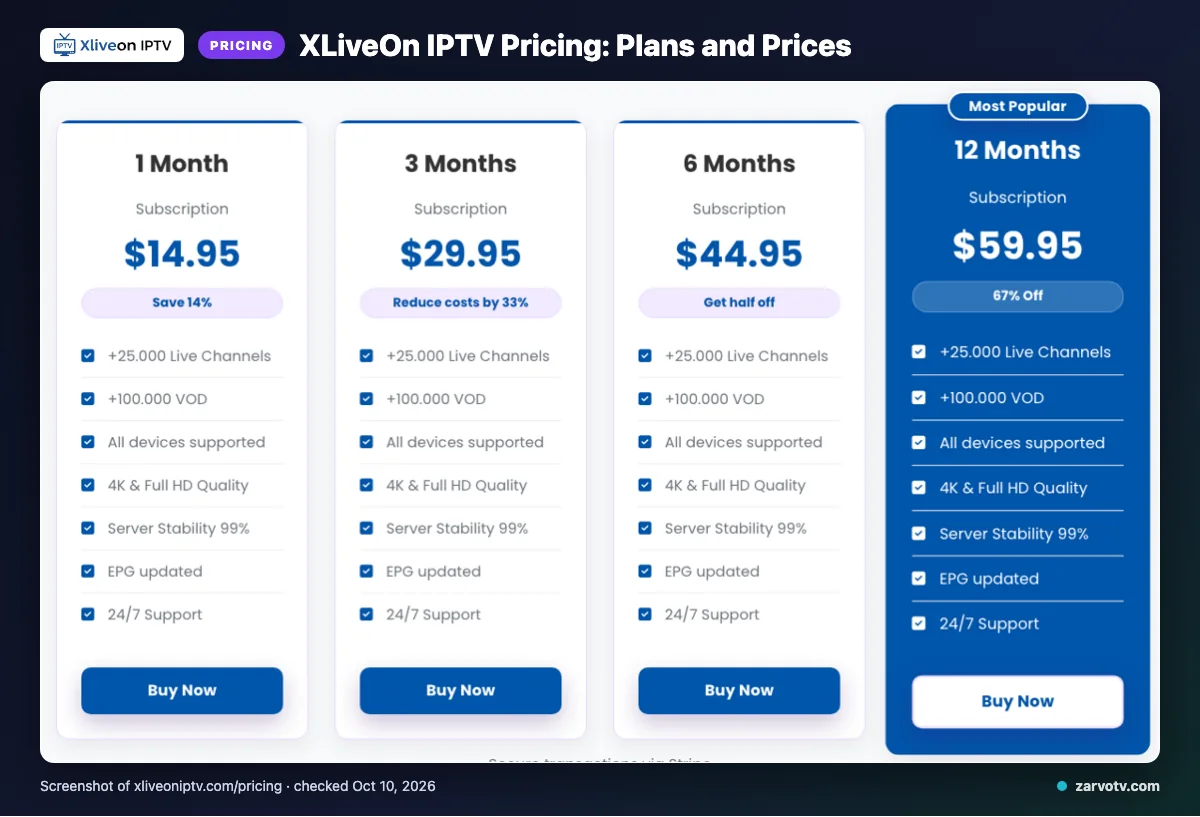
XLiveOn IPTV lists four plans, from 1 month to 12 months. Each plan covers one active connection per account. Checked on 2026-10-10.
| Plan | Price | Connections |
|---|---|---|
| 1 Month | $14.95 | One active connection per account |
| 3 Months | $29.95 | One active connection per account |
| 6 Months | $44.95 | One active connection per account |
| 12 Months | $59.95 | One active connection per account |
At home, one connection means one screen at a time. If the living-room TV and a bedroom TV run together, the base plan falls short. Extra connections can be bought, but the price is not listed on its website.
The site shows “$” without stating the currency, so confirm it at checkout. Whether plans are one-time or recurring is not listed on its website either.
Quick tip: Count how many screens usually run at once on a weeknight evening. If the answer is more than one, price extra connections before you pay.
Free trial, refunds and payment at XLiveOn IPTV
Does XLiveOn IPTV have a free trial?
We did not find a free trial on the pages we checked. Ask support before you pay if a trial matters to you.
When can you get a refund?
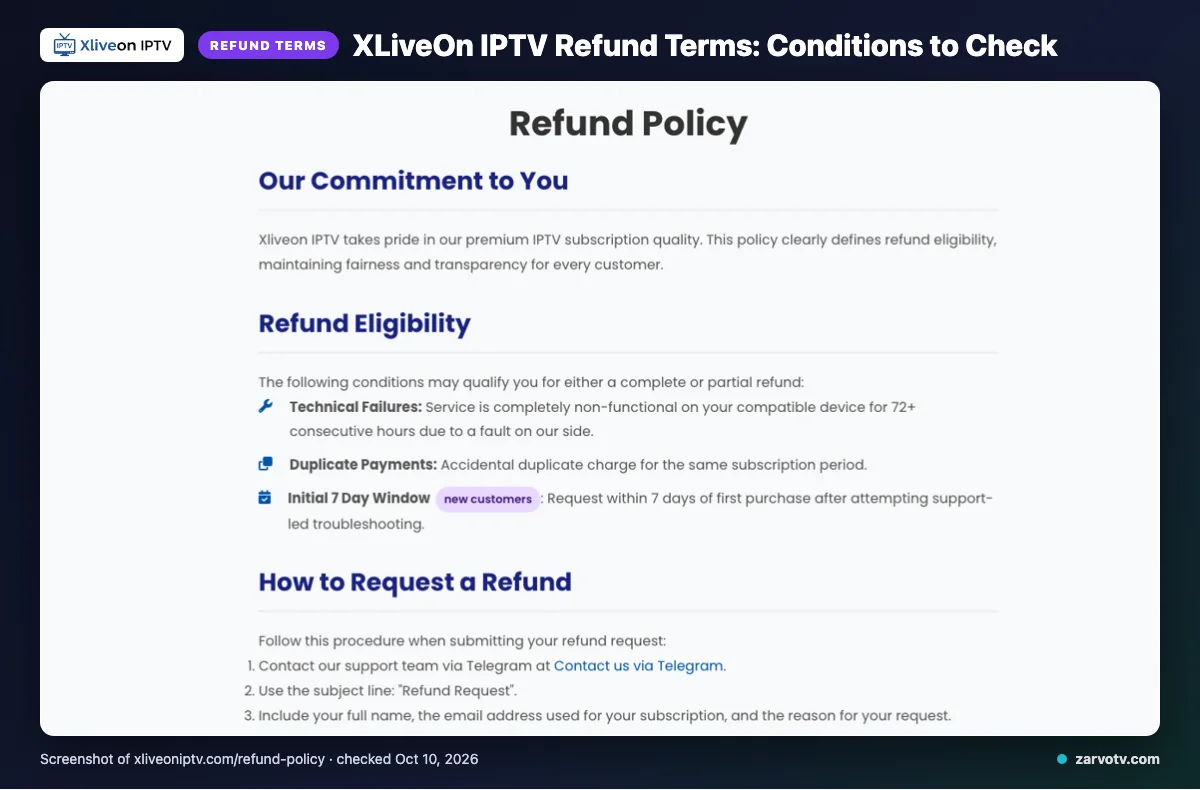
The site says a refund may be possible in three cases. These are a complete outage of 72+ consecutive hours caused by their side on a compatible device, a duplicate payment, or a request within 7 days of first purchase by a new customer after support-led troubleshooting.
What is not refunded?
The site lists dissatisfaction with the channel list or content, slow or unstable internet, Terms of Service violations, and geo-blocking beyond its control. After the first 7 days, change-of-mind refunds are usually not offered. Renewal refunds are handled case by case.
Which payment methods are listed?
The site lists Visa, MasterCard, American Express, PayPal and Stripe. Because the refund depends on support-led troubleshooting, save your payment confirmation and contact support early in the 7 days.
XLiveOn IPTV pros and cons
Pros
- Prices are published for all four plans.
- Several device types are named, including Smart TVs and phones.
- An EPG (on-screen channel guide) is mentioned.
- Cards, PayPal and Stripe are listed as payment options.
- Support is offered by Telegram, email and live chat.
Cons
- Channel and VOD counts conflict.
- The currency is not stated.
- The app list shows only IPTV Smarters.
- Refund conditions are narrow and depend on troubleshooting.
Is XLiveOn IPTV legal and safe?
The site does not list the licensing status of its content, so legality can’t be confirmed from the pages checked. Legality depends on how content is licensed and on the laws where you live, so check your own country’s rules.
Pay with a method that offers dispute options, and never share logins outside your household. Treat the 99% stability figure as a site claim, not a guarantee. Read the Terms of Service page before paying, since the refund exclusions mention violations of it.
How to sign up and set up XLiveOn IPTV
These steps are general, because we did not see XLiveOn’s own setup screens. Follow them in order for one household.
- Pick the plan that fits how many screens run at once.
- Pay at checkout. The site says subscriptions become active right after purchase.
- Get your login details.
- Install a player app such as IPTV Smarters on your first screen.
- Enter the details and wait for the channel list to load.
- Repeat on the other screens, staying within your connection limit.
Support is listed through Telegram, email and live chat. For device steps, see our Android TV setup guide. If video stutters, try the IPTV buffering fix.
Quick tip: Set up the main TV first and test one channel before adding the tablet and phones.
XLiveOn IPTV vs Zarvo TV
Both services list plans from 1 month to 12 months. The main differences are the trial, the longest plan and how each describes its device support.
| Point | XLiveOn IPTV | Zarvo TV |
|---|---|---|
| Plans | Four plans, 1 to 12 months (prices above) | Five plans: 1, 3, 6, 12 and 24 months, from $14.95 to $99.95 |
| Free trial | Not found on the pages checked | 24-hour trial |
| Refund | 7-day window with conditions (see the refund section) | 7 days |
| Devices | Smart TVs, Android, iOS, Firestick, MAG and PC named | Fire TV, Android TV, Samsung and LG Smart TV, iPhone, iPad, Apple TV, Android phones, Windows, Mac and MAG box |
| Apps | IPTV Smarters named | IPTV Smarters Pro, TiviMate, iPlayTV, IBO Player Pro and Smart IPTV |
| Billing | One-time or recurring not listed | No contracts, no activation fees, one-time payment per plan |
What does this mean for a multi-screen home?
A trial lets you test the apps on your own TV and phones before paying. Zarvo TV offers one, and we did not find one at XLiveOn IPTV.
You can read the full Zarvo TV refund policy before you decide. Compare it with the XLiveOn terms above, line by line.
Who should choose XLiveOn IPTV, and who should look elsewhere?
XLiveOn IPTV fits people who watch on one screen at a time and are comfortable relying on what the website says. A busy household with several screens running together should compare options carefully first.
Who is XLiveOn IPTV a good fit for?
It suits you if one person watches at a time, such as a single living-room TV or a Firestick in the bedroom. The devices and the IPTV Smarters app named on the site cover that setup on paper.
- Solo viewers, or couples who share one screen.
- Viewers in the USA, Canada or Europe who like the tailored packages the site describes.
- Buyers who are happy with support by Telegram, email or live chat.
Who should look elsewhere?
Look elsewhere if your home runs several screens at once. A kids’ tablet, a parent’s phone and the living-room TV together would need extra connections, and the site does not list their price.
- Families who want a clear, published cost for every screen.
- Anyone who wants to try before paying, since we did not find a free trial on the pages we checked.
- Anyone who needs proof of stability, because the technical claims were not tested for this review.
What is the plain verdict?
XLiveOn IPTV is a reasonable option for one-screen viewing and a cautious choice for whole-home use. Ask support to confirm connection costs in writing before you pay.
If you want to compare before committing, we offer a 24-hour free trial of Zarvo TV that you can try on every screen at home.
Frequently Asked Questions
How much does XLiveOn IPTV cost?
XLiveOn IPTV lists four plans: $14.95 for 1 month, $29.95 for 3 months, $44.95 for 6 months and $59.95 for 12 months. The site uses a “$” sign but does not state the currency. Each plan covers one active connection per account, and the site says extra connections can be bought.
Does XLiveOn IPTV have a free trial?
We did not find a free trial on the pages we checked, so ask XLiveOn support before you pay if a trial matters to you. The site lists Telegram, email and live chat as support options. By comparison, Zarvo TV offers a 24-hour free trial.
Can you watch XLiveOn IPTV on several screens at once?
Standard subscriptions allow one active connection per account, so one screen at a time. The site says additional connections can be bought. If your living-room TV, a phone and a kids’ tablet may run together, ask support how extra connections work and what they cost before you pay.
Does XLiveOn IPTV offer refunds?
These include a service that is completely non-functional on a compatible device for 72+ hours because of a fault on their side, duplicate payments, and new customers’ requests within 7 days after support-led troubleshooting. Dissatisfaction with channels or content, and slow home internet, are not covered.
Is XLiveOn IPTV legal and safe?
We can’t confirm it, because the site does not list the licensing status of its content. It also helps to pay with a method that offers dispute options.
What to check before you pay
XLiveOn IPTV publishes its prices and names several device types, but a few answers are missing from the pages we checked. Before you pay, confirm three things with support: how extra connections work, whether a trial is possible, and how the refund terms apply to you.
Those answers matter most in a home with a living-room TV, phones and a kids’ tablet. Get them in writing, and keep your payment receipt. If you would rather test first, we invite you to start the free 24-hour trial and see how it runs on every screen at home.