
Disclosure: This review is published by Zarvo TV, which sells its own IPTV service. Zarvo TV and XCodes IPTV share common ownership. It is based on XCodes IPTV’s website pages checked on October 11, 2026 and does not include streaming tests.
This XCodes IPTV review gives you the short version: four single-connection plans from $14.95 to $59.95, a long device list, and no free trial found on the pages checked. For a multi-screen home, the connection limit is the detail to check first.
Everything here comes from the official site, checked on 2026-10-11, and no streaming test was done. If you want a comparison point, Zarvo TV lists a 24-hour free trial and five plans from $14.95 to $99.95.
What is XCodes IPTV?
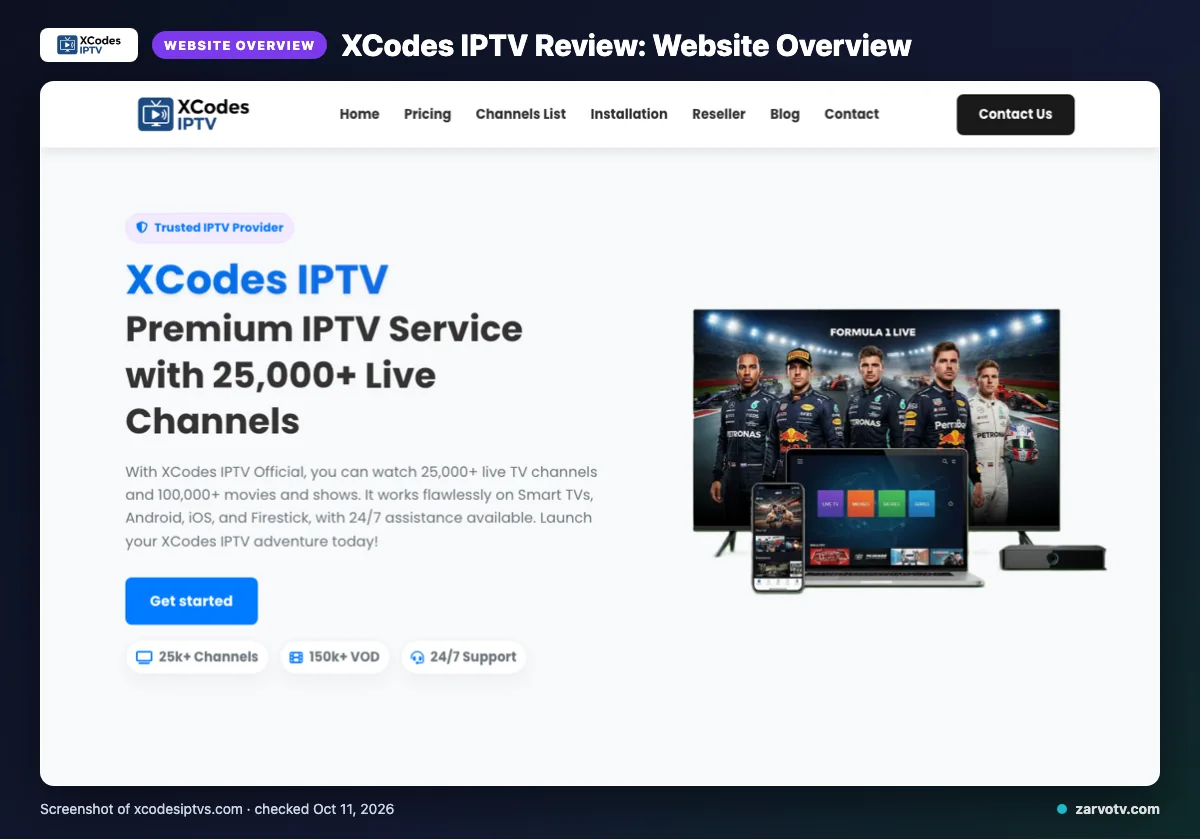
XCodes IPTV is an IPTV subscription service that offers live TV and on-demand titles. Its official site names the USA, UK, Canada, Europe, Asia and MENA as its regions.
The site calls the service IP-free and available from anywhere in the world. That is the site’s claim, not something we checked. This is a website-based review, with facts checked on 2026-10-11 and no streaming test.
Quick tip: Read every claim here as “what the site says,” and re-check the site before you pay, because pages change.
What does XCodes IPTV offer?
The site lists 25,000+ live TV channels and 100,000+ movies and shows, with the on-demand library refreshed daily. One section of the site says “150k+ VOD” instead, so treat the VOD figure as a claim.
- Quality: 4K, 4K Ultra HD, Full HD/FHD and HD are named.
- Devices: Smart TVs, Android, iOS, Firestick, Android boxes, MAG devices/MAG Box and PC.
- App: IPTV Smarters is the only one named.
- Guide: plans include “EPG updated” and an “intuitive” guide. Catch-up is not listed on its website.
For delivery, the site claims anti-freeze technology, load balancing, a worldwide CDN, adaptive routing and predictive prefetch. These are the site’s own claims, and we did not test them.
Before paying, check the device list against your own screens: the living-room TV, the kids’ tablet, a phone. A device that isn’t named isn’t proof it is unsupported, so ask support first.
XCodes IPTV plans and prices
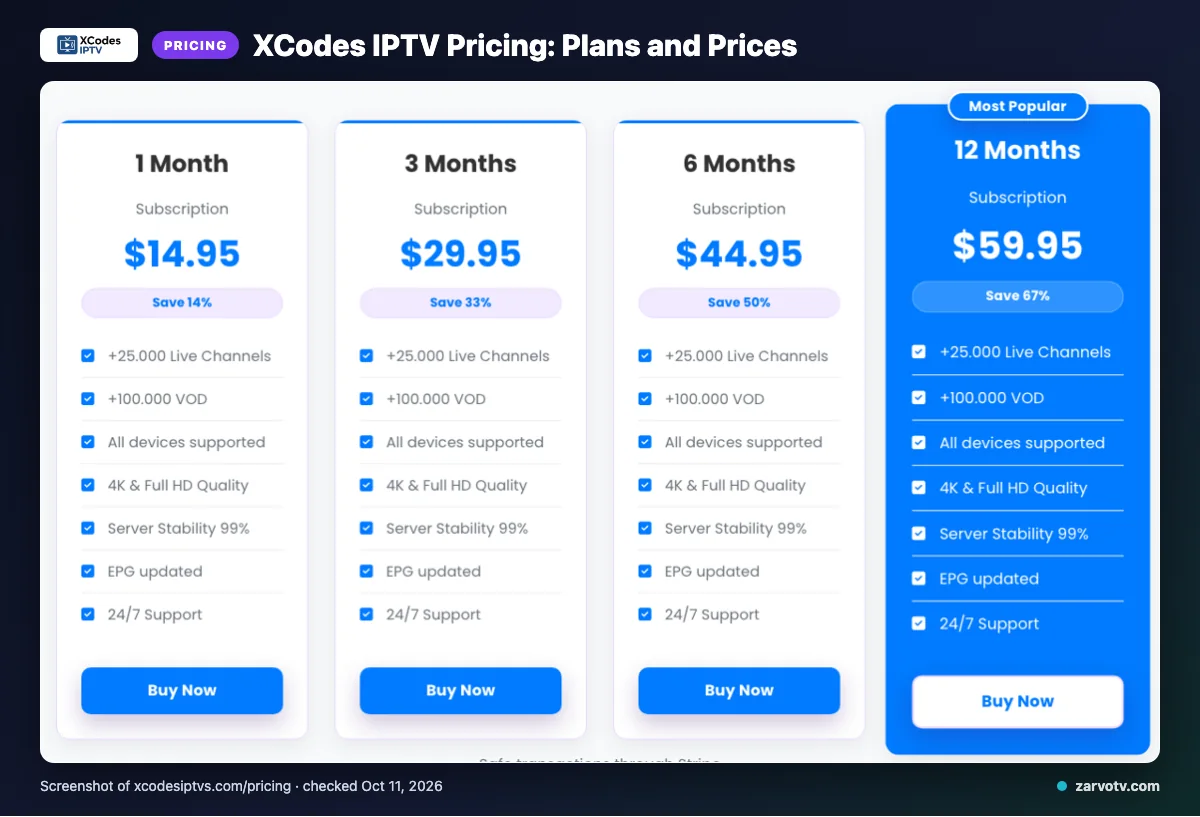
XCodes IPTV lists four plans, from $14.95 for 1 month to $59.95 for 12 months. All four are single connection. Prices were checked on 2026-10-11.
| Plan | Price | Connections |
|---|---|---|
| 1 Month | $14.95 | Single connection |
| 3 Months | $29.95 | Single connection |
| 6 Months | $44.95 | Single connection |
| 12 Months | $59.95 | Single connection |
A single connection means one screen plays at a time on that plan. If the living-room TV is on, a tablet in the kids’ room has to wait. The site says add-on connections exist for simultaneous streaming, but the add-on price is not listed on its website.
Quick tip: Count how many screens usually play at once, such as TV plus a tablet, and ask what the add-on costs before you buy.
Free trial, refunds and payment at XCodes IPTV
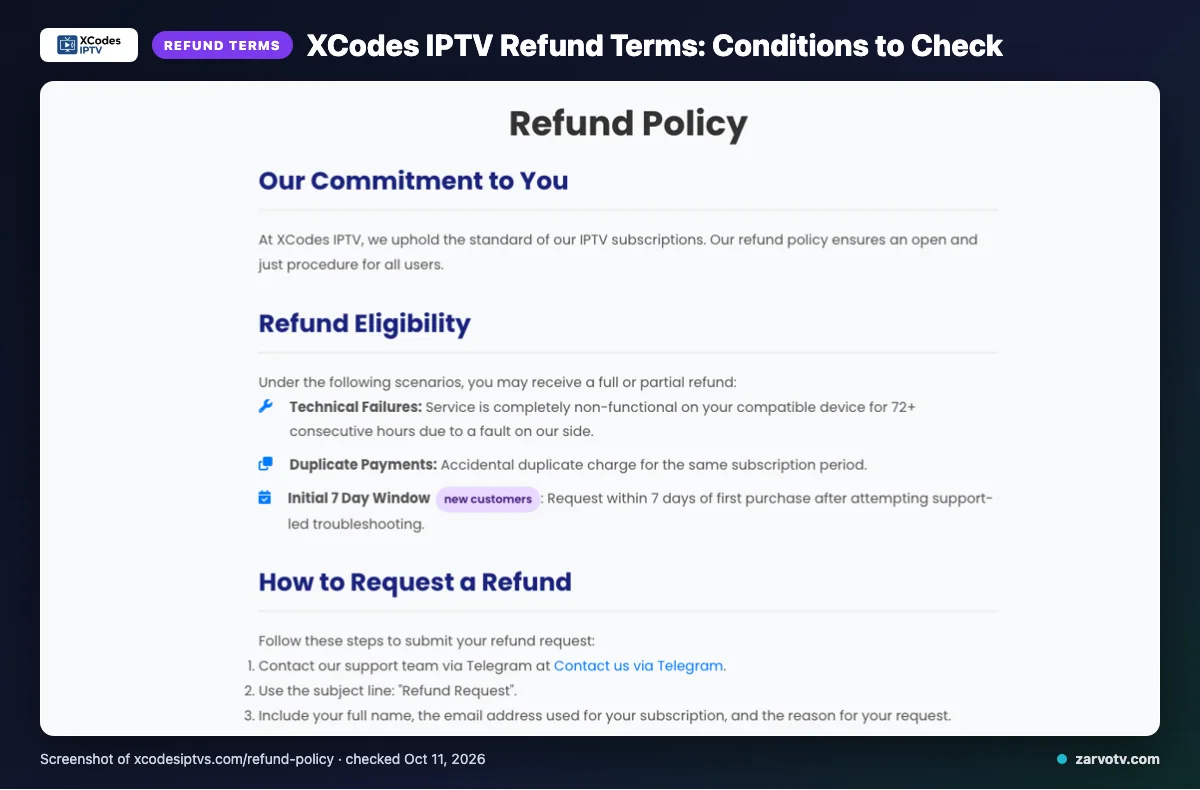
We did not find a free trial on the pages we checked. The site names refund cases and accepts Visa, MasterCard, American Express, PayPal and Stripe.
Refunds are listed for:
- 72+ consecutive hours fully non-functional on a compatible device, due to their fault
- duplicate payments
- new customers within 7 days of first purchase, after support-led troubleshooting
Renewal refunds are evaluated individually. Not refunded: dissatisfaction with the channel list or content, slow or unstable internet, Terms of Service violations, and geo-blocking beyond their control.
Approved refunds are completed within 3 business days. Funds then take 5–10 business days to appear.
Subscriptions renew automatically. You can manage or cancel in the account dashboard.
Because content dissatisfaction is excluded, check the channel list you care about before paying, not after.
XCodes IPTV pros and cons
XCodes IPTV looks strong on devices, payment and support. The gaps sit in the details a multi-screen household needs, so check them before you pay.
Pros
- Wide device list, from Smart TVs to Firestick
- 4K option stated
- EPG included in the plans
- Several payment options, including cards and PayPal
- 7-day window for new customers
- Support by email, live chat and Telegram
Cons
- Single connection on standard plans
- Add-on connection price not listed
- Catch-up not listed
- No refund for dissatisfaction with content
- VOD figure mismatch, as noted earlier
- Only one app named
Is XCodes IPTV legal and safe?
Legality depends on whether the content is licensed and on the law where you live, and this review cannot confirm licensing. The site pages we checked do not settle that question, and we make no legal claim either way. The site’s “IP-free” wording is a marketing claim, not a legal statement.
Before you pay, check your local rules. Use a method with buyer protection, keep the receipt, and set a strong, unique password. Save screenshots of the plan, price and refund page on the day you pay.
How to sign up and set up XCodes IPTV
Setup follows the usual IPTV steps: choose a plan, pay, then enter your login details in a player app. Start with the living-room TV, then add phones and tablets.
- Pick a plan on the official site.
- Pay.
- Wait for your account details. The site does not list a delivery time.
- Install a compatible player app.
- Enter your details.
- Check that the guide loads.
Mind the one-connection limit when you add screens. For app help, see our Android TV setup steps or the iPhone and iPad guide.
Quick tip: Test the first screen fully, including the guide, before you add a second device.
XCodes IPTV vs Zarvo TV
The two services charge the same at 1, 3 and 12 months. Zarvo TV costs less at 6 months and adds a 24-month plan.
| Feature | XCodes IPTV | Zarvo TV |
|---|---|---|
| Plans and prices | 1, 3, 6, 12 months: $14.95, $29.95, $44.95, $59.95 | 1, 3, 6, 12, 24 months: $14.95, $29.95, $39.95, $59.95, $99.95 |
| Free trial | Not found on the pages we checked | 24 hours |
| Refund | Conditional rules (see above) | 7 days |
| Devices | List named above | Firestick, Android TV/Google TV, Samsung and LG Smart TV, iPhone/iPad/Apple TV, Android phones, Windows/Mac, MAG box |
You can see every Zarvo TV plan on the pricing page.
Who should choose XCodes IPTV, and who should look elsewhere?
XCodes IPTV is worth a look for a one-screen household that likes a long plan. It is a weaker fit if you want to try first or run several screens at once.
It may suit you if:
- You mostly watch one screen at a time and are happy to contact support first.
- You want a long plan.
- You prefer paying by PayPal or a major card.
Look elsewhere if:
- You need a free trial first, or clear add-on costs for extra screens.
- You need catch-up confirmed, or want a refund based on content taste.
Quick tip: Write down your must-haves (screens, apps, channels) and compare them to the site’s lists before choosing.
If you would rather test first, we invite you to start with the Zarvo TV free trial and try it on your own screens.