
Disclosure: This review is published by Zarvo TV, which sells its own IPTV service. Zarvo TV and WeSellIPTV share common ownership. It is based on WeSellIPTV’s website pages checked on October 11, 2026 and does not include streaming tests.
This WeSellIPTV review summarizes its published prices, device list, trial information, and refund rules; we did not test its streams. The website lists four subscription terms and says standard subscriptions allow one connection at a time.
For a household comparison, Zarvo TV lists one-connection plans and a free 24-hour trial. Check connection limits and refund terms against how your family uses every screen at home.
What is WeSellIPTV?
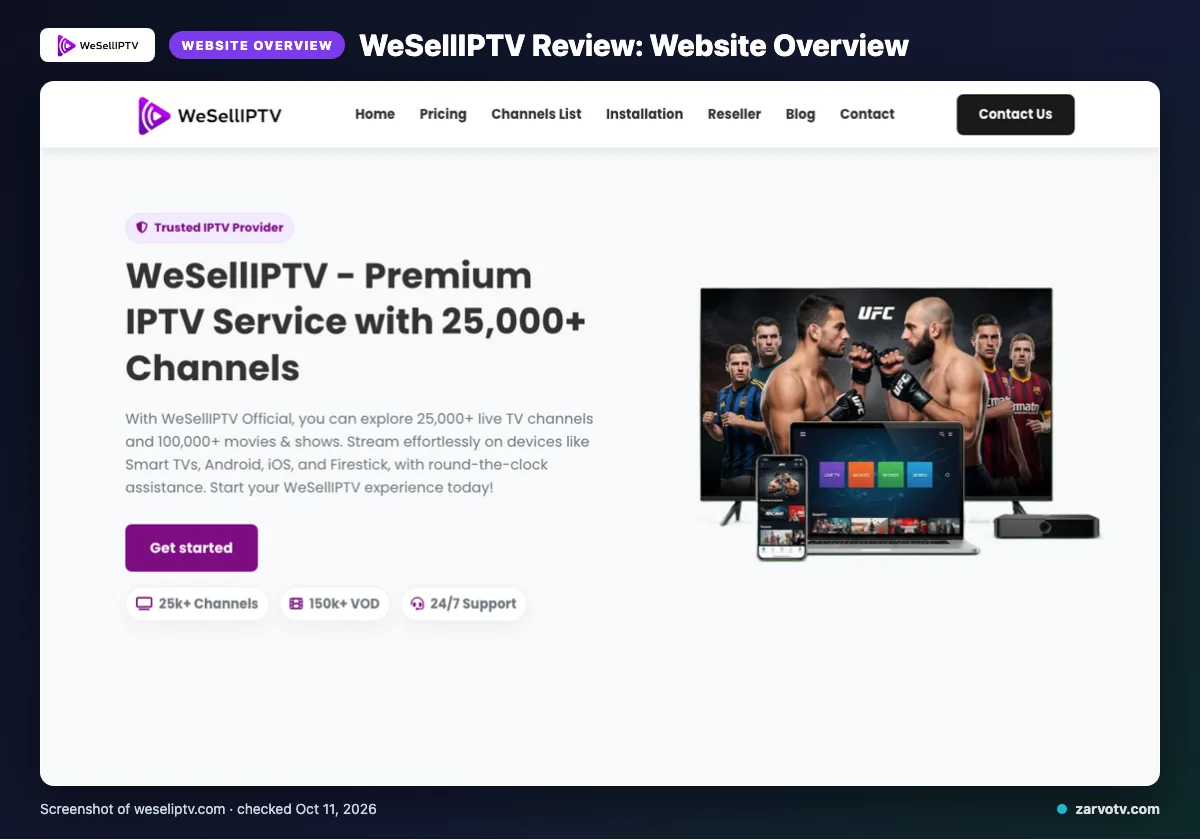
WeSellIPTV presents itself as an IPTV service on its official website. This weselliptv review summarizes published website information; we did not test its streams.
The site names the USA, UK, Canada, Europe, Asia and MENA as regions it serves. These are the audiences the website lists, not a recommendation for a particular household or screen setup.
The website is the source for these service descriptions, so treat them as published claims rather than independently verified results. For your home, check that your region appears before comparing plans.
What does WeSellIPTV offer?
WeSellIPTV lists 25,000+ live TV channels and 100,000+ movies and shows, with 4K, HD, Full HD and FHD quality labels. These are website claims, not tested performance.
Listed devices include Smart TVs, Android, iOS, Firestick, Android boxes, MAG devices and PC; IPTV Smarters is the named app. The site describes its EPG as updated, but does not list catch-up details. It also claims all devices are supported, 99% server stability, anti-freeze technology, a global CDN, instant channel switching and fast setup; these results are not verified. Check the exact device and app combination you plan to use before buying.
WeSellIPTV plans and prices
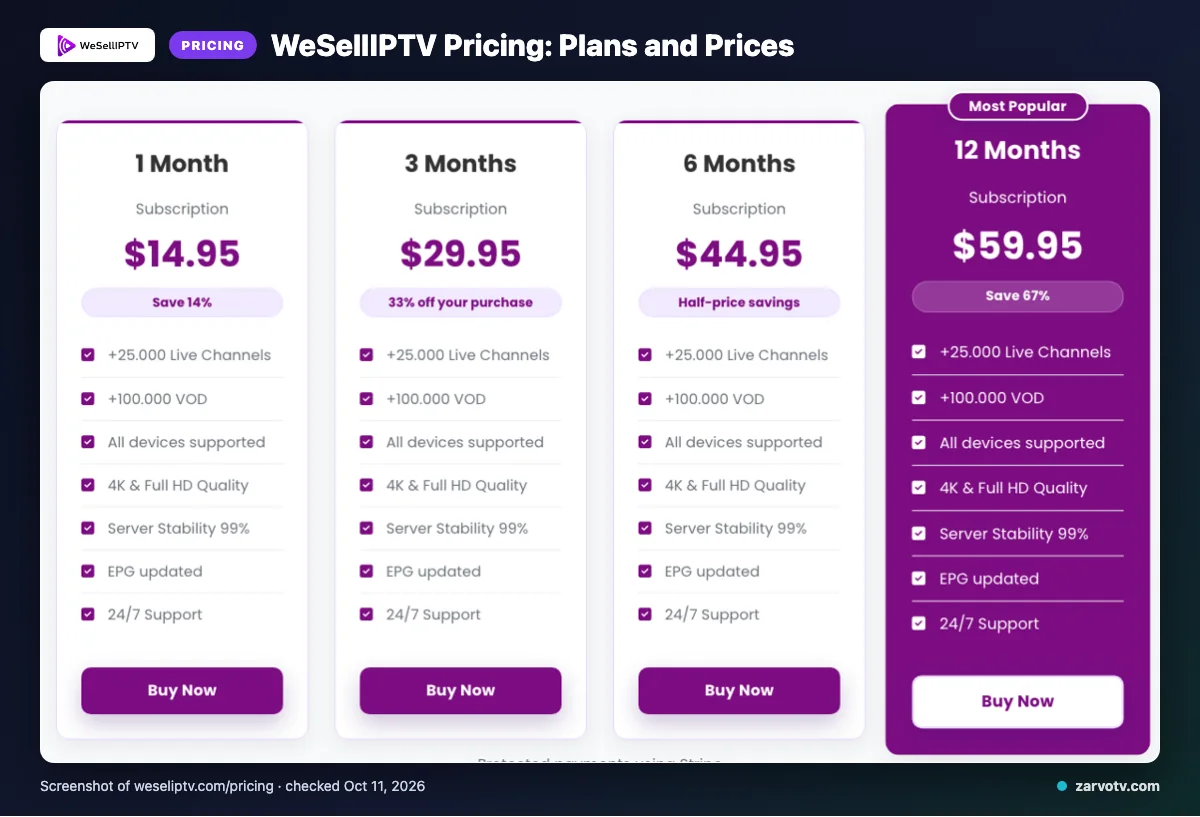
WeSellIPTV lists four subscription terms in USD, checked October 11, 2026. The plans table does not specify a connection count.
| Plan | Duration | Price |
|---|---|---|
| 1 Month Subscription | 1 Month | $14.95 |
| 3 Months Subscription | 3 Months | $29.95 |
| 6 Months Subscription | 6 Months | $44.95 |
| 12 Months Subscription | 12 Months | $59.95 |
The website says standard subscriptions allow one connection at a time. Additional connections are available at checkout or through support, so check that option if household screens may play at once.
Quick tip: Compare each listed term and price with how long you expect to subscribe.
Free trial, refunds and payment at WeSellIPTV
We did not find a free trial on the pages we checked; this does not prove one is unavailable.
When might WeSellIPTV issue a refund?
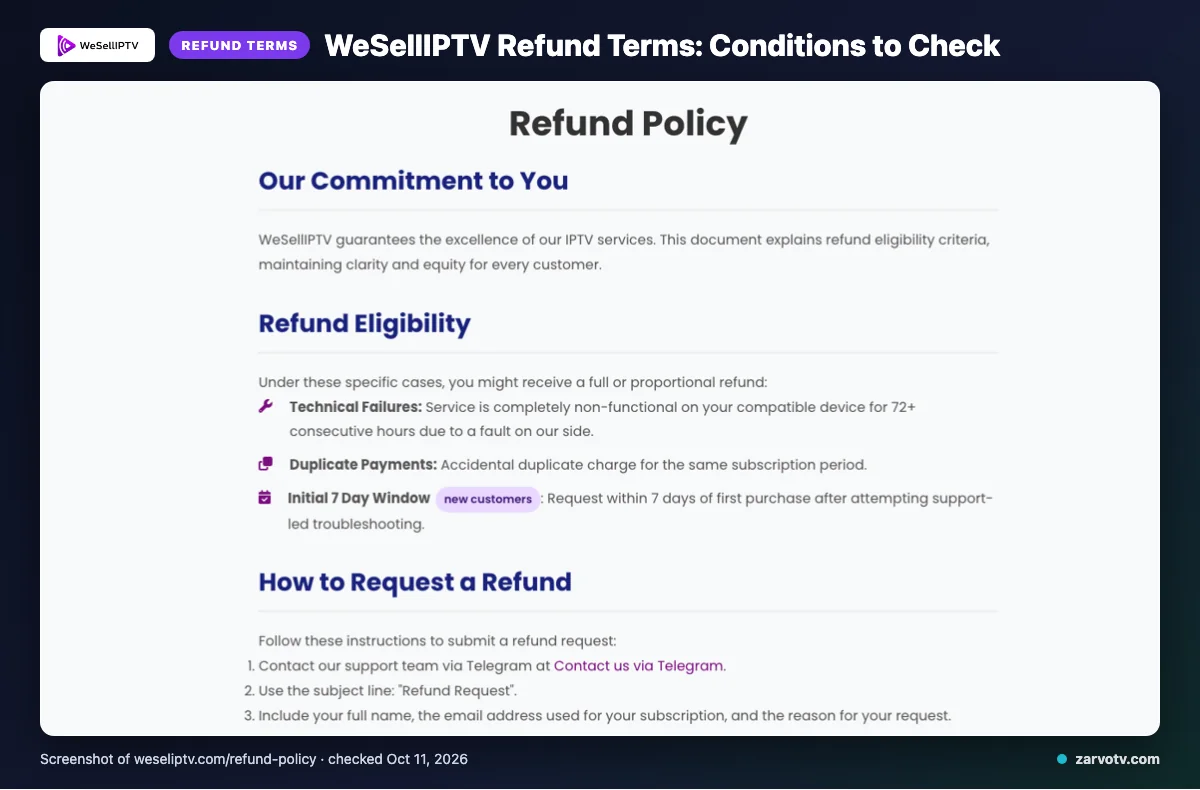
The website describes specific refund cases, not a general promise of refunds. It says you might receive a full or proportional refund in these situations:
- A provider-side technical fault leaves the service completely non-functional on a compatible device for 72+ consecutive hours.
- You accidentally pay twice for the same subscription period.
- You are a new customer requesting within 7 days of your first purchase, after support-led troubleshooting.
Which payment methods are listed?
The stated methods are Stripe, Visa, MasterCard, American Express and PayPal. Save the refund terms shown at checkout so you can refer to them later.
WeSellIPTV pros and cons
WeSellIPTV lists a broad channel and VOD offer, several plan lengths, named device types, an app and payment methods. Some household-use details remain unclear on the pages checked, so confirm them before paying.
Pros
- Published channel and VOD claims give you a useful outline of the advertised offer.
- Plan durations range from shorter to longer terms.
- Named options include Smart TVs, Android, iOS, Firestick, IPTV Smarters, Stripe, cards and PayPal.
Cons
- We did not find a free trial on the pages checked.
- Per-plan screen allowances need confirmation; the plans table does not state a connection count.
- Catch-up details and the exact price of additional connections are not listed on the website.
Quick tip: Treat unlisted details as questions to resolve before payment, not proof that a feature is unavailable. Ask support about the screen setup your household needs.
Is WeSellIPTV legal and safe?
WeSellIPTV’s legality cannot be confirmed from its website alone. IPTV legality depends on content licensing and the laws where you live.
This review did not independently verify WeSellIPTV’s licensing, security, or stream performance. Treat these points as unconfirmed, not as proof of a problem or assurance that everything is safe.
Before subscribing, read the provider’s terms and ask for clear information about who holds rights to distribute the content you plan to watch. Check the rules that apply where you live before paying for access to content. If the answers are unclear, pause and consider your options.
How to sign up and set up WeSellIPTV
Start at the official WeSellIPTV website and review the listed plan and relevant terms. Choose a payment method only if it appears at checkout, then follow the provider’s instructions after purchase.
- Check the terms that matter for your household before choosing a plan.
- If you need more than one simultaneous connection, check checkout or contact support, as the website describes.
- Install IPTV Smarters only if it works with your device, and use the access instructions supplied by the provider.
- Exact account delivery and setup steps are not listed on the pages checked, so follow the instructions you receive.
Quick tip: Keep the provider’s setup instructions available while you configure each screen, such as a living-room TV, bedroom TV, or kids’ tablet.
WeSellIPTV vs Zarvo TV
The main differences are Zarvo’s listed plan range, trial, and refund period. Compare the device lists with the screens your household actually uses.
| Item | WeSellIPTV | Zarvo TV |
|---|---|---|
| Plans | 1 month: $14.95; 3 months: $29.95; 6 months: $44.95; 12 months: $59.95. | One connection: 1 month $14.95; 3 months $29.95; 6 months $39.95; 12 months $59.95; 24 months $99.95. |
| Trial | We did not find a trial on the pages checked. | 24-hour trial. |
| Refund | Listed cases include qualifying technical failure, duplicate payment, or a new-customer request within 7 days after support-led troubleshooting. | 7-day refund period. |
| Devices | Smart TVs, Android, iOS, Firestick, Android boxes, MAG devices, PC. | Firestick / Fire TV, Android TV / Google TV, Samsung and LG Smart TV, iPhone / iPad / Apple TV, Android phones, Windows / Mac, MAG box. |
Check the device row against your living-room TV, bedroom TV, and kids’ tablet. Want to try Zarvo first? We invite you to use the 24-hour free trial.
Who should choose WeSellIPTV, and who should look elsewhere?
WeSellIPTV may suit you if its stated regions, plans and device list match your needs. For a household, consider whether its stated one-connection-at-a-time limit fits how your screens are used.
If you need confirmed catch-up details, a clearly stated trial, or a published price for extra connections, ask for clarification first or look elsewhere. Consider how shared viewing would work across your living-room TV, bedroom screen and kids’ tablet.
Quick tip: Decide how many screens need access at the same time before settling on a plan.
Want to compare another option? We invite you to try Zarvo TV’s 24-hour free trial. Remember, website claims are not independent evidence of service performance.
New to Zarvo TV? See the setup guide, compare plans and prices, or check the channel list.
Frequently Asked Questions
What should you ask support before buying an IPTV subscription?
Ask how many screens can stream at once, which devices and apps match your setup, and what the trial and refund terms require. WeSellIPTV says standard subscriptions allow one connection at a time, with additional connections available through checkout or support. Confirm any extra cost and the steps for adding a connection before paying.
What is the difference between an IPTV service and an IPTV player?
An IPTV service provides the subscription and access details, while an IPTV player is an app used to load and play that service. You may need both, and an app alone does not include a subscription. Before buying, check that your provider supports the player and that the app works on the screen you plan to use.
What information should you keep after subscribing?
Keep your receipt, plan length, payment confirmation, login details, and setup instructions in a safe place. Save support messages too, especially if you ask about connections, troubleshooting, or a refund. These records help you find your subscription details and explain the issue clearly if you need help later.
How can you check whether an IPTV app is compatible with your screen?
Check your screen’s model and operating system against the provider’s device and app information before subscribing. WeSellIPTV lists IPTV Smarters and names Smart TVs, Android, iOS, Firestick, Android boxes, MAG devices, and PC. Ask support to confirm your exact model and app version if the setup details do not make that clear.
What should you do if a provider’s setup instructions are unclear?
Contact support before changing settings or buying another app. Ask for steps that match your screen, the correct app, and where to enter your login details; request clarification in writing if needed. WeSellIPTV lists email, live chat, and Telegram support, and claims 24/7 support, so check the website for current contact options.
Check the details before you subscribe
WeSellIPTV publishes four plan terms, a one-connection-at-a-time limit for standard subscriptions, and specific refund conditions. Before paying, confirm the connection setup, compatibility with your screens, and any refund requirements that matter to your household.
Want to compare another option? Start the free 24-hour trial with Zarvo TV.