
Disclosure: This review is published by Zarvo TV, which sells its own IPTV service. Zarvo TV and Olyviax share common ownership. It is based on Olyviax’s website pages checked on October 11, 2026 and does not include streaming tests.
This olyviax review finds clearly listed plans and device categories, but leaves important household questions to confirm before paying. Each listed plan allows one simultaneous connection, which may not suit a family using a TV, tablet, and phone at once.
Olyviax lists auto-renewal and refund conditions, while its price currency remains unspecified. If a stated trial matters to your choice, Zarvo TV offers a free 24-hour trial.
What is Olyviax?
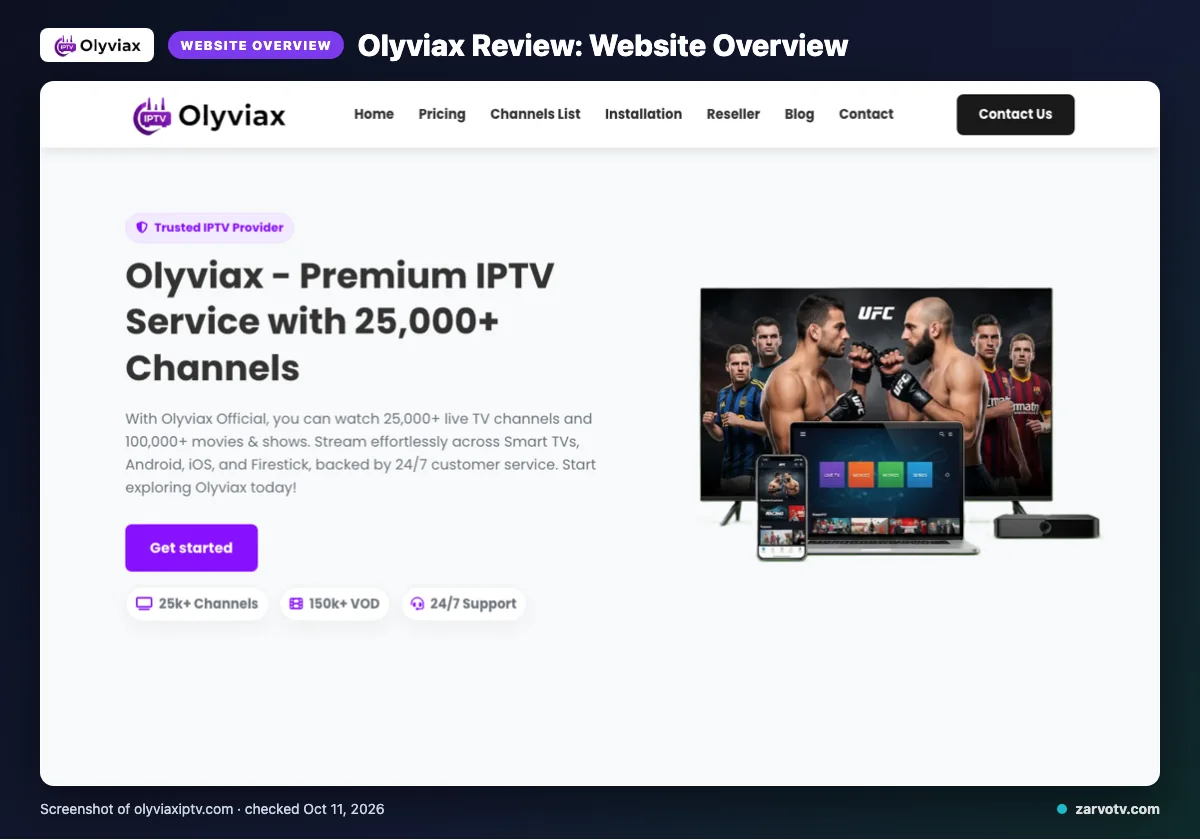
Olyviax presents itself on its official website as an IPTV service. Its site names the USA, UK, Canada, Europe, and Asia, with specialized packages for the USA, Canada, Europe, and MENA.
The channel list names regions and language groupings, including France, the United Kingdom, Turkey, Greece, Belgium, the Netherlands, Latin America, India, Germany, and Arabic. These are labels published on the site, not a promise of availability in every location.
Quick tip: Check whether a named region or package matches your household before comparing plans. It can help you focus your questions around the living-room TV, kids’ tablet, and other screens at home.
What does Olyviax offer?
Olyviax lists live channels, movies and shows, several video-quality labels, device categories, IPTV Smarters, and an updated program guide. The published channel and VOD totals appear above; its VOD wording differs, with one hero statistic showing “150k+ VOD” and other text saying “100,000+” VOD or movies and shows.
The site lists 4K, HD, FHD, Full HD, and 4K Ultra HD. It names Smart TVs, Android, iOS, Firestick, Android boxes, MAG devices and boxes, and smartphones, plus IPTV Smarters; unnamed devices or apps should not be assumed unsupported.
Olyviax describes an updated Electronic Program Guide (EPG), but catch-up is not stated on its website. Its quality and performance language is published site copy, not a result from a streaming test.
Olyviax plans and prices
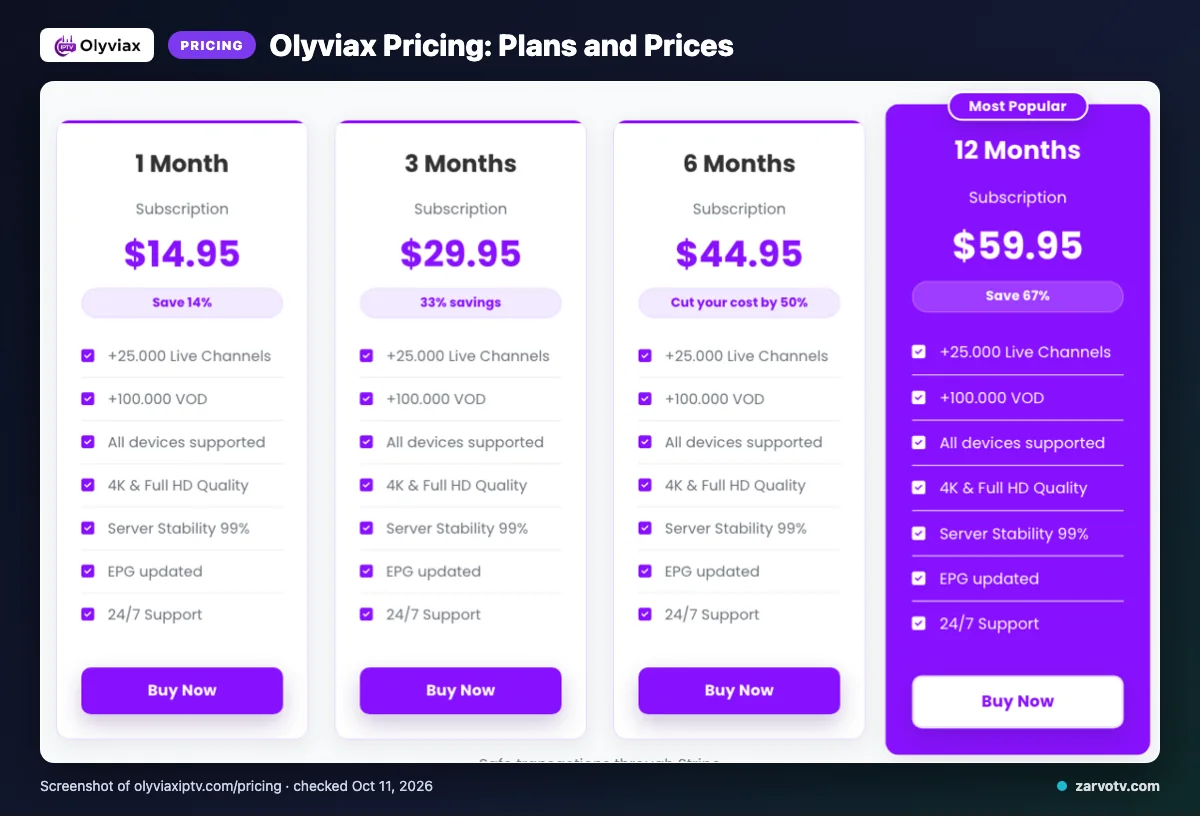
Olyviax lists four subscription options, each for one connection simultaneously. We checked these prices on 2026-10-11; the site uses “$” but does not identify a specific currency.
| Plan | Duration | Displayed price | Connections |
|---|---|---|---|
| 1 Month Subscription | 1 Month | $14.95 | one connection simultaneously |
| 3 Months Subscription | 3 Months | $29.95 | one connection simultaneously |
| 6 Months Subscription | 6 Months | $44.95 | one connection simultaneously |
| 12 Months Subscription | 12 Months | $59.95 | one connection simultaneously |
Quick tip: Compare the displayed amount with your local currency before budgeting for the household.
Free trial, refunds and payment at Olyviax
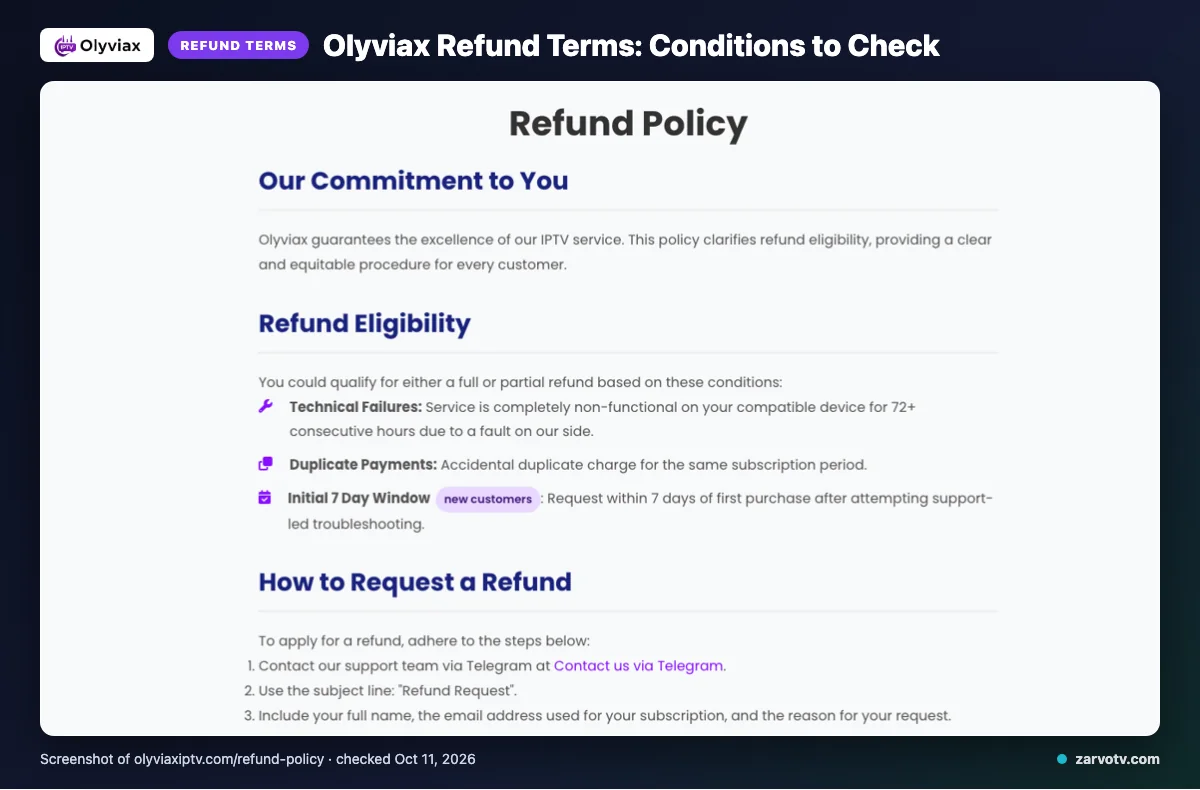
A free trial was not mentioned on the pages checked. Refunds may be full or partial under specific conditions, so review them before paying.
Refunds may apply if service is completely non-functional on a compatible device for 72+ consecutive hours because of a fault on Olyviax’s side, or for duplicate payments. New customers can request a refund within seven days of their first purchase after trying support-led troubleshooting.
Refunds exclude dissatisfaction with channels or content, slow or unstable internet, Terms of Service violations, and geo-blocking beyond Olyviax’s control. After seven days, change-of-mind refunds are usually not accepted; renewal refunds are handled case by case.
Payment methods listed are Visa, MasterCard, American Express, PayPal, and Stripe.
Olyviax pros and cons
Olyviax publishes useful catalog and device details, but some household questions remain open. Treat its figures and features as website claims, not verified performance.
What looks positive?
The site gives households several details to compare before choosing.
- Its published channel and VOD totals indicate the stated catalog scale; see the earlier section for the figures.
- Named device categories include smart TVs, phones, and streaming boxes.
- An updated EPG is listed for browsing schedules.
What should you check?
Some details may affect your household’s choice.
- We did not find a free trial on the pages checked.
- Catch-up is not stated on the website.
- The VOD figures differ, as noted earlier.
Quick tip: Consider whether the listed details suit your TV-and-tablet routine, and ask support about the missing features that matter most to your household.
Is Olyviax legal and safe?
Whether you can legally use a streaming service depends on content licensing and the rules where you live. The supplied website information does not establish licensing status for every channel or title.
Check your local rules before subscribing, and ask Olyviax for clear licensing information if it matters to your decision. Ask which rights cover the channels and titles your household plans to watch, and request the answer in writing.
Rules may differ across the US, Canada, and UK, so check where each screen will be used. Website performance statements are provider claims, not independent verification, and do not establish licensing status.
How to sign up and set up Olyviax
Start at the Olyviax official site and review the plan, payment, and refund details before subscribing. Prepare the screen you want to use, such as your living-room TV or a phone.
- Choose a listed plan only after checking its connection wording and terms.
- Use the site’s stated contact options—email, live chat, or Telegram—if you need instructions.
- The site names IPTV Smarters, but does not list a full setup sequence.
Follow the setup instructions supplied after purchase rather than assuming a particular installation flow.
Quick tip: Keep the plan and support details available while following any setup instructions supplied after purchase.
Olyviax vs Zarvo TV
Compare the plan terms and trial details, then check which named devices fit your household. Most importantly, compare simultaneous connections you need, not just device names.
| What to compare | Olyviax | Zarvo TV |
|---|---|---|
| Plans | See the plans section above for listed durations, prices, and connection wording. | One connection: 1 month $14.95; 3 months $29.95; 6 months $39.95; 12 months $59.95; 24 months $99.95. |
| Trial | See the trial note above. | 24-hour trial. |
| Refund | See the refund section above for terms. | Seven-day refund period. |
| Devices | Smart TVs, Android, iOS, Firestick, Android boxes, MAG devices, and smartphones. | Fire TV, Android and Google TV, Samsung and LG TVs, Apple devices, Android phones, Windows and Mac, and MAG boxes. |
If your family watches on a bedroom TV and tablet at the same time, verify the connection terms before choosing.
Who should choose Olyviax, and who should look elsewhere?
Olyviax may suit your household if its published plans, named device categories, and regional claims match how you watch. Choose based on everyday needs, not headline figures alone.
Look elsewhere if a confirmed trial, a stated catch-up feature, or clearer VOD information is essential before subscribing. This website-based review covers published claims; streaming was not tested.
Quick tip: Match the details against your routine, from the living-room TV to a kids’ tablet or phone on the go. Ask about anything important that the published information leaves unclear.
If you are comparing services for every screen at home, we invite you to consider Zarvo TV’s free trial before choosing.
New to Zarvo TV? See the setup guide, compare plans and prices, or check the channel list.
Frequently Asked Questions
Does Olyviax list a specific currency for its prices?
Olyviax shows prices with a “$” symbol, but the pages checked do not identify which currency it means. That leaves the converted cost unclear for households paying in the US, Canada, or the UK. Confirm the currency and any payment conversion charges with Olyviax before choosing a plan.
Does Olyviax say subscriptions renew automatically?
Yes. Olyviax says subscriptions auto-renew at the end of each billing cycle. Before paying, check how to turn off renewal and when to do so, because the pages checked do not explain those steps. This matters if you want a short-term plan or prefer to review each payment manually.
Which support channels does Olyviax list?
Olyviax lists email, live chat, and Telegram for support. The pages checked do not specify response times or which channel handles billing and setup questions. If you need help during installation, confirm the best contact route before subscribing, especially if you plan to set up a living-room TV and a phone.
Does Olyviax publish a complete setup guide?
A complete setup guide was not found on the pages checked. Olyviax names Smart TVs, Android, iOS, Firestick, Android boxes, and MAG devices, and lists IPTV Smarters, but those details are not a step-by-step setup walkthrough. Confirm instructions for your exact screen before you pay.
Are Olyviax’s performance claims independently verified?
Independent verification of Olyviax’s performance claims was not found in the information checked, and no streaming test was conducted for this review. The site lists features such as anti-freeze technology and a worldwide CDN, but those are website claims rather than confirmed results. Treat them as claims when comparing services.
Check the terms before you choose
Before subscribing, confirm the currency, auto-renewal controls, refund conditions, and whether one simultaneous connection suits your home. Treat the channel, VOD, and performance figures as Olyviax website claims; the listed plan terms may not answer every setup question.
If you’d like another option to compare, we invite you to start the free 24-hour trial with Zarvo TV.