
Disclosure: This review is published by Zarvo TV, which sells its own IPTV service. Zarvo TV and Monster IPTV share common ownership. It is based on Monster IPTV’s website pages checked on October 10, 2026 and does not include streaming tests.
This Monster IPTV review covers what the official site states: four plans from $14.95 to $59.95, and one connection at a time on every plan. The pages were checked on 2026-10-10, and no streaming test was done. Treat the details as site claims, not test results.
For a household with a living-room TV, a bedroom TV and a phone, the connection limit is the first thing to check. Below you get the plans, refund rules and renewal terms in plain language, with Zarvo TV as a comparison point where it helps.
What is Monster IPTV?
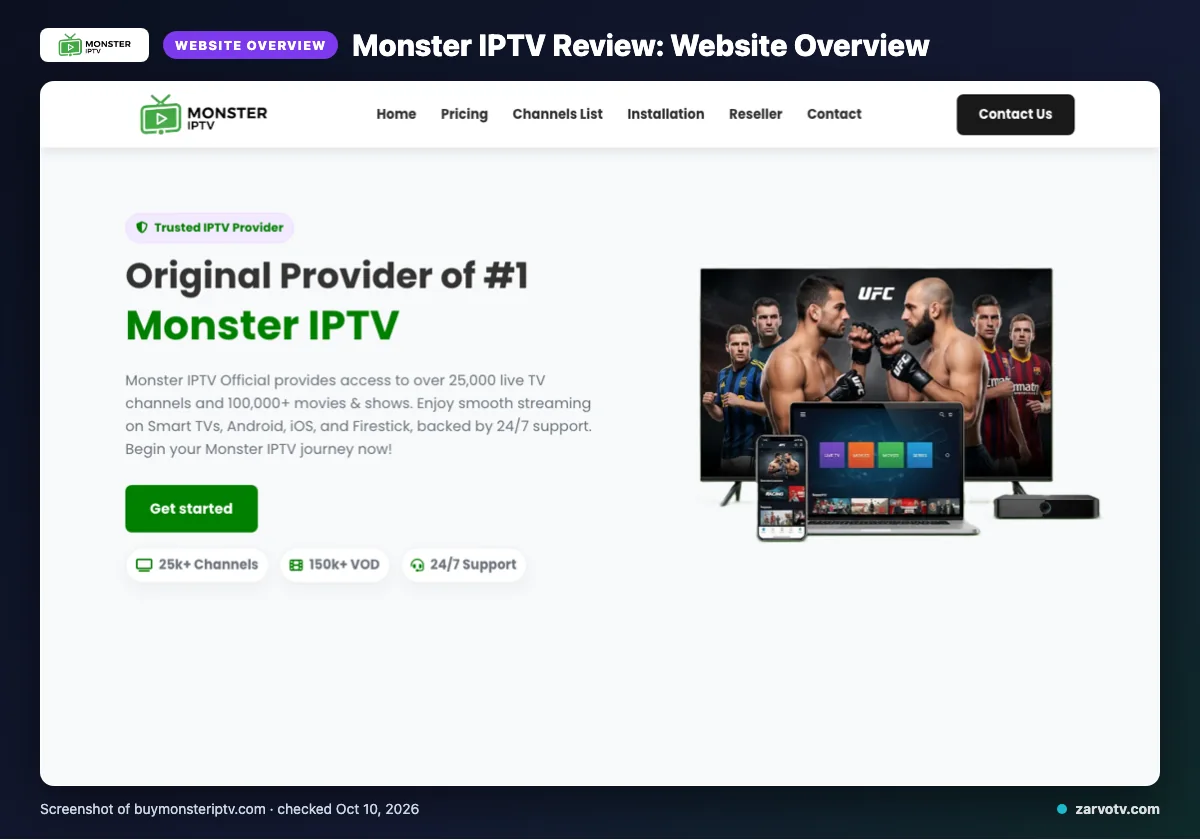
Monster IPTV is an IPTV subscription service sold through its official site. It lists content from the USA, UK, Canada, Europe, Asia and MENA, with dedicated packages for the USA, Canada, Europe and MENA, so it aims at viewers in several regions, including US, Canadian and UK households.
This is a website-based review. We checked the site’s facts on 2026-10-10 and did not run a streaming test.
Quick tip: Make sure the package you pick at checkout matches your region, since the site lists dedicated packages by region.
What does Monster IPTV offer?
The site lists live TV, on-demand titles, an EPG and a broad device list. Everything below is what the site states, not a test result.
Channels and VOD
The site gives mixed figures: 10,000+, 25,000+ and “over 25,000” live channels, plus 100,000+ and 150k+ VOD titles. It says the VOD library is updated daily. Ask support in writing which channel count applies to your package before you pay.
Quality, devices and apps
Quality labels include 4K, HD, Full HD, FHD, 4K Ultra HD and Super HD Resolution. Listed devices are Smart TVs, Android, Android boxes, iOS, Firestick, MAG devices, MAG Box and PC. The only app named is IPTV Smarters.
The site also claims anti-freeze technology, load balancing, a global CDN, adaptive routing and predictive content prefetch. It says the service isn’t IP-restricted.
EPG and catch-up
The EPG is described as updated and user-friendly. Catch-up was not listed on its website.
Monster IPTV plans and prices
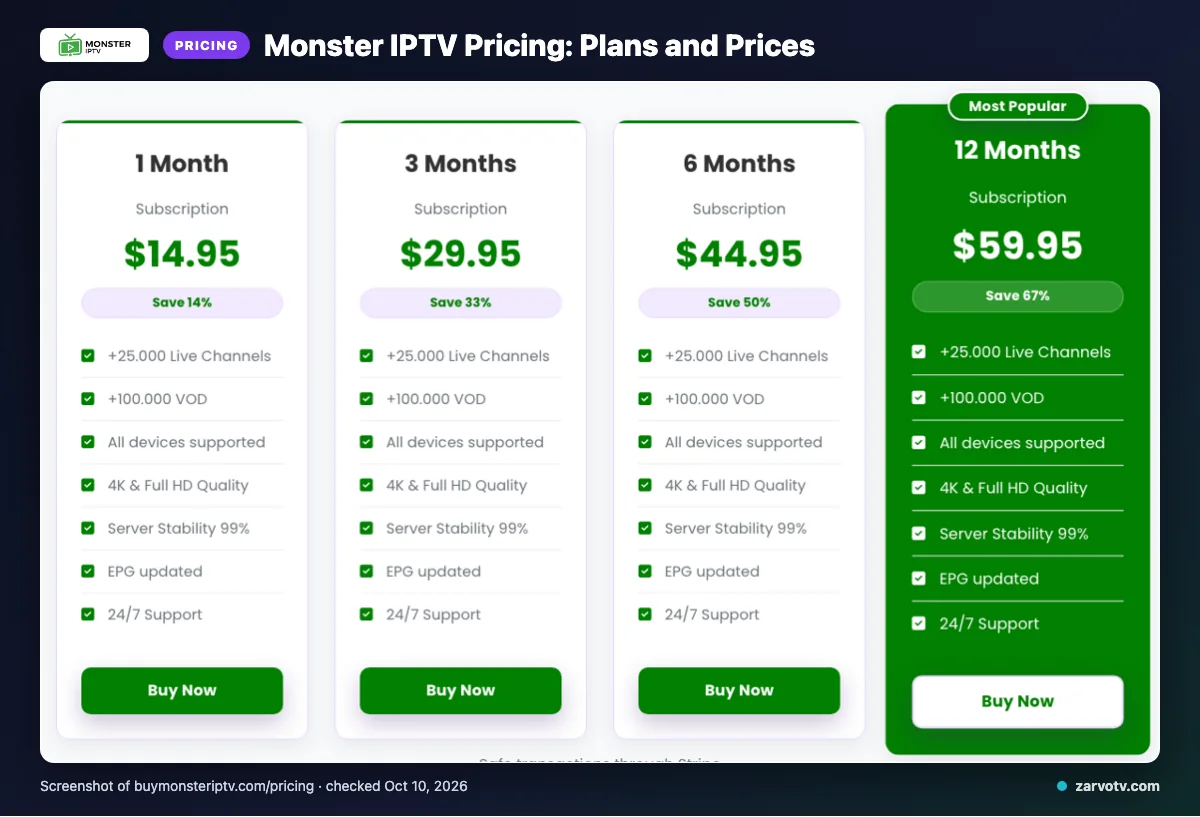
The site lists four plans, from 1 month to 12 months. We checked them on 2026-10-10, and each one carries the same connection note.
| Plan | Price | Connections (as stated on the site) |
|---|---|---|
| 1 Month | $14.95 | Only one connection is supported at a time |
| 3 Months | $29.95 | Only one connection is supported at a time |
| 6 Months | $44.95 | Only one connection is supported at a time |
| 12 Months | $59.95 | Only one connection is supported at a time |
For a multi-screen home, the connection note matters most. If the site’s wording holds, a second screen in use at the same moment may need a separate plan.
Two smaller points: the prices use a $ symbol, but the site does not name the currency. Plans also renew automatically at the end of each billing cycle.
Quick tip: Divide the price by the number of screens that will really be on at once. That tells you the true cost per screen.
Free trial, refunds and payment at Monster IPTV
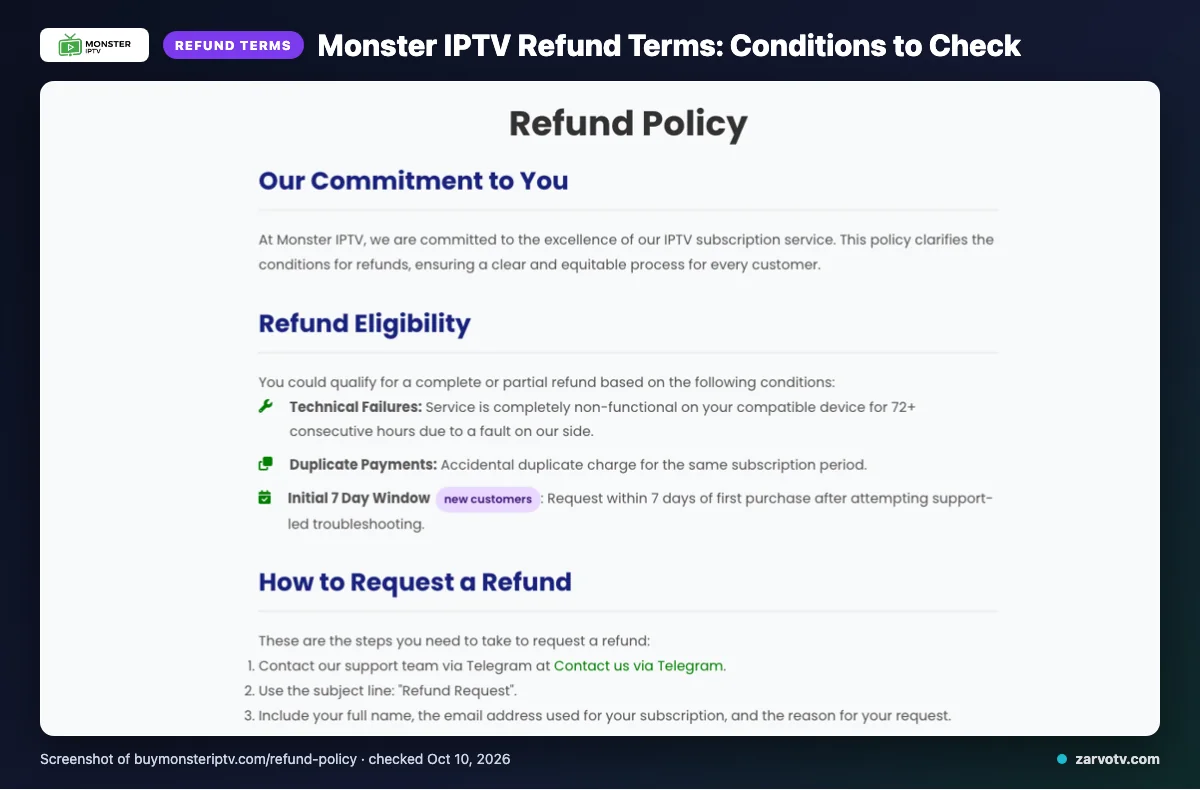
We did not find a free trial on the pages we checked. Refunds exist, but only in set cases.
When does Monster IPTV refund?
The site says refunds may be complete or partial in three cases:
- A fault on their side leaves the service non-functional on a compatible device for 72+ consecutive hours.
- You were charged twice.
- A new customer asks within 7 days of a first purchase, after support-led troubleshooting.
What is not refunded?
The site excludes dissatisfaction with the channel list or content, slow or unstable internet, Terms of Service violations, and geo-blocking beyond their control. Change-of-mind refunds are usually unavailable after 7 days, and renewal refunds are judged case by case.
How fast are refunds, and how do you pay?
Approved refunds are handled within 3 business days, and funds may take 5–10 business days to appear. You can pay by Visa, MasterCard, American Express or PayPal. Save the support chat or email where you reported a problem, because the terms tie eligibility to troubleshooting with support first.
Monster IPTV pros and cons
Pros
- Four plan lengths to choose from
- Several payment options, including PayPal
- Support by email, live chat and Telegram
- A wide device list
- Regional packages for different viewers
- A stated refund process with a 3-business-day handling time
Cons
- One connection at a time per plan
- Conflicting channel and VOD counts
- Currency not identified
- Catch-up not stated
- Only one app named
Quick tip: Ask support in writing how a second screen is handled before you pay.
Is Monster IPTV legal and safe?
That depends on whether the content is licensed where you live, and we cannot confirm licensing from the website. The pages we checked showed no licensing details, and the rules differ across the US, Canada and the UK.
Before you pay, cover the basics:
- Pay by PayPal or card. This keeps a payment record you can dispute if something goes wrong.
- Use a unique password you do not use anywhere else.
- Keep the receipt.
- Read the Terms of Service, since violations are excluded from refunds.
How to sign up and set up Monster IPTV
These steps are general, because the site does not describe its own setup flow.
- Pick your plan and region package on the official site, then pay.
- Watch your email for login details. Delivery time was not listed on its website, so contact support by email, live chat or Telegram if nothing arrives.
- Install a player app such as IPTV Smarters on the main TV and enter the details you were sent. For device steps, see our Android TV setup guide.
- Add the same app on a phone or tablet, keeping the one-connection limit from the plans section in mind.
Quick tip: Set up and test the living-room TV first. Then add other screens one at a time, so you can spot which device causes a problem.
Monster IPTV vs Zarvo TV
Compare the same plan length side by side, and check how many connections each one allows. Here is the short version.
| Item | Monster IPTV | Zarvo TV |
|---|---|---|
| Plans | 1, 3, 6 and 12 months | 1, 3, 6, 12 and 24 months: $14.95, $29.95, $39.95, $59.95, $99.95 (1 connection) |
| Trial | Not found on the pages checked | 24 hours |
| Refund | Conditional, with a 7-day first-purchase route (see refund section) | 7 days |
| Devices | As listed on its site | Firestick/Fire TV, Android TV/Google TV, Samsung and LG Smart TV, iPhone/iPad/Apple TV, Android phones, Windows/Mac, MAG box |
Zarvo TV also lists 25,000+ channels, 100,000+ VOD titles and 24/7 support. See the Zarvo TV pricing page for the full plan list.
Who should choose Monster IPTV, and who should look elsewhere?
Monster IPTV may suit a home with one main screen. If several screens run at once, look elsewhere.
- May suit: one main screen, PayPal or card payment, and regional packages.
- Look elsewhere: several screens at once, a trial first, or confirmed catch-up.
Before paying, ask support to confirm channel counts, currency and legality where you live.
Quick tip: Write down your must-haves (screens at once, catch-up, trial) and ask support to confirm each in writing.
If you would like to compare, we offer a 24-hour free trial to try on every screen at home.
Frequently Asked Questions
Can I watch Monster IPTV on two TVs at the same time?
Based on the site, it does not look possible on the listed plans. Every plan says only one connection is supported at a time. Two TVs running together would not fit that limit, so one screen at a time is the safe reading. If you need more, ask support before you pay.
Does Monster IPTV work on a Firestick?
The site lists Firestick among its supported devices, next to Smart TVs, Android, Android boxes, iOS, MAG devices and PC. This comes from the website, not from a hands-on test. The pages checked did not describe a setup flow, so ask support for exact steps.
Does Monster IPTV renew automatically, and how do I stop it?
The pages checked did not describe cancellation steps. Contact support by email, live chat or Telegram well before your renewal date, and keep a written record. The site says renewal refunds are considered case by case, so do not count on one.
How do I contact Monster IPTV support?
The site lists three support channels: email, live chat and Telegram. Response times and opening hours were not found on the pages checked. Use the contact options on the official site, buymonsteriptv.com. For a refund request, the site says approved refunds are handled within 3 business days.
Is Monster IPTV available in the UK and Canada?
The site lists content from the USA, UK, Canada, Europe, Asia and MENA. Its dedicated packages cover the USA, Canada, Europe and MENA, and no UK-only package was listed. Licensing could not be confirmed from the website, and the rules differ by country, so check them where you live.
What to check before you pay
Start by counting how many screens run at once in your home. Monster IPTV lists one connection at a time on every plan, so a shared household may hit that limit quickly. Then read the auto-renewal and refund terms, because refunds are only available in set cases.
No free trial was found on the pages checked, so paying first means committing before you know how it runs on your own screens. Licensing details were also missing from the site. Compare plan lengths and connection limits side by side before you decide. Zarvo TV lists a 24-hour trial and a 7-day refund window. If you want to see how it runs on your own TV and phones first, start the free 24-hour trial.