
Disclosure: This review is published by Zarvo TV, which sells its own IPTV service. Zarvo TV and Lux IPTV share common ownership. It is based on Lux IPTV’s website pages checked on October 11, 2026 and does not include streaming tests.
This Lux IPTV review covers four plans, from $14.95 to $59.95, and each one shows 1 connection. That makes it a closer fit for one screen than for a busy household with a TV, phones and a kids’ tablet.
Everything here comes from the official Lux IPTV website, checked on 2026-10-11. No streaming test was done. You will find prices, devices, refund rules and support options below, plus a side-by-side table with Zarvo TV.
What is Lux IPTV?
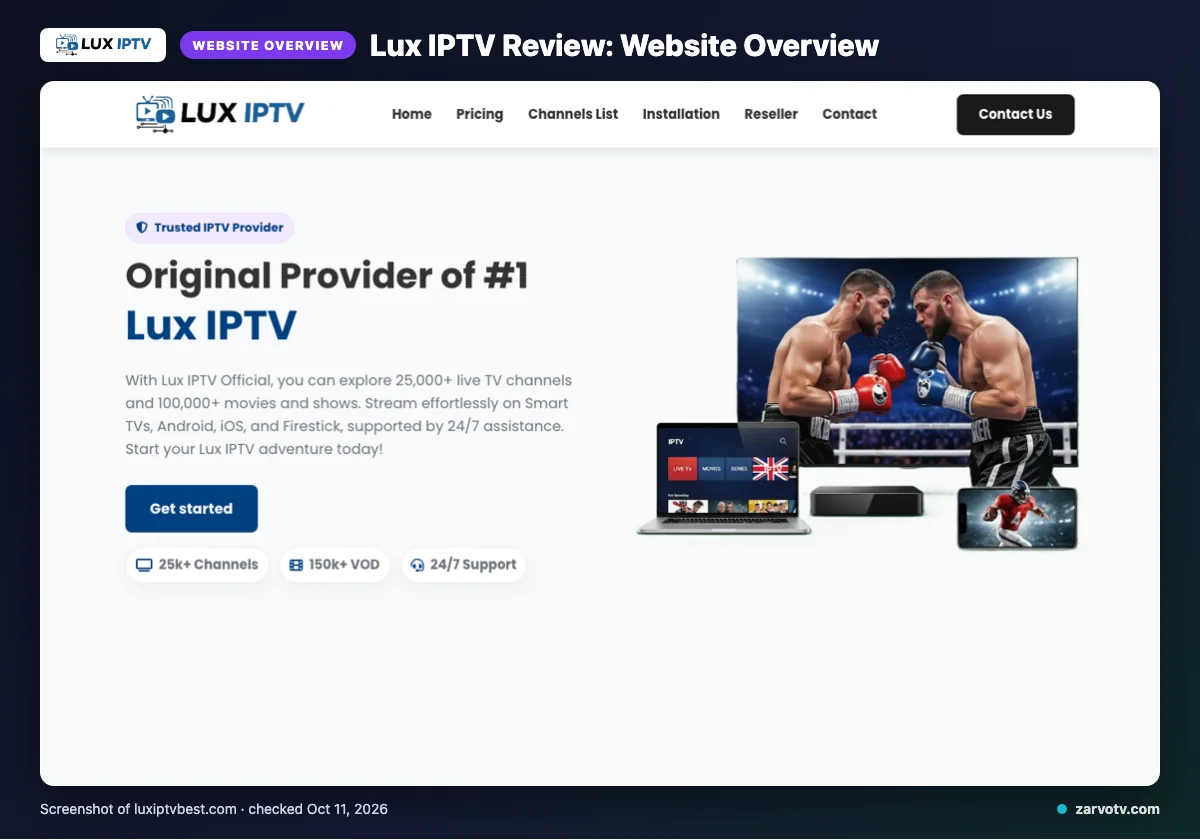
Lux IPTV is an IPTV subscription service, sold through its official site. It is aimed at viewers who want live TV plus on-demand titles on Smart TVs, phones and PCs.
The site names the USA, UK, Canada, Europe, Asia and MENA as the regions it serves. That covers most households reading this, but check the details before you pay.
This review is based on the website as we checked it on 2026-10-11. We did not run a streaming test.
Quick tip: Read any IPTV review as a snapshot of the website on one date, because plans and wording change.
What does Lux IPTV offer?
Lux IPTV lists live channels, an on-demand library, several video quality labels and a broad device list. Everything below is as its website states it, not something we streamed.
Channels and on-demand titles
The site claims 25,000+ live channels and 100,000+ movies and shows, with the on-demand (VOD) library updated daily. A page title says 10,000+ channels and a homepage badge says 150k+ VOD, so treat every count as unverified marketing. Quality labels are HD, Full HD, FHD, 4K and 4K Ultra HD.
It also cites anti-freeze load balancing, global CDNs, predictive prefetch and “Server Stability 99%”. Those are site claims, not guarantees.
Devices, apps and the TV guide
Named devices are Smart TVs, Android, iOS, Firestick, Android boxes, MAG devices and box, and PC. The only app named is IPTV Smarters. Before paying, match that list to your home: living-room TV, kids’ tablet, bedroom box.
Plans include “EPG updated” and an “EPG / TV Guide”. Here is what an EPG does. Catch-up is not listed on its website.
Lux IPTV plans and prices
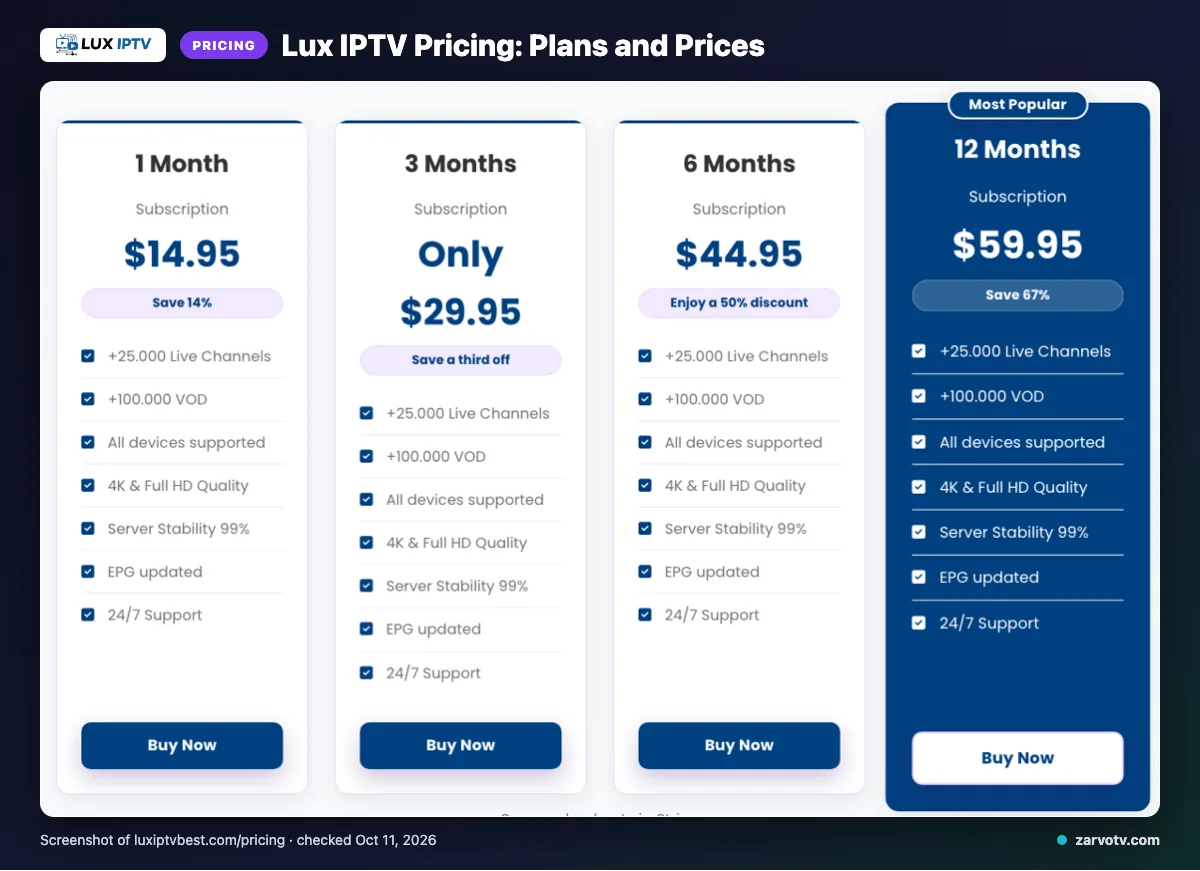
Lux IPTV lists four plans, from 1 to 12 months, and each shows 1 connection. Date checked: 2026-10-11.
| Plan | Duration | Price | Connections |
|---|---|---|---|
| 1 Month Subscription | 1 month | $14.95 | 1 connection |
| 3 Months Subscription | 3 months | $29.95 | 1 connection |
| 6 Months Subscription | 6 months | $44.95 | 1 connection |
| 12 Months Subscription | 12 months | $59.95 | 1 connection |
The table leaves a few things out. The site uses “$” but does not explicitly name the currency. Extra connections for more screens are not listed on its website. Subscriptions auto-renew each billing cycle, and you can change or cancel auto-renewal in the account dashboard.
Quick tip: Each plan shows 1 connection, so ask support in writing how screens are counted before buying for a family.
Free trial, refunds and payment at Lux IPTV
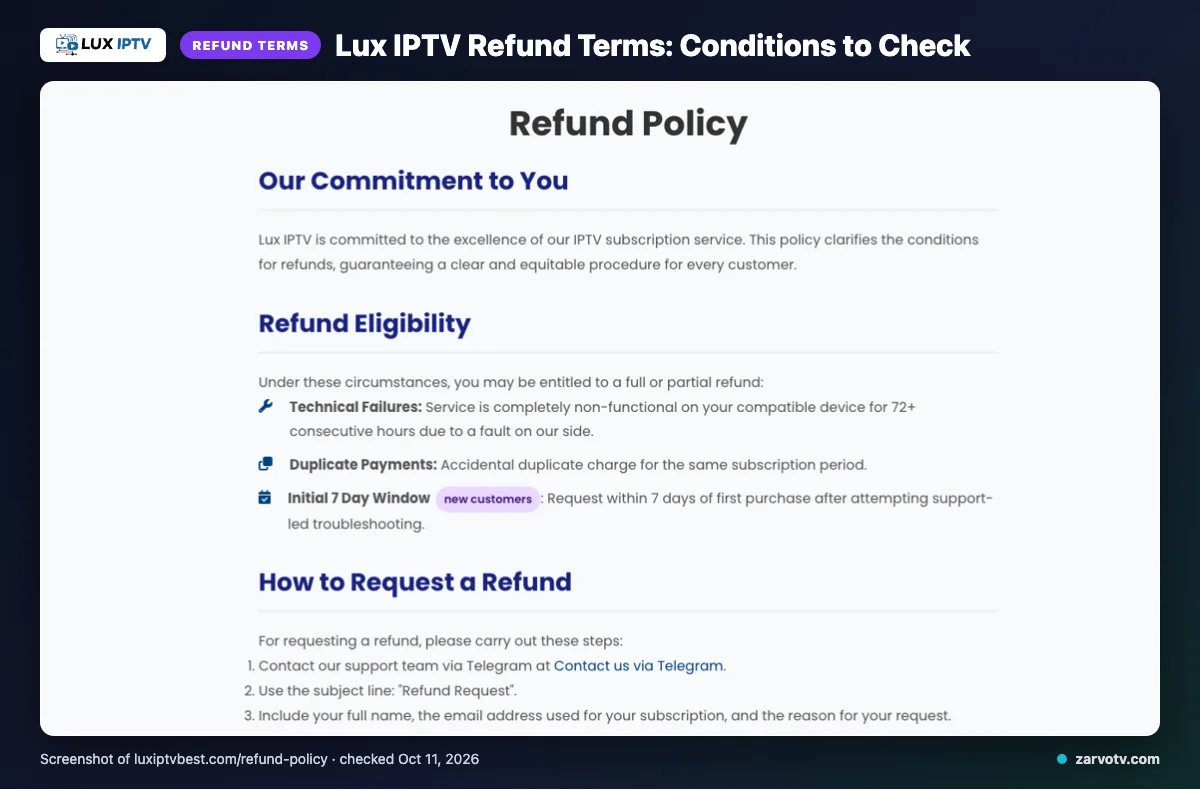
We did not find a free trial on the pages we checked, but the site does write out its refund rules. A refund may be available in three cases:
- The service is non-functional on a compatible device for 72+ consecutive hours because of a fault on their side.
- You were charged twice.
- You are a new customer asking within 7 days of first purchase, after support-led troubleshooting.
Refunds are not given for dissatisfaction with the channel list or content, slow or unstable internet, Terms of Service violations, or geo-blocking beyond their control. Renewal refunds are evaluated individually. Once approved, refunds start the same day, and funds may take 5–10 business days depending on your bank or card issuer.
You can pay with Visa, MasterCard, American Express, PayPal or Stripe. Note the date and time you first buy, because the 7-day window and the 72-hour fault rule both depend on it.
Lux IPTV pros and cons
Pros
- Clear four-plan price ladder, as laid out in the plans section.
- Wide device list, from Smart TVs and phones to PCs.
- Several card and wallet payment options.
- Refund terms are written out in full.
- An EPG (TV guide) is listed.
- Support by email, live chat and Telegram.
Cons
- We did not find a free trial on the pages we checked.
- No catch-up is stated.
- Content counts differ across pages.
- The currency is not named.
- Extra connections are not listed.
- Refunds exclude dissatisfaction with content.
Is Lux IPTV legal and safe?
Nobody can promise legality for every viewer, because it depends on whether the content is licensed and on the laws where you live. This review cannot confirm Lux IPTV’s licensing, and the pages we checked did not say how its content is licensed.
Before paying, read the Terms of Service, since violations are excluded from refunds. Pay by a method with buyer protection, keep every receipt, and use a unique password. Set up a separate email address for IPTV accounts, so a problem never reaches your main inbox.
How to sign up and set up Lux IPTV
Setup follows the usual IPTV pattern: buy, receive details, enter them in a player app. These steps are general, since we did not verify the site’s own screens.
- Pick a plan on the official Lux IPTV site.
- Pay with one of the listed methods.
- Wait for your account details. The delivery time is not listed on its website.
- Install a player app such as IPTV Smarters on your main TV.
- Enter the details you received.
- Check that the TV guide loads.
- Repeat on each other screen in turn.
If you get stuck, contact support by email, live chat or Telegram.
Quick tip: Add phones and tablets one at a time after the main TV. That way you can see which screen has a problem.
Lux IPTV vs Zarvo TV
The two services match on entry price, but they differ on trial, plan length and refund window. The table puts them side by side, using the Lux IPTV details from the earlier sections.
| Feature | Lux IPTV | Zarvo TV |
|---|---|---|
| Plans | Four plans, 1 to 12 months | Five plans, 1 to 24 months, $14.95 to $99.95 for 1 connection |
| Free trial | We did not find one on the pages we checked | 24-hour free trial |
| Refund | Conditional, in three cases | 7 days |
| Devices | Smart TVs, Android, iOS, Firestick, Android boxes, MAG, PC | Firestick / Fire TV, Android TV / Google TV, Samsung and LG Smart TV, iPhone / iPad / Apple TV, Android phones, Windows / Mac, MAG box |
Where do the prices differ?
The 1-month, 3-month and 12-month prices match. The 6-month plan is $39.95 at Zarvo TV, which is lower than the Lux IPTV price shown earlier. Zarvo TV also adds a 24-month plan.
Which is easier to try first?
Zarvo TV offers a 24-hour trial, so you can test the living-room TV and a kids’ tablet before paying. You can read the details on the Zarvo TV free trial page. With Lux IPTV, you would rely on its refund rules instead.
What about payment and support?
Zarvo TV takes card, Cash App and crypto, with 24/7 support. Lux IPTV lists card and wallet options, plus email, live chat and Telegram support.
Who should choose Lux IPTV, and who should look elsewhere?
Lux IPTV suits a single viewer who wants one screen, a long device list and refund terms written out in full. Households that watch on several screens at once should look elsewhere, or get answers in writing first.
Who should choose Lux IPTV?
It fits you if one person watches on one device, such as a bedroom TV, a phone or a PC. It also suits you if you want a TV guide and support by email, live chat or Telegram. The four-plan price ladder keeps the choice simple.
Who should look elsewhere?
Look elsewhere if the living-room TV, a kids’ tablet and a phone all run together. Each plan shows 1 connection, and we did not find extra connections on the pages we checked.
Also look elsewhere if you want a free trial first, or catch-up TV. We found neither on the pages we checked. If exact channel counts matter to you, remember the site’s numbers conflict.
What is the plain verdict?
Lux IPTV looks like a reasonable fit for a one-screen buyer who accepts unverified marketing claims. For a full household, it is a maybe until support confirms in writing how screens are counted. This verdict rests on the website alone, since no streaming test was done.
Quick tip: List every screen at home on paper, then tick each one against the device list before you pay.
Want to compare before you pay?
If you would rather try every screen at home first, we offer a 24-hour free trial. It takes about 5 minutes to set up, so you can check the TV, tablet and phone before choosing a plan.
Frequently Asked Questions
How much does Lux IPTV cost?
Lux IPTV lists four plans: $14.95 for 1 month, $29.95 for 3 months, $44.95 for 6 months and $59.95 for 12 months. Each plan shows 1 connection. The site uses a “$” sign but does not explicitly name the currency, so confirm it at checkout. Prices were checked on 2026-10-11.
Does Lux IPTV have a free trial?
The site does describe a refund route: a new customer can ask within 7 days of first purchase, after trying support-led troubleshooting. Refunds are not given for dissatisfaction with the channel list or content, so read the full terms first.
Can I watch Lux IPTV on several screens at once?
Each Lux IPTV plan shows 1 connection, and we did not find a page explaining how that applies to a phone, a tablet and a TV in the same home. Ask support in writing before you pay. For a family, that answer matters more than the device list.
Which devices does Lux IPTV work on?
The site lists Smart TVs, Android, iOS, Firestick, Android boxes, MAG devices and PC. It names IPTV Smarters as an app. A device missing from that list is not necessarily unsupported, so ask support if your TV or tablet is not named.
Is Lux IPTV legal and safe?
The pages we checked did not say how Lux IPTV’s content is licensed. Read the Terms of Service before paying, and check your local rules.
Does Lux IPTV renew automatically?
Yes, the site says subscriptions automatically renew at the end of every billing cycle. You can modify or cancel auto-renewal from the account dashboard. If you want a single term, switch it off right after buying. The site says renewal refunds are evaluated individually.