
Disclosure: This review is published by Zarvo TV, which sells its own IPTV service. Zarvo TV and Mom IPTV share common ownership. It is based on Mom IPTV’s website pages checked on October 12, 2026 and does not include streaming tests.
This mom iptv review finds Mom IPTV may suit households with compatible screens and one active connection. Check the renewal terms and website claims before paying.
For a household comparing options, Zarvo TV lists plans for one connection and several device categories.
What is Mom IPTV?
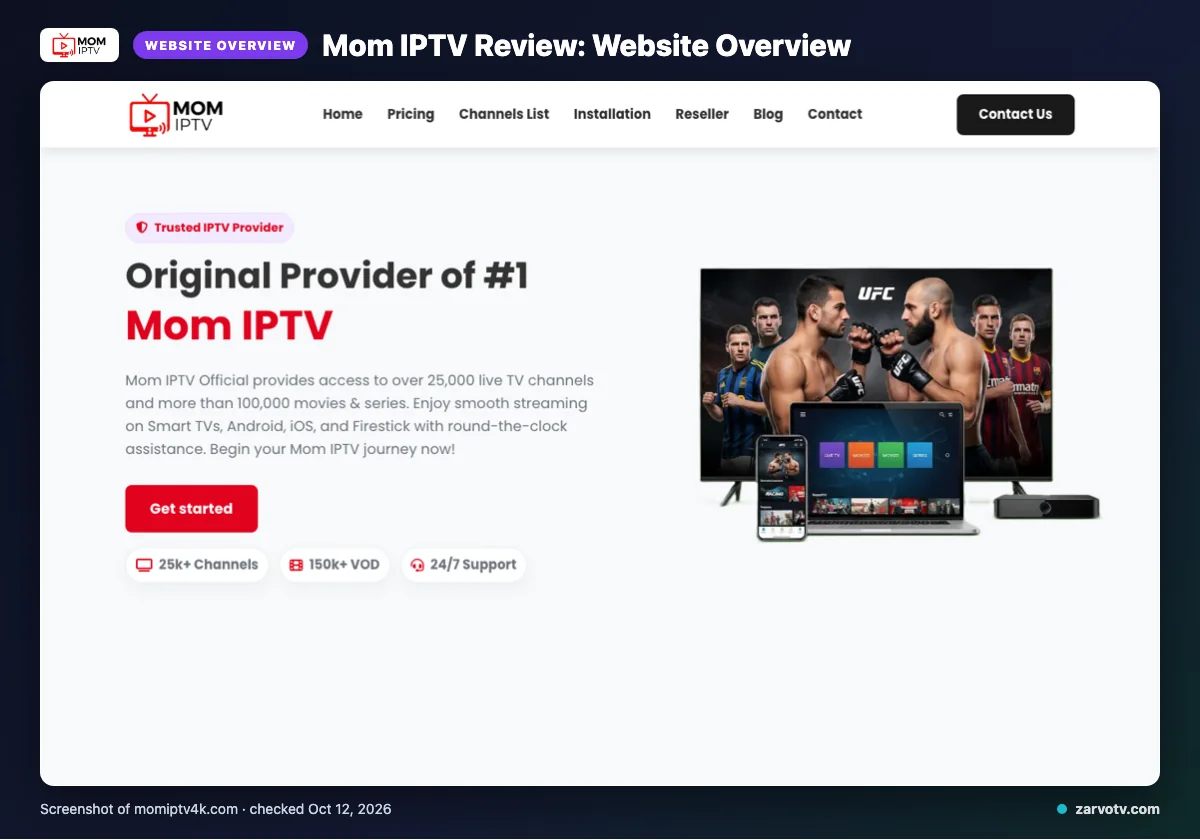
Mom IPTV is the service covered in this website-based review. Its official website lists the USA, UK, Canada, Europe, Asia and MENA areas.
The channel list also names France, the United Kingdom, Turkey, Greece, Belgium, the Netherlands, India and Germany, alongside Arabic and Latin America categories. Quick tip: Check whether the regions named on the site match the channels you want before choosing a plan.
What does Mom IPTV offer?
Mom IPTV lists 25,000+ live TV channels and 100,000+ VOD options. Its website gives conflicting channel and VOD totals, so treat these as listed claims.
Quality labels include 4K, HD, Full HD, FHD and 4K Ultra HD. Listed devices are smart TVs, Android boxes, Firestick, MAG devices, iOS and PC; the named app is IPTV Smarters.
An updated EPG is stated to be available, but catch-up is not listed. Check app requirements on your chosen screen before subscribing; the site names IPTV Smarters.
Mom IPTV plans and prices
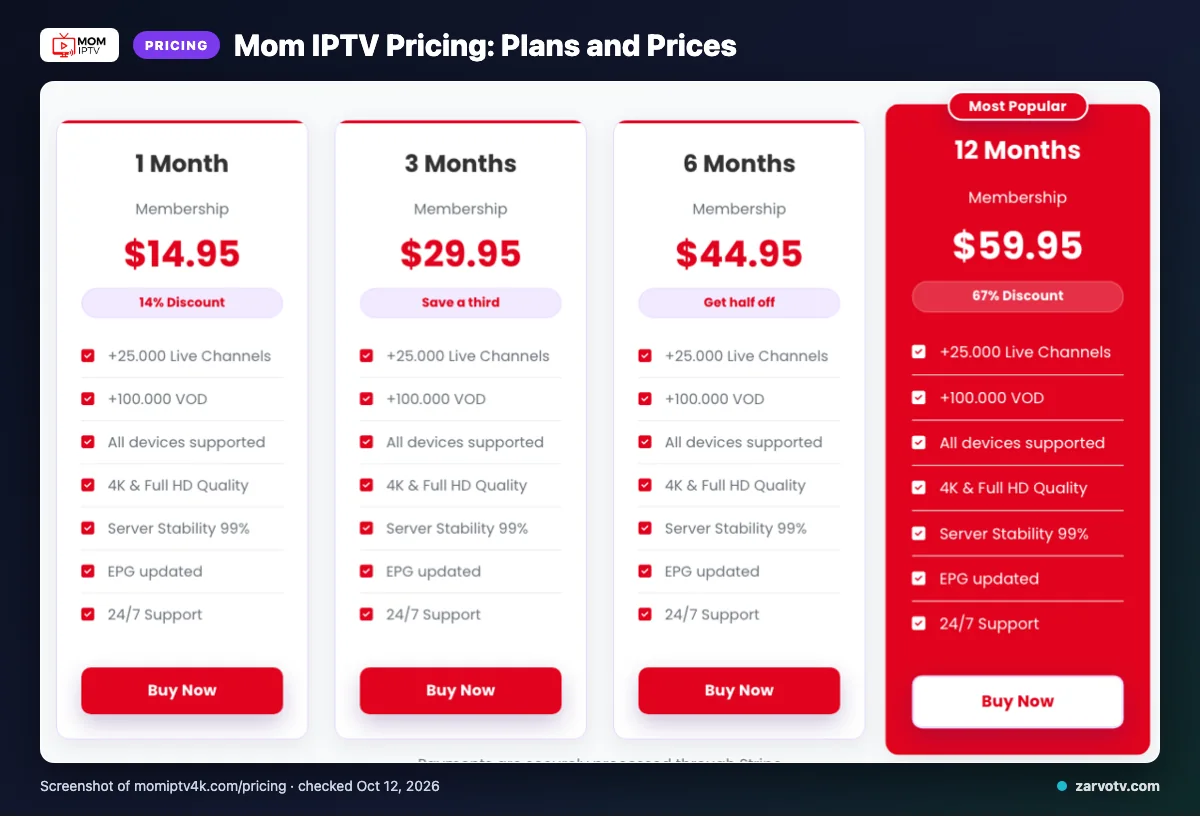
Mom IPTV lists four plans, from one month to 12 months, with one connection at a time. The website uses the $ symbol but does not specify a currency; prices were checked on October 12, 2026.
| Plan | Duration | Listed price | Connection terms |
|---|---|---|---|
| 1 Month | 1 Month | $14.95 | One connection at a time |
| 3 Months | 3 Months | $29.95 | One connection at a time |
| 6 Months | 6 Months | $44.95 | One connection at a time |
| 12 Months | 12 Months | $59.95 | One connection at a time |
Quick tip: Compare each listed term and price with how long you expect to use the service, especially if your plans may change.
Free trial, refunds and payment at Mom IPTV
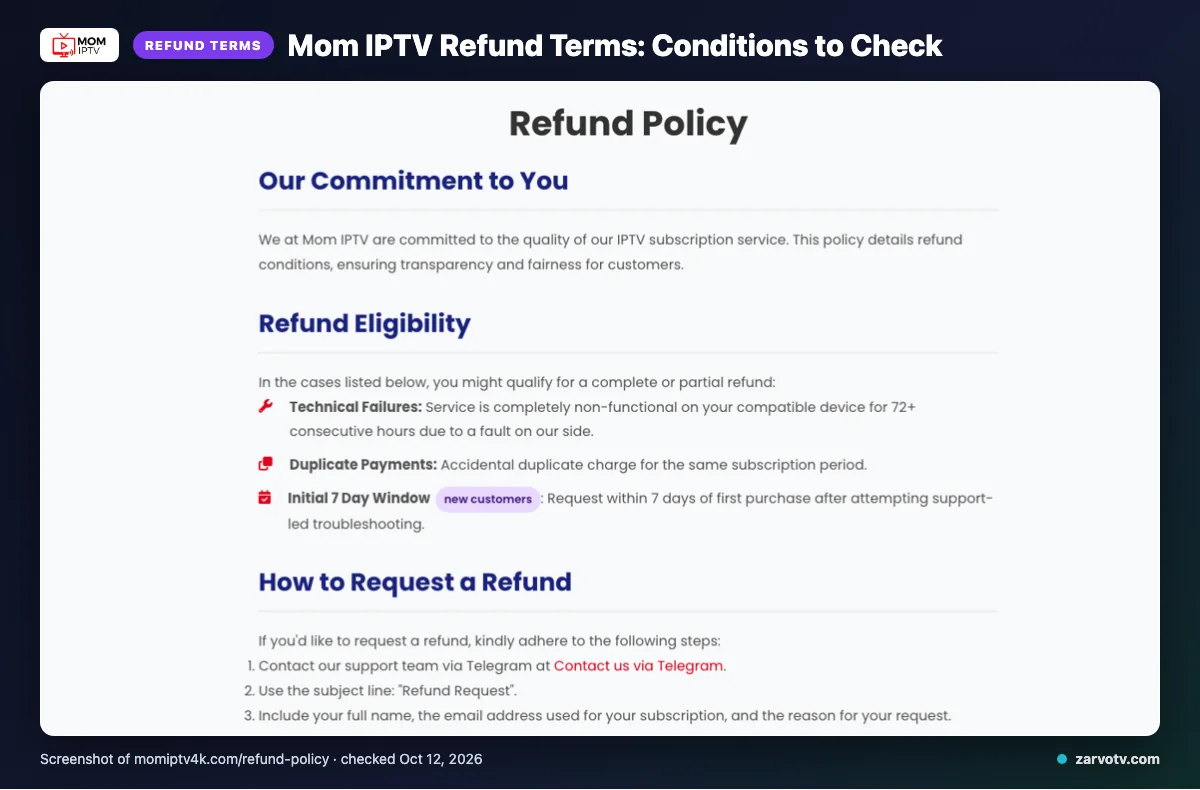
We did not find a free trial on the pages checked. Mom IPTV says refunds may be available for technical failures, duplicate payments, and eligible new-customer requests within 7 days of first purchase after support-led troubleshooting.
A technical failure must leave the service completely non-functional for 72+ consecutive hours because of a fault on Mom IPTV’s side. Refunds are excluded for dissatisfaction with channels or content, slow or unstable internet, Terms of Service violations, and geo-blocking beyond its control; renewal refunds are evaluated individually.
Read the refund conditions before checkout, especially the troubleshooting requirement for eligible new-customer requests. Listed payment methods are Visa, MasterCard, American Express, PayPal and Stripe.
Mom IPTV pros and cons
Mom IPTV lists features that may suit a household using different screens. Treat these as website claims, not results from a streaming test.
Pros
- The site lists an EPG, several device categories and one named app, giving you setup details to check for your screens.
- It lists multiple video quality labels, so you can compare the options shown on its site.
Cons
- Plans allow one connection at a time, which may not fit a household watching on screens simultaneously.
- Catch-up and a free trial were not listed on the pages checked.
- The content totals conflict, as noted above.
Is Mom IPTV legal and safe?
Legality depends on content licensing and the laws where you live, so it cannot be answered the same way for every household. Check your local rules and seek clear licensing information before paying for an IPTV service.
This is a website-based review, not an independent legal or security assessment. We did not conduct a streaming test, and the pages checked did not list additional safety or privacy details.
So, this section describes website information rather than independently confirming licensing, security practices, or stream performance. Before connecting a living-room TV, phone, or kids’ tablet, ask the provider for clear documentation and review its terms.
How to sign up and set up Mom IPTV
Start at the official site, choose a listed plan, then enter your subscription details in IPTV Smarters. Keep the details handy as you move from checkout to app setup.
- Review the plan information on the site.
- Select a listed plan and follow checkout instructions using an offered payment option.
- After payment, follow the site’s instant-access process to find your subscription details.
- Open IPTV Smarters and follow its on-screen instructions to add those details.
Quick tip: Keep your subscription details available between checkout and the app.
If you want to compare another option for every screen at home, we invite you to explore Zarvo TV’s free trial.
Mom IPTV vs Zarvo TV
For a household using several screens, compare connection terms alongside device lists. Mom IPTV lists one connection at a time, while Zarvo TV lists plans for one connection and several device categories.
| Compare | Mom IPTV | Zarvo TV |
|---|---|---|
| Plans | See plan table above; one connection at a time. | One-connection plans: 1 month $14.95; 3 months $29.95; 6 months $39.95; 12 months $59.95; 24 months $99.95. |
| Trial | See trial note above. | 24-hour trial. |
| Refund | See refund terms above. | Seven-day refund period. |
| Devices | Smart TVs, Android boxes, Firestick, MAG devices, iOS and PC. | Fire TV, Android and Google TV, Samsung and LG TVs, Apple devices, Android phones, Windows, Mac and MAG box. |
Who should choose Mom IPTV, and who should look elsewhere?
Mom IPTV may suit you if its listed regions and device categories match your household, and one connection fits how you watch. Consider another option if people need to watch on multiple screens at the same time, or if catch-up or a confirmed free trial is essential.
Quick tip: Map which screens your household uses at the same time, such as the living-room TV, a child’s tablet, and a phone. Then decide whether one connection fits your routine.
Before buying, check the website’s current claims and any details you need that are missing. This review is based on website information, not streaming tests.
If you want to compare another option, we invite you to try the Zarvo TV free trial.
New to Zarvo TV? See the setup guide, compare plans and prices, or check the channel list.
Frequently Asked Questions
Does Mom IPTV say subscriptions renew automatically?
Yes. Mom IPTV says subscriptions automatically renew at the end of each billing cycle. Check the renewal details shown at checkout and keep a copy before you pay. The website-based review identifies this as a listed billing term, but does not explain whether the renewal process varies by payment method.
What support channels does the Mom IPTV website list?
The Mom IPTV website lists Telegram, email, and live chat as support channels. Its refund terms also describe support-led troubleshooting for certain requests, but the pages checked do not state response times. If you need help with setup or billing, confirm which channel is available before purchasing.
Does Mom IPTV list any IP restrictions?
The website lists “No IP restrictions.” This is a website claim, not an independent network test, and it does not replace checking whether the service works with your home setup or follows applicable local rules. The pages checked do not give further details about how this policy is applied.
What does the website claim about server stability?
Mom IPTV claims “Server Stability 99%” and also lists worldwide CDN and anti-freeze technology. These are statements from its website, not results from a streaming test. They should not be read as a guarantee of uptime or uninterrupted playback, since household internet and device conditions can affect viewing.
Can you cancel automatic renewal through the website?
The pages checked say subscriptions automatically renew at the end of each billing cycle, but do not provide instructions for cancelling automatic renewal through the website. Contact Mom IPTV through one of its listed support channels and ask how to stop renewal before your next billing date. Keep any confirmation for your records.
Check the Terms Before Choosing
Compare the one-connection limit, listed device categories, renewal terms, and refund conditions with how your household watches. Treat channel counts and stability statements as website claims, not test results.
We invite you to try Zarvo TV and start the free 24-hour trial.