
Disclosure: This review is published by Zarvo TV, which sells its own IPTV service. Zarvo TV and IPTV Mezzy share common ownership. It is based on IPTV Mezzy’s website pages checked on October 11, 2026 and does not include streaming tests.
This iptv mezzy review summarizes what the provider’s website says about its plans, features, and supported screens. It is a website-based review, not a streaming test or independent verification.
The site lists availability across several regions and single-connection plans. If you’re comparing services for every screen at home, use these details alongside Zarvo TV’s options.
What is IPTV Mezzy?
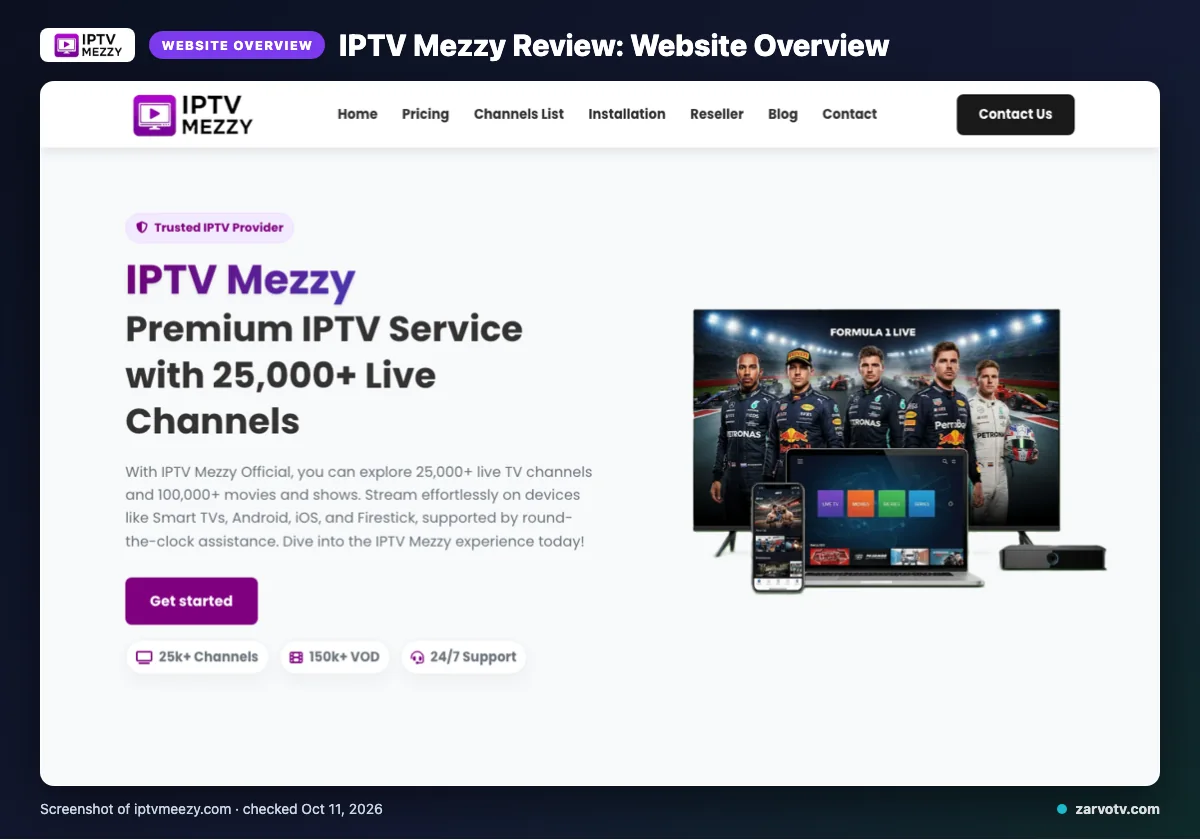
IPTV Mezzy is an IPTV subscription service described on its official website. This review summarizes the site’s claims, not a streaming test or independent verification.
The site lists service availability for the USA, UK, Canada, Europe, Asia, and MENA. Use that list as a starting point when checking whether its stated coverage fits your household.
Quick tip: List the screens you plan to use, such as the living-room TV, bedroom screen, and phones. Before comparing plans, check the connection terms in the plan table against that list.
What does IPTV Mezzy offer?
IPTV Mezzy advertises live TV, video on demand, several picture-quality formats, and support for common household screens. Its listed features may help you compare the service with the living-room TV, a bedroom screen, and phones or tablets.
What channels and video quality does it claim?
The site claims a large live-channel lineup and VOD library, as noted earlier. It lists 4K, 4K Ultra HD, Full HD, FHD, and HD, but these are website claims, not independently verified playback results.
Other promoted features include anti-freeze technology, load balancing, a global CDN, predictive content prefetch, and instant channel switching. The site also makes a server-stability claim; these descriptions do not establish how the service performs on your home connection.
Which devices and apps are listed?
Listed device categories include Smart TVs, Android and iOS devices, Firestick, Android boxes, MAG devices, and PC. IPTV Smarters is the app named on the site.
That gives you several possible screen types to compare with your household setup. The device list does not specify every model or explain whether one login can be used on multiple screens at the same time.
Does IPTV Mezzy include an EPG or catch-up?
The site says it offers an updated, user-friendly Electronic Program Guide, or EPG, for browsing schedules. Catch-up viewing is not mentioned on the pages checked, so confirm that feature directly if you need to replay missed programs.
Want to compare a household option? Try Zarvo TV’s free trial and check how it fits your screens.
IPTV Mezzy plans and prices
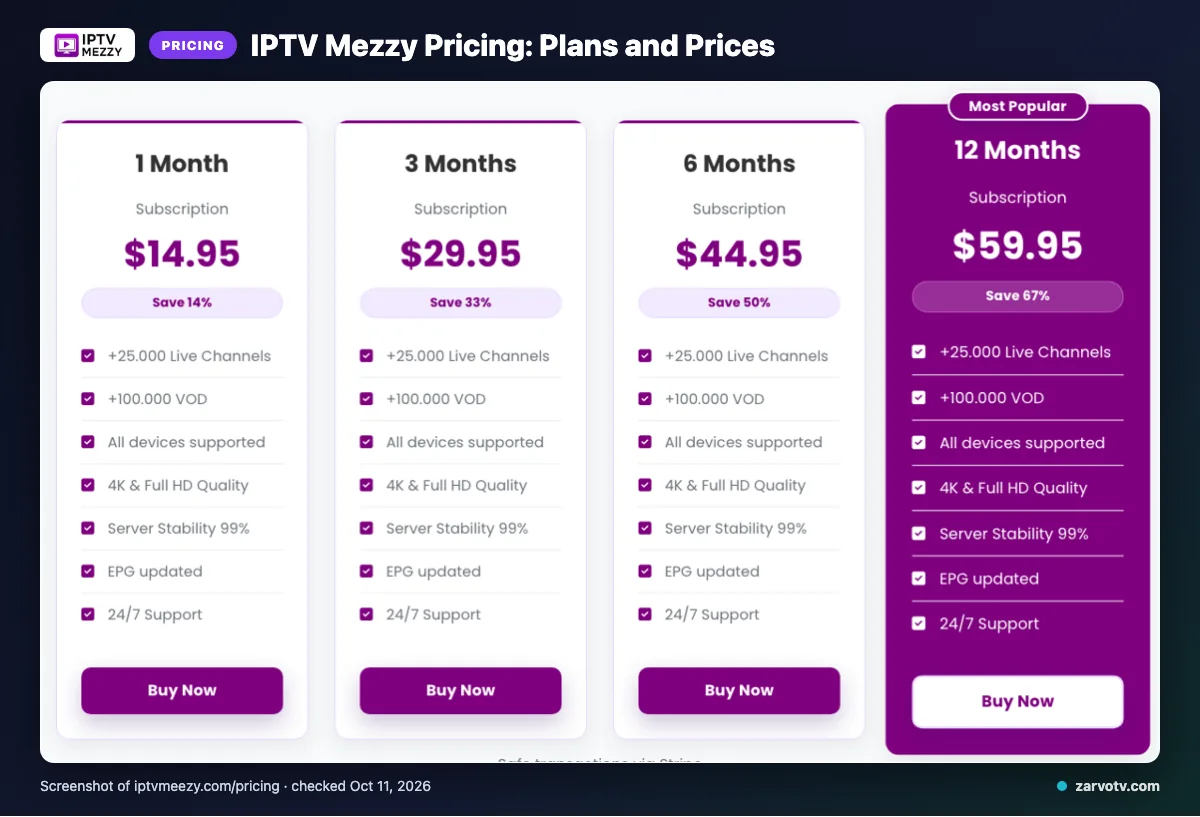
IPTV Mezzy lists four subscription terms, each for a single connection. The amounts below are copied from the site, checked October 11, 2026; the site does not state a currency code.
| Plan | Duration | Price | Connections |
|---|---|---|---|
| 1 Month Subscription | 1 Month | $14.95 | Single connection |
| 3 Months Subscription | 3 Months | $29.95 | Single connection |
| 6 Months Subscription | 6 Months | $44.95 | Single connection |
| 12 Months Subscription | 12 Months | $59.95 | Single connection |
The listed plans cover one connection each, so check that setup against the screens you expect to use. The site says add-on connections can be purchased, but the checked plan details do not list their price.
Compare the subscription term and connection setup before choosing. For a household that wants to watch on multiple screens at once, confirm the available add-on connection terms with IPTV Mezzy first.
Free trial, refunds and payment at IPTV Mezzy
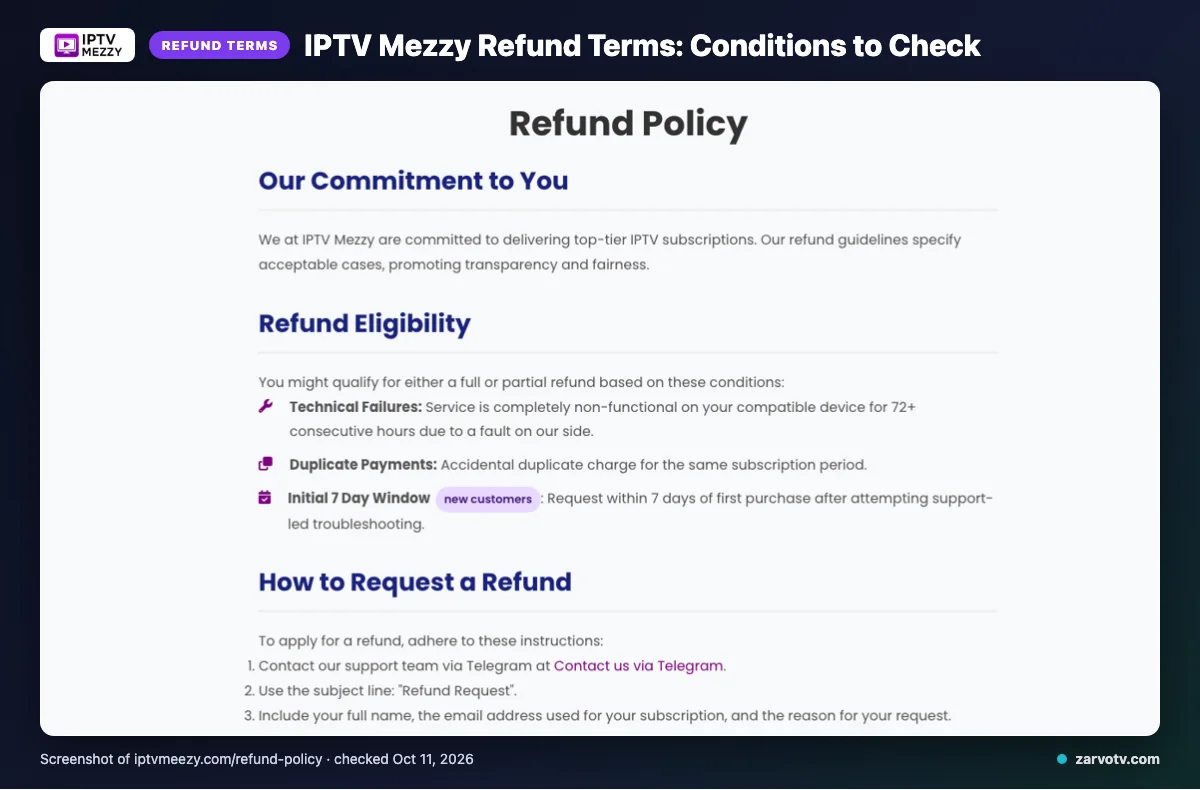
We did not find a free trial listed on the pages checked. IPTV Mezzy lists card and PayPal payments, while refunds depend on specific conditions.
The listed payment methods are Visa, MasterCard, American Express, and PayPal. Before paying, check the checkout page for the amount, renewal terms, and any payment-specific conditions.
For refund eligibility, refer to the terms summarized earlier rather than assuming a general satisfaction refund. The refund page also contains payment-gateway placeholders, so confirm which terms apply to your chosen payment method.
Keep your payment confirmation and any messages with support. IPTV Mezzy lists email, live chat, and Telegram support, which can help you clarify a payment or refund question before purchase.
If you are comparing options for your household, check the trial and refund terms before choosing a service for every screen at home. We invite you to try our 24-hour free trial before deciding.
IPTV Mezzy pros and cons
IPTV Mezzy’s main advantages are its stated network features and the option to purchase extra connections. The main trade-off for a multi-screen home is the standard connection limit and limited detail about add-ons.
What are the pros?
The listed features may give you useful points to compare when choosing a service. Extra connections offer a possible way to fit more household screens.
- You can purchase add-on connections if the standard arrangement does not fit your household.
- The site lists load balancing and a global CDN among its network features.
- It states that there are no IP restrictions, which may suit households using different internet connections.
What are the cons?
The standard connection limit may not suit everyone watching at once. Check the connection terms against how your household plans to watch.
- One standard connection may be restrictive if people want to watch on separate screens at the same time.
- The pages checked do not state the cost of add-on connections or how many you can purchase.
- Feature descriptions alone do not tell you how well the service will perform in your home.
Is IPTV Mezzy legal and safe?
We can’t confirm IPTV Mezzy’s legal status from the information found on its pages. IPTV can be lawful, but a service needs the appropriate content rights in the places where it operates and where you watch.
Can you verify its content rights?
The pages checked don’t provide enough information to verify licensing or distribution rights. That gap does not prove the service is unlawful; it means you should seek clear, written information before subscribing.
Rules can differ between the US, Canada and the UK. If you need certainty for your household, check the relevant local guidance or ask a qualified legal professional.
Is IPTV Mezzy safe to use?
We couldn’t verify its privacy or security practices from the details available. Before sharing personal or payment information, review the privacy policy, terms and contact details, and check how the service handles account data.
Use trusted app sources where available, keep your devices and home Wi-Fi updated, and don’t share login details beyond your household. Be cautious if an app or website asks you to install unfamiliar files or provide information unrelated to setup.
What should you check before choosing?
Ask the provider to explain its content rights and data practices in writing. For a household using a living-room TV, kids’ tablet and phones, also make sure the account terms fit your planned use across screens.
If you’d like to compare a different option for every screen at home, we invite you to try the Zarvo TV free trial.
How to sign up and set up IPTV Mezzy
Choose a plan on the provider’s site and follow its checkout instructions. Once you have the access details, set up one screen first, then check the arrangement before adding other household screens.
-
Choose your first screen. Pick the TV, phone, or tablet you want to use first. Check that you can install or open a compatible player on it.
-
Complete signup. Select a plan and follow the instructions shown during checkout. Check your confirmation for any setup details before closing the page.
-
Enter the access details. Open the player and follow its setup prompts. Copy the provider’s details carefully; do not guess at fields that are unclear.
-
Check playback. Start a channel and confirm that it loads on your chosen screen. If setup fails, review the entered details and contact support through a listed contact method.
-
Plan for other screens. Repeat the setup only after checking the connection arrangement discussed earlier. This helps you avoid assuming one login can serve every screen at once.
For a household, begin with the living-room TV, then set up a phone or bedroom screen if needed. Keep the setup details somewhere accessible to the person who manages the family’s devices.
Quick tip: Set up one screen at a time and note which step causes trouble. That makes it easier to ask for help with a clear description of the issue.
IPTV Mezzy vs Zarvo TV
Compare the plan choices and device fit against how many screens need to play at once. The table points back to earlier IPTV Mezzy details rather than repeating them.
| What to compare | IPTV Mezzy | Zarvo TV |
|---|---|---|
| Plans | Four plan terms; see the plans section above for prices and connection details. | Five terms: 1 month at $14.95, 3 months at $29.95, 6 months at $39.95, 12 months at $59.95, or 24 months at $99.95. |
| Trial | See the trial section above. | 24-hour free trial. |
| Refund | See the refund section above for the conditions. | 7-day refund period. |
| Devices | Refer to the device list above to check the screens you plan to use. | Includes Fire TV, Android and Google TV, Samsung and LG TVs, Apple devices, Android phones, computers, and MAG boxes. |
For a household using a living-room TV, bedroom screen, and phones, compare the connection arrangement before choosing. A device appearing on a list does not tell you how many screens can play at the same time, so check that detail against your household’s needs.
For current Zarvo plan details, see the Zarvo TV pricing page. We invite you to try the free trial before deciding if it fits your home.
Who should choose IPTV Mezzy, and who should look elsewhere?
IPTV Mezzy may suit you if its stated terms and setup match your household’s needs. Look elsewhere if important details remain unclear or the connection arrangement discussed earlier does not fit your plans.
Before choosing, picture how your household watches: perhaps one person uses the living-room TV while another reaches for a phone. Check that the service information covers the screens you plan to use, and confirm any details that could affect your setup directly with the provider.
It may be a reasonable option to consider if you are comfortable making a decision from the information the site provides. You may prefer another service if you need clearer answers before paying, or if you want to compare more than the terms and setup already covered in this review.
For a shared home, focus on whether the stated arrangement works for everyone, not just the first screen you plan to set up. If you cannot confirm that fit, pause and ask for clarification before committing to a plan.
If you want to compare another option, we invite you to try Zarvo TV’s 24-hour free trial and see whether it suits your household.
Frequently Asked Questions
What should you check before choosing?
Check the listed plan price, single-connection limit, payment options, and refund conditions before you decide. The site does not state a currency code, and some service details may need clarification.
Compare the terms with how your household watches on its living-room TV, bedroom screen, and phones or tablets.
For another option, we invite you to start the free 24-hour trial.