
Disclosure: This review is published by Zarvo TV, which sells its own IPTV service. Zarvo TV and Flixora share common ownership. It is based on Flixora’s website pages checked on October 11, 2026 and does not include streaming tests.
If you’re looking for a flixora review, Flixora lists plans starting at $14.95, each with one simultaneous connection. Its published channel and VOD counts vary across pages, so check the current details before subscribing.
For households using a living-room TV, bedroom screen, and phones, connection limits matter; Zarvo TV is another service to compare.
What is Flixora?
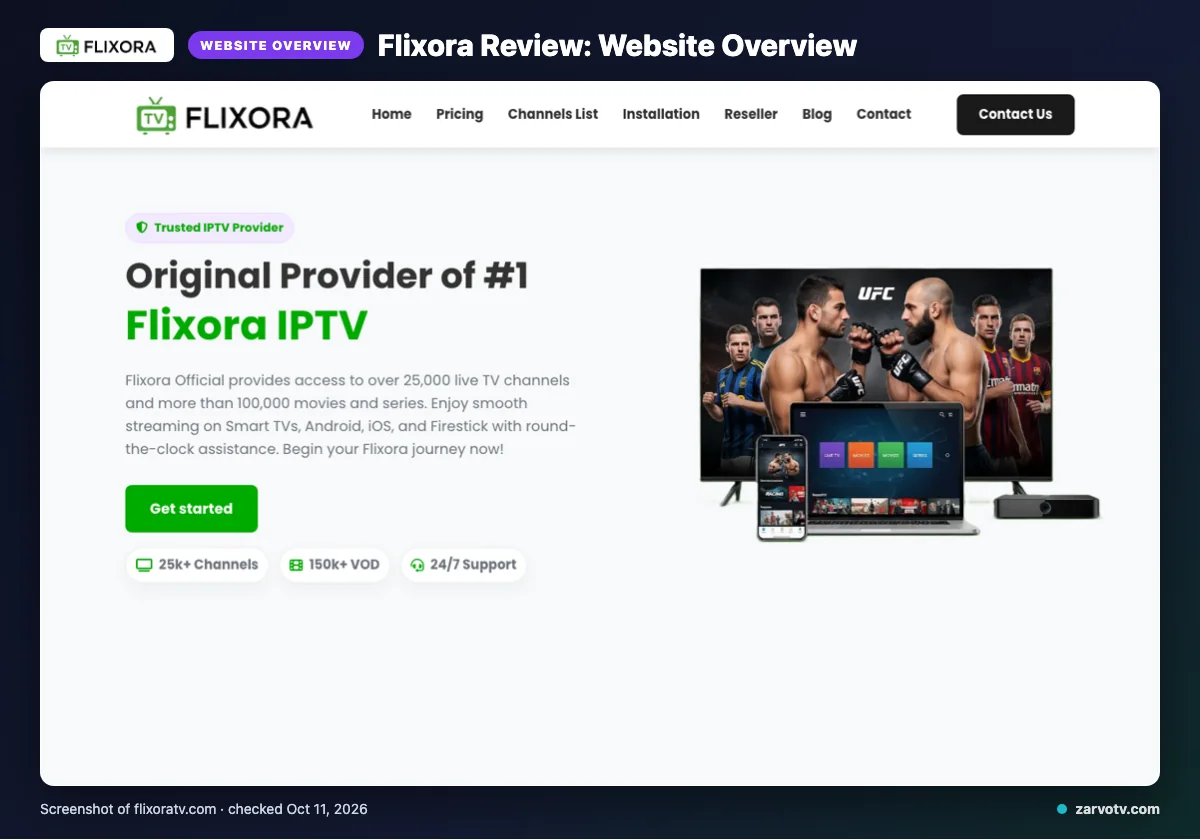
Flixora is the IPTV service covered in this review. Its official site describes coverage across the USA, UK, Canada, Europe, Asia, and MENA.
Flixora identifies specialized packages for the USA, Canada, Europe, and MENA. Its listed categories also name France, the United Kingdom, Turkey, Greece, Belgium, the Netherlands, Germany, India, Latin America, and Arabic.
These country and language categories show the service’s stated regional focus. They do not confirm that every location or language need is covered.
Quick tip: Before browsing further, check whether the stated regional coverage matches the places and languages your household needs.
What does Flixora offer?
Flixora lists live TV, on-demand video, picture-quality labels, and an EPG for schedules. Its published counts conflict across the site. The homepage hero says 25k+ channels and 150k+ VOD; many sections say 25,000+ channels and 100,000+ VOD, while the channel-page title says 10,000+ live channels.
Quality labels include 4K, HD, FHD, Full HD, and 4K Ultra HD; these are website claims, not playback results. Named devices include Smart TVs, Android, iOS, Firestick, Android boxes, MAG devices, and PC; IPTV Smarters is the listed app.
The EPG is included and updated, but catch-up is not listed. Flixora also claims anti-freeze technology, a Global CDN, predictive content prefetch, 99% server stability, fast setup, and no IP restrictions. This review did not test playback.
Flixora plans and prices
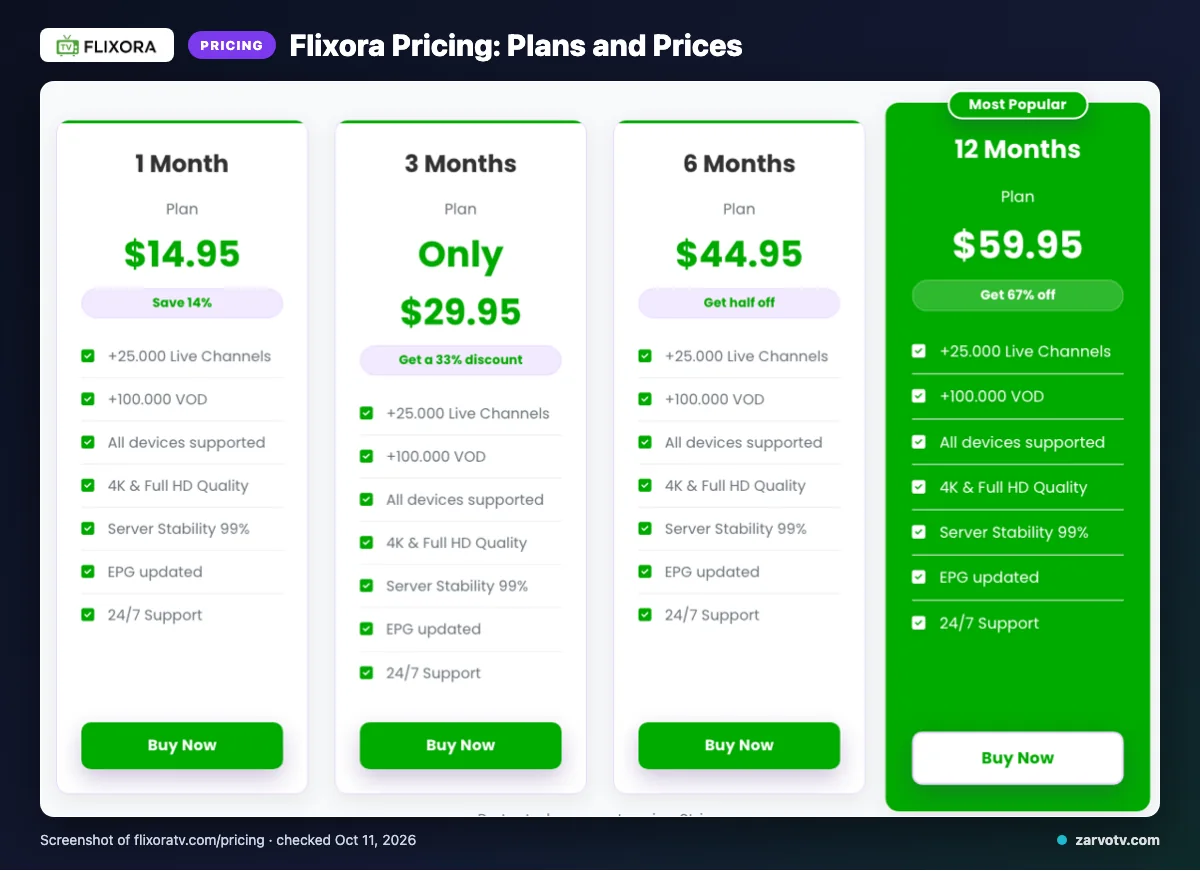
Flixora lists four plans, from one month to twelve months. Checked on October 11, 2026, each standard plan supports one simultaneous connection; add-on connections can be bought.
| Plan | Price | Standard simultaneous connections |
|---|---|---|
| 1 Month | $14.95 | One |
| 3 Months | $29.95 | One |
| 6 Months | $44.95 | One |
| 12 Months | $59.95 | One |
Quick tip: If someone watches on the living-room TV while another uses a bedroom screen or phone, compare that routine with the one-connection condition before choosing a plan.
Free trial, refunds and payment at Flixora
We did not find a free trial listed on the pages checked. Flixora lists Visa, MasterCard, American Express, and PayPal as payment methods.
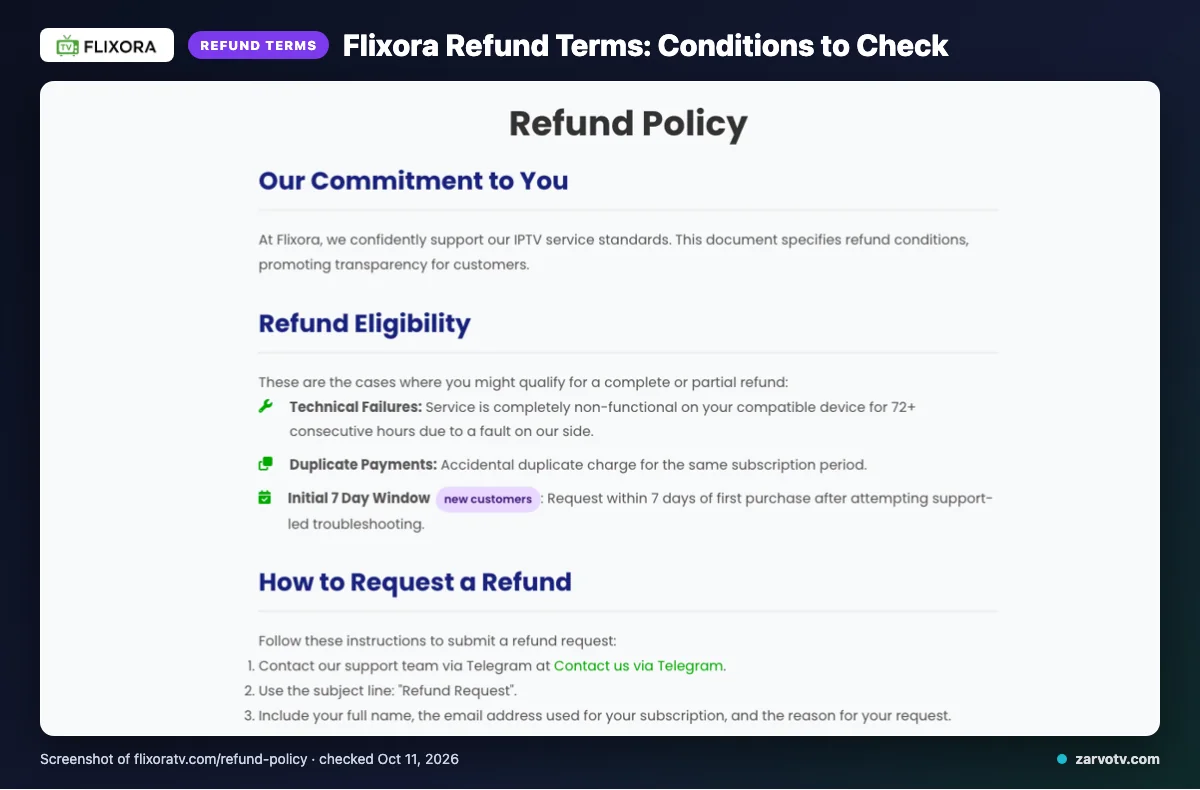
Refunds may apply if service is completely non-functional on a compatible device for 72+ consecutive hours due to a Flixora-side fault, for duplicate payments, or for new customers requesting within 7 days of their first purchase after support-led troubleshooting.
Refunds are unavailable for content dissatisfaction, slow or unstable internet, Terms of Service violations, or geo-blocking beyond Flixora’s control; renewal refunds are handled case by case. Approved refunds are initiated the same day, though funds may take 5–10 business days to appear. Read the conditions before paying: technical failure is treated differently from dissatisfaction with content.
Flixora pros and cons
Flixora’s published offer has broad content claims, regional options, and several support routes. The standard connection limit may not suit a busy household, and some practical details are missing.
Pros
- Live TV and on-demand content are both included in the published offer.
- Several picture-quality labels give you options to consider.
- Regional packages may help you compare options for your area.
- Email, live chat, and Telegram are listed as support channels.
Cons
- The standard connection limit may not suit a home using a TV, kids’ tablet, and bedroom screen at once.
- Add-on connection prices are not listed on the pages checked.
- Support response times are not specified, so you cannot tell how quickly you may hear back.
Is Flixora legal and safe?
Whether Flixora is lawful depends on content licensing and the rules where you watch. We cannot determine its legal status for every country or declare it legal or illegal.
Before subscribing, check local requirements and look for licensing information. A service’s feature list is not proof that its content is licensed, and stated features are not independent verification.
Review the service’s terms before signing up, including any conditions that affect your household. This website-based review included no streaming or security test, so it does not verify playback, data handling, or device safety.
How to sign up and set up Flixora
Start by checking the plan’s connection condition and published terms, then choose only after confirming the payment options suit you. After purchase, follow Flixora’s instructions for the app or device route they specify, and contact its stated support channels if anything is unclear.
- Review the plan details and connection condition before selecting an option.
- Check the published terms and payment options before completing your purchase.
- Use the setup guidance provided after purchase; don’t assume an account-delivery method or setup time.
Use IPTV Smarters or a device setup route only if Flixora’s instructions apply to your setup.
Quick tip: Keep the plan details and setup instructions beside you while setting up the living-room TV, so you can follow the same guidance on another screen.
If you’re comparing services, we invite you to explore Zarvo TV’s free trial.
Flixora vs Zarvo TV
Compare the published prices, trial and refund terms, and named device support before choosing. Plan durations and terms differ, so check the details that fit your household.
| Category | Flixora | Zarvo TV |
|---|---|---|
| Plans | One connection: 1 month $14.95; 3 months $29.95; 6 months $44.95; 12 months $59.95. | One-connection plans: 1 month $14.95; 3 months $29.95; 6 months $39.95; 12 months $59.95; 24 months $99.95. |
| Trial | We did not find a free trial listed on the pages checked. | 24-hour free trial. |
| Refund | See the conditions and exclusions above; renewal requests are handled case by case. | 7-day refund. |
| Devices | Smart TVs, Android, iOS, Firestick, Android boxes, MAG devices, and PC. | Fire TV, Android and Google TV, Samsung and LG TVs, Apple devices, Android phones, Windows, Mac, and MAG. Match named support to your bedroom TV, phone, or tablet. |
Want to check Zarvo TV’s trial for your household? We invite you to try it free.
Who should choose Flixora, and who should look elsewhere?
Flixora may suit your household if its listed regions, devices, and plan terms match your needs. Check that those terms also fit how you watch at home.
If people watch different programs at the same time, review the connection options carefully. A device list alone does not explain whether your household’s screens can be used together.
Look elsewhere if you need details the checked pages do not provide before deciding. Base your choice on published terms, not assumptions about shared viewing.
Quick tip: Match your household’s viewing pattern to the connection terms, not just the device list.
If you want another option to compare, we invite you to view Zarvo TV’s free trial details.
New to Zarvo TV? See the setup guide, compare plans and prices, or check the channel list.
Frequently Asked Questions
Does Flixora list Roku as a supported device?
We did not find Roku named in the device information we checked. Flixora lists Smart TVs, Android, iOS, Firestick, Android boxes, MAG devices, and PC. This does not confirm Roku compatibility either way. If Roku is your planned screen, ask Flixora for setup and app details before subscribing.
Does Flixora publish parental-control information?
We did not find parental-control details on the pages we checked. The published information describes content, devices, plans, and support, but does not explain parental controls. If your child will watch on a tablet or TV, ask Flixora whether controls are available and how they work before subscribing.
Can you download Flixora content for offline viewing?
We did not find information about downloads or offline viewing on the pages we checked. Flixora lists live TV and VOD, but the published details do not explain whether content can be saved to a phone or tablet. Ask Flixora before subscribing if offline access matters for travel or limited connectivity.
Does Flixora list subtitle or audio-language options?
We did not find details about subtitles or audio-language choices on the pages we checked. Flixora lists regional packages and content categories, but those listings do not confirm subtitle availability or language tracks for specific programs. Ask Flixora about the shows you plan to watch before choosing a plan.
Does Flixora explain how to move a subscription to another device?
We did not find instructions for moving a subscription between devices on the pages we checked. Flixora says standard plans support one simultaneous connection, and add-on connections can be bought. That describes concurrent use, not device-transfer rules. Ask Flixora through email, live chat, or Telegram before switching screens.
Check the details before you choose
Flixora lists four plan lengths, with one simultaneous connection on each standard plan. Its published channel and VOD counts vary, so confirm the current offer, device details, and refund terms before paying.
We invite you to start the free 24-hour trial with Zarvo TV.